
Night Video Player - voice amp
Updated
Current Version
1.3.0
Offered By

Stop worrying about high battery drain when using Night Video Player - voice amp on your phone. Free yourself from the tiny screen and enjoy the app on a much larger display. From now on, get a full-screen experience of your app with the convenience of a keyboard and mouse. MEmu offers you all the surprising features you’d expect: quick installation and easy setup, intuitive controls, and no more worries about battery life, mobile data, or unexpected calls. The all-new MEmu 9 is the choice for using Night Video Player - voice amp on your computer. With the MEmu multi-instance manager, you can run two or more accounts at the same time. Most importantly, our exclusive emulation engine unlocks your PC’s full potential, delivering smooth and enjoyable performance.
Show more
Enjoy superb experience of using Night Video Player - voice amp on PC with MEMU App Player. It's a powerful free Android emulator which provides you with thousands of android apps for their desktop version. Enjoy connecting with friends and polishing your work with higher efficiency! The first video player for Android with speech loudness enhancing feature, optimization and normalization sound for the most comfortable viewing.
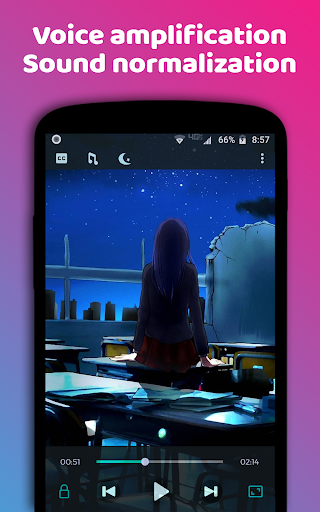
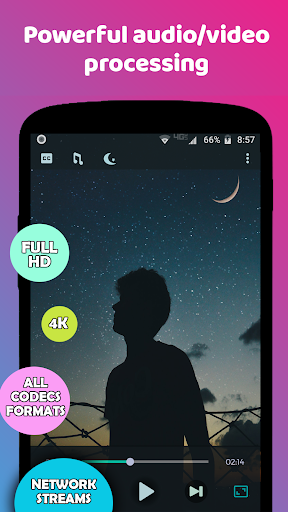
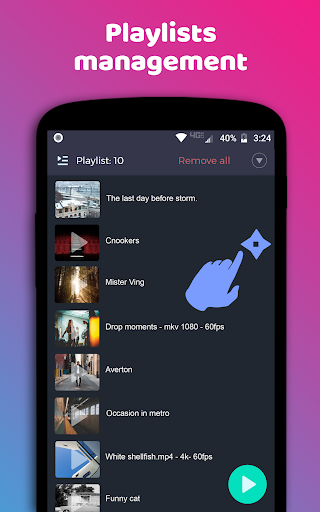
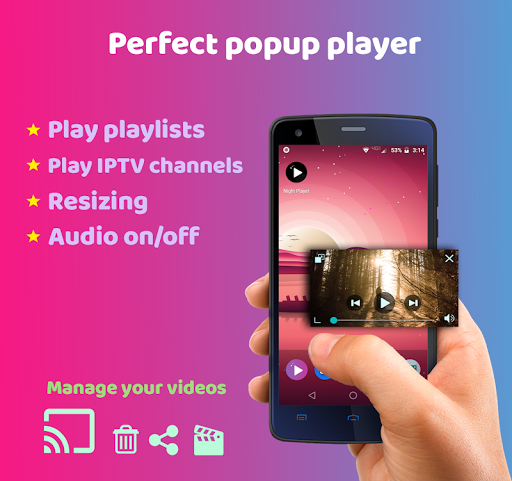
The first video player for Android with speech loudness enhancing feature, optimization and normalization sound for the most comfortable viewing.
- Play and manage any video files on your device storage, SD card, third-party app folders, external SSD, HDD
- Play all video files, support all codecs, all formats, streams, IPTV channels, m3u
- Scanning and managing video file over all device storage
- Voice enhancing feature
- Increasing speech volume
- Smoothing sharp drops in sound
- Normalization loudness of special effects
- Smart volume correction of the entire audio track
- Voice amplification
- Clear voice feature
- Amplification loudness of dialogues
- Remove noise
In all films, TV shows, cartoons, and so on, there are volume differences and sharp drops that make viewing the video not comfortable, especially if you are watching movies at night.
Volume drops, too loud special effects, the sound of gunfire and, for all that, the speech is too quiet, if it annoys you - then this video player is for you!
Night Video Player uses its unique and super fast algorithm to detect human voice, and process audio on the fly, while watching a video.
As a result, with the Night Video Player you will move to a completely different, qualitatively new level of perception of your favorite movies,
where you can better hear and understand the human speech of actors, clearly hear conversations in a whisper,
some audio elements that used to be too quiet compared to other sounds and you just could not hear them.
And with all this, you will not be disturbed by loud shots, screams, and all other harsh sounds, the player makes them quieter and more pleasant for perception.
***
* Perfect player for night watching movies with voice amplification feature. Watch movies at night with maximum comfort! With Night Video Player will never again you or your child wake up from harsh sounds
* Ideal for watching movies in the original, without dubbing. With Night Video Player You will better hear and understand the speech of the actors
* The player reads all video formats - MKV, MP4, AVI, MOV, Ogg, FLAC, TS, M2TS, Wv, etc.
* FULL HD, 4K, support for all codecs - AC-3, AAC, HEVC (H.265), VP9, H264, MPEG, AAC, OGG, etc.
* IPTV player. Enjoy with any m3u playlists (M3U/M3U8). Video player plays even unformatted and text m3u iptv playlists.
* Subtitle support
* Playlist support
* Chromecast support
* Popup player
* Tablet and Android TV optimization
* Night Video Player doesn't have any suspicious permissions and without ads
* Select audio track feature
The night video player has three audio processing modes:
* Original sound.
- play original audio without normalization.
* Smart night mode.
In this 'night mode', smart leveling of special-effects will be applied, the volume of the human voice will be increased. The entire audio track will also be normalized. Also, night mode video player make voice more clear and understandable.
Uses intelligent voice optimizer
Voice enhancer
* Soft sound mode
Almost the same as 'night mode', plus
voice optimizer based on audio compressors
- 'clear voice play'
- removing noises
- bring up the loudness of 'very quiet dialogues' and make voices it more clear
How works sound normalizer engine in video player:
In first, is carried out detection voice, speech, too quiet and too loud audio fragments are determined as well. Voice puts into sound enhancer, which increase volume, like sound booster. Effects and noises put into sound normalizer, normalize peaks, high contrast, etc. At last, all fragments is merged back.
Try and enjoy playing all videos on all formats with our player with REAL NIGHT COMFORTABLE MODE
* All graphic material which is used in Clear Voice Player are free and all FILMS are fictional.
Show more

1. Download MEmu installer and finish the setup

2. Start MEmu then open Google Play on the desktop

3. Search Night Video Player - voice amp in Google Play
Install
4. Download and Install Night Video Player - voice amp
5. On install completion click the icon to start

6. Enjoy using Night Video Player - voice amp on PC with MEmu
MEmu Play is the best Android emulator, and 100 million users already enjoy its superb Android app experience. Powered by advanced virtualization technology, it lets you enjoy thousands of Android apps smoothly on your PC—including the most graphics-intensive ones.
Bigger screen with better graphics; Long duration, without limitation of battery or mobile data.
Full Keymapping support for precise control of keyboard and mouse or gamepad.
Multiple game accounts or tasks on single PC at one time with Multi-Instance manager.
Use Night Video Player - voice amp on PC by following steps:































