
Firefox Browser fast & private
Updated
Current Version
156.0
Offered By

Stop worrying about high battery drain when using Firefox Browser fast & private on your phone. Free yourself from the tiny screen and enjoy the app on a much larger display. From now on, get a full-screen experience of your app with the convenience of a keyboard and mouse. MEmu offers you all the surprising features you’d expect: quick installation and easy setup, intuitive controls, and no more worries about battery life, mobile data, or unexpected calls. The all-new MEmu 9 is the choice for using Firefox Browser fast & private on your computer. With the MEmu multi-instance manager, you can run two or more accounts at the same time. Most importantly, our exclusive emulation engine unlocks your PC’s full potential, delivering smooth and enjoyable performance.
Show more
Enjoy superb experience of using Firefox Browser fast & private on PC with MEMU App Player. It's a powerful free Android emulator which provides you with thousands of android apps for their desktop version. Enjoy connecting with friends and polishing your work with higher efficiency! The internet.
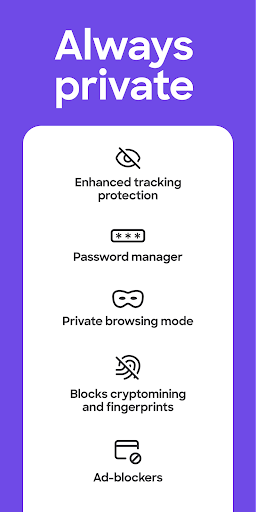

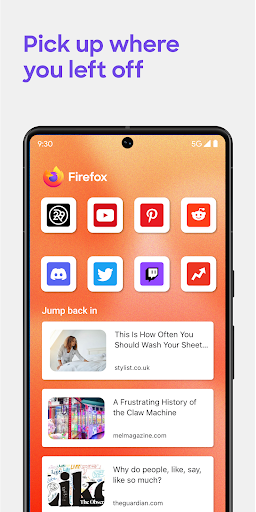
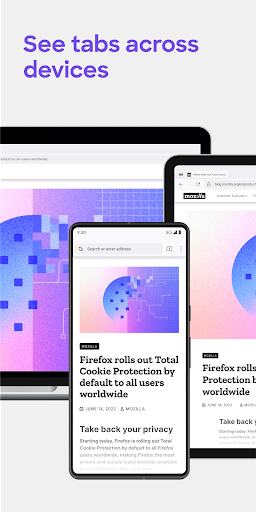
The internet. As it should be.
Firefox is a private web browser designed to protect your data, block trackers and make browsing fast, secure and simple. Whether you’re looking for an incognito browser, a private search experience, or a reliable browser for everyday use, Firefox puts you first.
Why people choose Firefox
More privacy, less tracking – Firefox automatically blocks social media trackers, cross-site cookies, crypto miners and fingerprinting scripts.
Private browsing that protects you – Open private tabs that don’t save your history, searches, or cookies. Lock them with your device security for extra protection.
Fast, smooth performance – Load pages faster by blocking trackers and reducing unnecessary data usage.
Search your way – Use your preferred private search engine or switch easily from the search bar.
Passwords made simple – Generate, store and autofill passwords securely.
Tabs that work for you – Easily organize and switch between tabs and sync them across devices to pick up where you left off.
Focus without distractions – Reader View strips away clutter, while picture-in-picture lets you multitask with videos.
Control your experience – Add extensions like ad blockers, customize settings and choose how you browse.
Make it yours – Customize your home screen, layout and shortcuts for a more personal browsing experience.
AI on your terms – Turn AI completely off or customize it feature by feature.
Quick page summaries – Shake your phone to cut through long pages and get the key points.
Sync across devices – Access your bookmarks, tabs and passwords anywhere you use Firefox.
Private by default
Firefox is built to protect you. Enhanced Tracking Protection automatically blocks common trackers, while Total Cookie Protection keeps cookies isolated to the sites where they belong. When you need more privacy, private browsing mode ensures your history, searches and cookies aren’t saved. Private tabs can also lock automatically, so your activity stays yours.
Your browser. Your rules.
Firefox puts you in charge of your internet. Add privacy or productivity extensions, including ad blockers, move your search bar, choose your default search engine and tailor your browser to how you use the web. Sync your data across devices for a seamless, consistent experience.
Focus with Firefox. Fast, secure and built around you
Firefox is designed to help you stay focused with faster, more secure browsing. Reader Mode removes clutter from articles, Picture-in-Picture keeps videos accessible while you multitask and Tracker Blocking helps pages load faster. Built-in password management and private browsing keep everyday browsing simple and protected.
Built for people, not profit
Firefox was created in 2004 by Mozilla as a faster, more private and customizable browser designed to put people first. Today, Mozilla remains a nonprofit working to make the internet — and the time you spend on it — better.
Learn more about Mozilla: https://www.mozilla.org
Terms of Use: https://www.mozilla.org/about/legal/terms/firefox/
Privacy Policy: https://www.mozilla.org/privacy/firefox
Latest news: https://blog.mozilla.org
Show more

1. Download MEmu installer and finish the setup

2. Start MEmu then open Google Play on the desktop

3. Search Firefox Browser fast & private in Google Play
Install
4. Download and Install Firefox Browser fast & private
5. On install completion click the icon to start

6. Enjoy using Firefox Browser fast & private on PC with MEmu
MEmu Play is the best Android emulator, and 100 million users already enjoy its superb Android app experience. Powered by advanced virtualization technology, it lets you enjoy thousands of Android apps smoothly on your PC—including the most graphics-intensive ones.
Bigger screen with better graphics; Long duration, without limitation of battery or mobile data.
Full Keymapping support for precise control of keyboard and mouse or gamepad.
Multiple game accounts or tasks on single PC at one time with Multi-Instance manager.
Use Firefox Browser fast & private on PC by following steps: