PDF Converter: Reader & Editor
Updated
Current Version
3.3.0
Offered By

Stop worrying about high battery drain when using PDF Converter: Reader & Editor on your phone. Free yourself from the tiny screen and enjoy the app on a much larger display. From now on, get a full-screen experience of your app with the convenience of a keyboard and mouse. MEmu offers you all the surprising features you’d expect: quick installation and easy setup, intuitive controls, and no more worries about battery life, mobile data, or unexpected calls. The all-new MEmu 9 is the choice for using PDF Converter: Reader & Editor on your computer. With the MEmu multi-instance manager, you can run two or more accounts at the same time. Most importantly, our exclusive emulation engine unlocks your PC’s full potential, delivering smooth and enjoyable performance.
Show more
Enjoy superb experience of using PDF Converter: Reader & Editor on PC with MEMU App Player. It's a powerful free Android emulator which provides you with thousands of android apps for their desktop version. Enjoy connecting with friends and polishing your work with higher efficiency! Simplify your document workflow with PDF Converter: Reader & Editor, the most versatile AI-powered tool for your professional and academic life.
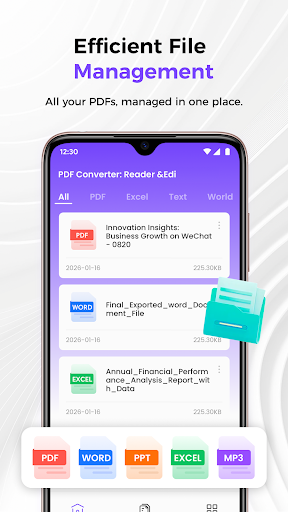
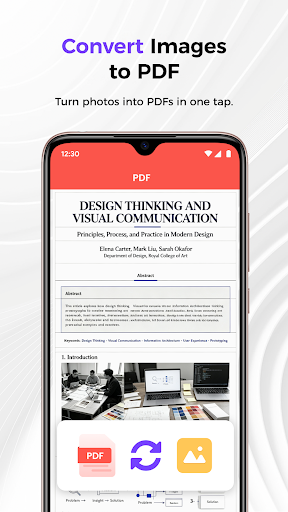
Simplify your document workflow with PDF Converter: Reader & Editor, the most versatile AI-powered tool for your professional and academic life.
Whether you need to edit a contract, scan receipts with AI precision, or create a standout CV for your next career move, our app provides everything you need in one powerful, easy-to-use interface.
KEY HIGHLIGHTS
Advanced PDF Editor
Edit & Annotate: Add text, insert images, and draw directly on your PDFs.
Sign Documents: Sign contracts and forms digitally on the go with your e-signature.
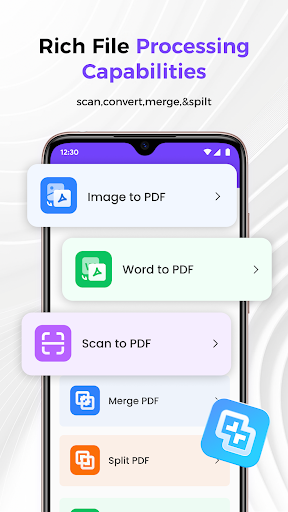
Page Management: Effortlessly merge, split, and reorder pages to organize your files.
AI-Powered Smart Scanner
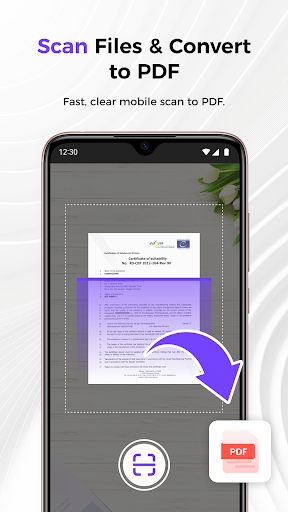
Intelligent OCR: Extract text from photos and scans with high-accuracy AI technology.
HD Scanning: Automatically detect document borders and remove shadows for professional-quality results.
Batch Mode: Quickly digitize multiple pages into a single PDF document.
Professional Resume & CV Builder
Expert Templates: Create a job-winning resume in minutes using our curated professional templates.
Easy Customization: Simply input your details, choose a style, and let our app format the perfect CV for you.
Export & Apply: Save your resume as a high-quality PDF, ready to send to employers immediately.
Universal PDF Converter
Image to PDF: Convert your photos, screenshots, and JPGs into high-quality PDFs.
Multi-Format Support: Handle various document types with seamless conversion and layout preservation.
Privacy & Local Processing
Your data is safe with us. We prioritize local processing for most AI features to ensure your sensitive documents never leave your device without your permission.
Download PDF Converter: Reader & Editor now and experience the future of document management!
Show more

1. Download MEmu installer and finish the setup

2. Start MEmu then open Google Play on the desktop

3. Search PDF Converter: Reader & Editor in Google Play
Install
4. Download and Install PDF Converter: Reader & Editor
5. On install completion click the icon to start

6. Enjoy using PDF Converter: Reader & Editor on PC with MEmu
MEmu Play is the best Android emulator, and 100 million users already enjoy its superb Android app experience. Powered by advanced virtualization technology, it lets you enjoy thousands of Android apps smoothly on your PC—including the most graphics-intensive ones.
Bigger screen with better graphics; Long duration, without limitation of battery or mobile data.
Full Keymapping support for precise control of keyboard and mouse or gamepad.
Multiple game accounts or tasks on single PC at one time with Multi-Instance manager.
Use PDF Converter: Reader & Editor on PC by following steps: