
Promeo - Story & Reels Maker
Updated
Current Version
6.10.1
Offered By

Stop worrying about high battery drain when using Promeo - Story & Reels Maker on your phone. Free yourself from the tiny screen and enjoy the app on a much larger display. From now on, get a full-screen experience of your app with the convenience of a keyboard and mouse. MEmu offers you all the surprising features you’d expect: quick installation and easy setup, intuitive controls, and no more worries about battery life, mobile data, or unexpected calls. The all-new MEmu 9 is the choice for using Promeo - Story & Reels Maker on your computer. With the MEmu multi-instance manager, you can run two or more accounts at the same time. Most importantly, our exclusive emulation engine unlocks your PC’s full potential, delivering smooth and enjoyable performance.
Show more
Enjoy superb experience of using Promeo - Story & Reels Maker on PC with MEMU App Player. It's a powerful free Android emulator which provides you with thousands of android apps for their desktop version. Enjoy connecting with friends and polishing your work with higher efficiency! Create stunning designs with no effort.
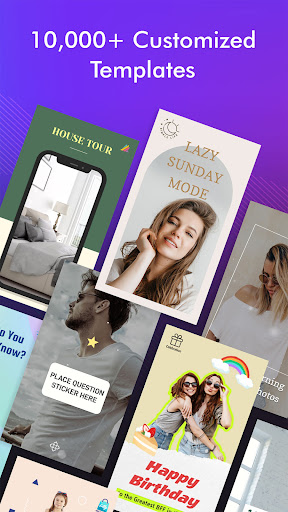
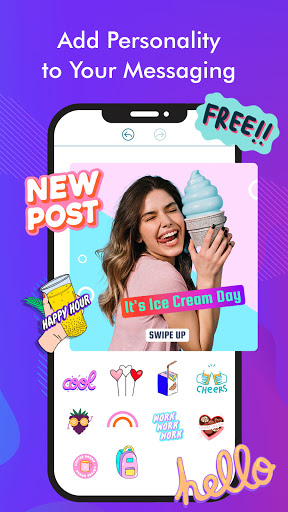
Create stunning designs with no effort. Easily customize ready-to-use templates with simple tools and share them online to get more likes and followers.
Pick from 10,000+ optimized, editable templates that are customizable with vivid colors, fonts, effects, and a complete library of premium stock media. No design skills needed! Promeo has everything you need to make stunning and creative social media posts.
【Key Features】
• Templates – Access 10,000+ ready-to-use templates designed for social media.
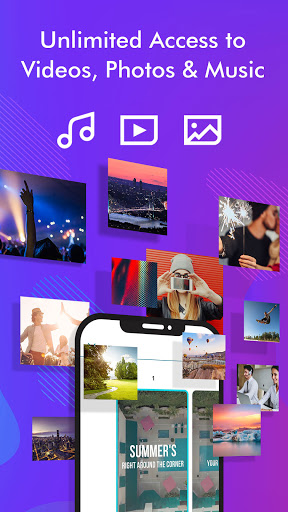
• Music – Access a large selection of royalty-free music tracks for your videos.
• Stock – Create designs with millions of stock photos & videos.
• Stickers - Easily add animated stickers to your favorite templates!
• Filter – Apply your style with exclusive color filters.
• Font – Access 100+ different fonts to customize your creative output.
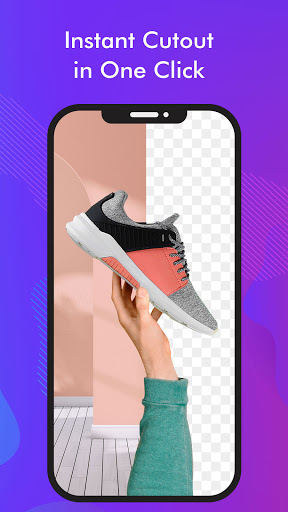
• Magic Cutouts – Automatically separate an object from its background and add it to a template for the perfect product photo.
• Color Palette - Use the color palette to change the color of your graphics!
【Create Designs in 3 Simple Steps】
Promeo’s intuitive platform allows users of any skill level to start creating designs with social media templates in 3 steps!
1. Choose a ready-made template.
2. Edit your message, change colors, and replace any stock photos or videos.
3. Publish and share anywhere!
【Videos For Every Platform】
Format your creation for any social media platform with just a few clicks. Create designs for:
• Instagram
• YouTube
• Facebook
• TikTok
• LinkedIn
• Twitter
【In Any Format】
• Instagram Stories
• Instagram Reels
• Instagram Posts
• YouTube Shorts
• YouTube Intros and Outros
• Facebook Posts
• Facebook Videos
• Social Media Posts
• Video Ads
• Promotional Videos for Events, Sales, and Deals
• Product Demos
• Tutorials and Explainer Videos
…and much more!
【Always Up-to-Date Content, Unlimited Access】
• Use all our premium templates, with unrestricted access.
• A vast library of stock photos, video, and music, powered by Shutterstock.
With 10,000+ ready-to-use templates for categories like education, beauty, real estate, food, auto, fashion, travel, sports & fitness, health & wellness, business & finance, and more, plus seasonal and promotion-specific templates and new designs added every month, you'll never run out of ideas or content for your social media posts.
Still not quite sure? Try Promeo for free and start creating professional-looking videos all on your own.
Find inspiration on Instagram: @promeo_app
Have a problem? Talk to us: support.cyberlink.com
––––––
By upgrading to Premium, you reaffirm your acceptance of Promeo's Terms of Use (https://www.cyberlink.com/stat/company/enu/tos.jsp) and Privacy Policy (https://privacy.cyberlink.com/enu/privacy-policy#p11).
Premium subscription is billed annually and auto-renews every year, unless canceled 24 hours prior to the renewal date. You may manage your subscription and turn off auto-renewal by going to your Account Settings after purchase. In accordance with the store policy, no cancellation of the current subscription is allowed during the active subscription period. Once purchased, refunds will not be provided for any unused portion of the term.
Show more

1. Download MEmu installer and finish the setup

2. Start MEmu then open Google Play on the desktop

3. Search Promeo - Story & Reels Maker in Google Play
Install
4. Download and Install Promeo - Story & Reels Maker
5. On install completion click the icon to start

6. Enjoy using Promeo - Story & Reels Maker on PC with MEmu
MEmu Play is the best Android emulator, and 100 million users already enjoy its superb Android app experience. Powered by advanced virtualization technology, it lets you enjoy thousands of Android apps smoothly on your PC—including the most graphics-intensive ones.
Bigger screen with better graphics; Long duration, without limitation of battery or mobile data.
Full Keymapping support for precise control of keyboard and mouse or gamepad.
Multiple game accounts or tasks on single PC at one time with Multi-Instance manager.
Use Promeo - Story & Reels Maker on PC by following steps: