
Quizlet: AI-powered Flashcards
Updated
Current Version
1734493687
Offered By

Stop worrying about high battery drain when using Quizlet: AI-powered Flashcards on your phone. Free yourself from the tiny screen and enjoy the app on a much larger display. From now on, get a full-screen experience of your app with the convenience of a keyboard and mouse. MEmu offers you all the surprising features you’d expect: quick installation and easy setup, intuitive controls, and no more worries about battery life, mobile data, or unexpected calls. The all-new MEmu 9 is the choice for using Quizlet: AI-powered Flashcards on your computer. With the MEmu multi-instance manager, you can run two or more accounts at the same time. Most importantly, our exclusive emulation engine unlocks your PC’s full potential, delivering smooth and enjoyable performance.
Show more
Enjoy superb experience of using Quizlet: AI-powered Flashcards on PC with MEMU App Player. It's a powerful free Android emulator which provides you with thousands of android apps for their desktop version. Enjoy connecting with friends and polishing your work with higher efficiency! Choose from millions of pre-made decks or create your own set of flashcards to commit the material to memory!
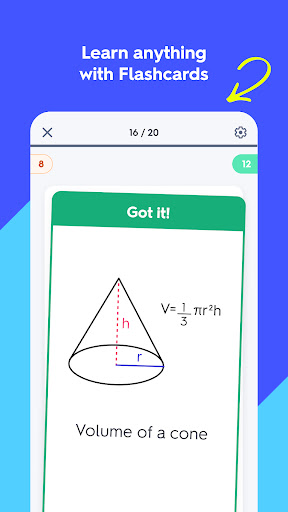
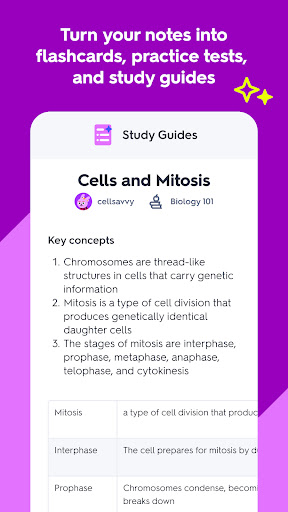
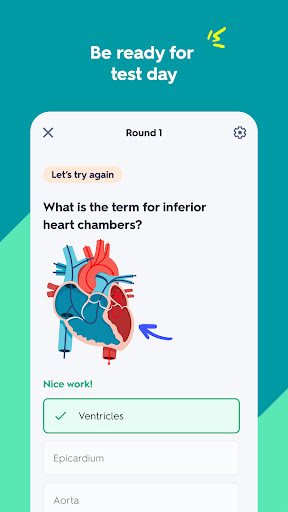
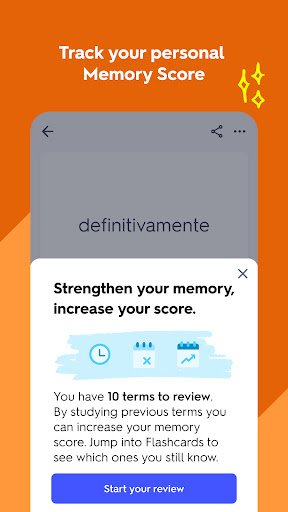
Choose from millions of pre-made decks or create your own set of flashcards to commit the material to memory! Whether you’re prepping for an exam, tackling a homework assignment, or earning a new certificate to advance your career, Quizlet helps you learn anything with engaging study activities.
Memorize the material with flashcards
* Create flashcards from scratch, or let AI generate a deck for you by uploading your study materials
* Sort cards into “know” and "still learning" to track your progress
* Save your decks for offline access and study anywhere.
* Discover flashcard sets created by millions of students and teachers, saving you time and effort
Challenge yourself with practice questions
* Turn any flashcard set into practice questions to reinforce your knowledge.
* Quizlet adapts questions based on what you know and what needs more work, helping the material stick.
* Mix it up with different question types, from multiple-choice to written responses, to deepen your understanding.
* Seamlessly pick up where you left off across all your devices.
Test your knowledge with exam-ready tests
* Simulate test day with a personalized practice test generated from any flashcard set.
* Customize the number of questions and formats to challenge yourself in different ways.
* Get instant scoring feedback to identify areas to improve and build your confidence.
Finish your homework faster
* Get expert-authored, step-by-step solutions to tough homework problems.
* Check your work in challenging subjects like Calculus, Chemistry, and Electrical Engineering.
* Need more help? Use AI-powered support to explore each step of the solution or generate alternative approaches.
Quizlet Plus subscriptions will be charged to your iTunes account. Your monthly or annual subscription automatically renews unless canceled at least 24 hours before the end of the current period. Manage your subscriptions in your Account Settings after purchase. Some features may not be available in your country or region.
Terms of Service: https://quizlet.com/tos
Privacy Policy: https://quizlet.com/privacy
Show more

1. Download MEmu installer and finish the setup

2. Start MEmu then open Google Play on the desktop

3. Search Quizlet: AI-powered Flashcards in Google Play
Install
4. Download and Install Quizlet: AI-powered Flashcards
5. On install completion click the icon to start

6. Enjoy using Quizlet: AI-powered Flashcards on PC with MEmu
MEmu Play is the best Android emulator, and 100 million users already enjoy its superb Android app experience. Powered by advanced virtualization technology, it lets you enjoy thousands of Android apps smoothly on your PC—including the most graphics-intensive ones.
Bigger screen with better graphics; Long duration, without limitation of battery or mobile data.
Full Keymapping support for precise control of keyboard and mouse or gamepad.
Multiple game accounts or tasks on single PC at one time with Multi-Instance manager.
Use Quizlet: AI-powered Flashcards on PC by following steps: