Talking Tom & Friends: World
Updated
Current Version
1.0.62.14109
Offered By

Stop worrying about high battery drain when using Talking Tom & Friends: World on your phone. Free yourself from the tiny screen and enjoy the app on a much larger display. From now on, get a full-screen experience of your app with the convenience of a keyboard and mouse. MEmu offers you all the surprising features you’d expect: quick installation and easy setup, intuitive controls, and no more worries about battery life, mobile data, or unexpected calls. The all-new MEmu 9 is the choice for using Talking Tom & Friends: World on your computer. With the MEmu multi-instance manager, you can run two or more accounts at the same time. Most importantly, our exclusive emulation engine unlocks your PC’s full potential, delivering smooth and enjoyable performance.
Show more
Enjoy superb experience of using Talking Tom & Friends: World on PC with MEMU App Player. It's a powerful free Android emulator which provides you with thousands of android apps for their desktop version. Enjoy connecting with friends and polishing your work with higher efficiency! Create your character and step into the world of Talking Tom and his friends!
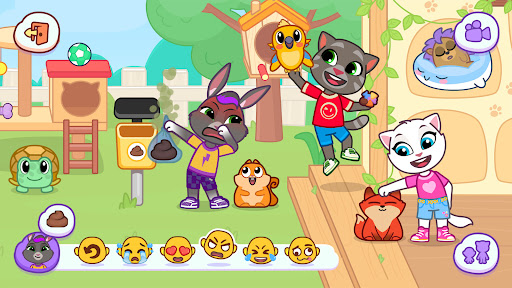
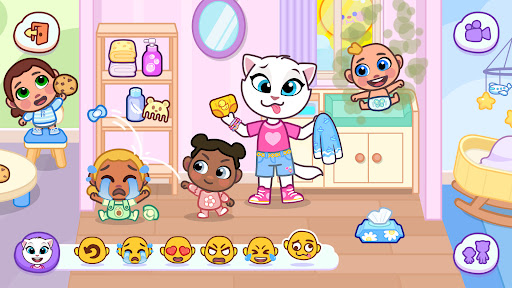
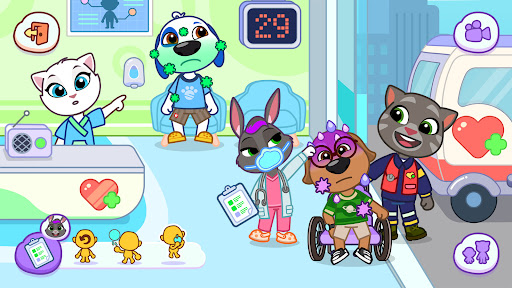
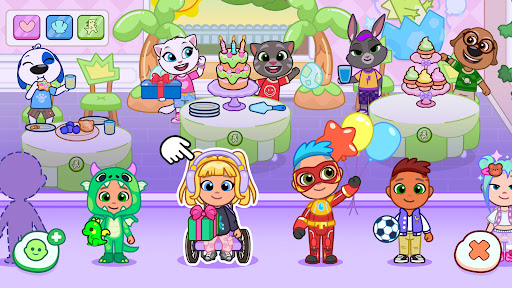
Create your character and step into the world of Talking Tom and his friends! Dive into a fun, creative game, where you can play your way. Imagine your own story, design cute houses, hang out with the Talking Friends, and uncover the world’s secrets.
CREATE FUN CHARACTERS
In Talking Tom & Friends: World, you can be and play as whoever you want. Choose from tons of options and make fun characters that match your vibe. Use your favorite colors, outfits, and hairstyles to express your creativity.
IMAGINE YOUR OWN STORIES
Will you spend your days hosting elaborate tea parties or become a hero who will save the world? The choice is yours! Join one of Talking Tom’s pranks on Talking Angela, or create your own scenario—there are no rules when having fun in the game!
DESIGN AND DECORATE
Show off your creativity by designing and decorating spaces just the way you like them. Add small touches to the rooms, or re-do the whole house and show off your style. Paint walls, change the floors, and move furniture—make every space in the game yours.
EXPLORE THE WORLD
Can you find all the secrets and exciting combinations? There’s much fun to discover, from new cooking recipes to wild science experiments. Visit every part of the map, meet Talking Tom and his friends, and get up to no good.
Talking Tom & Friends: World is a new, ad-free game from the creators of Talking Tom. Harnessing the power of play, this magical, creative world game empowers kids to express themselves through imaginative storytelling and endless adventures.
This app contains:
The option to make in-app purchases
Terms of use: https://talkingtomandfriends.com/eula/en/
Privacy policy: https://talkingtomandfriends.com/privacy-policy-games/en
Customer support: support@outfit7.com
Subscriptions, which are auto-renewable, unless cancelled before the end of the current subscription period. You can manage and cancel a subscription in your Google Play account settings after purchase. From time to time, we may offer a free trial. After a free trial expires, you will be billed automatically unless you cancel your subscription before the expiry of the free trial.
Show more

1. Download MEmu installer and finish the setup

2. Start MEmu then open Google Play on the desktop

3. Search Talking Tom & Friends: World in Google Play
Install
4. Download and Install Talking Tom & Friends: World
5. On install completion click the icon to start

6. Enjoy using Talking Tom & Friends: World on PC with MEmu
MEmu Play is the best Android emulator, and 100 million users already enjoy its superb Android app experience. Powered by advanced virtualization technology, it lets you enjoy thousands of Android apps smoothly on your PC—including the most graphics-intensive ones.
Bigger screen with better graphics; Long duration, without limitation of battery or mobile data.
Full Keymapping support for precise control of keyboard and mouse or gamepad.
Multiple game accounts or tasks on single PC at one time with Multi-Instance manager.
Use Talking Tom & Friends: World on PC by following steps: