
Video Player All Format
Updated
Current Version
3.2.3
Offered By

Stop worrying about high battery drain when using Video Player All Format on your phone. Free yourself from the tiny screen and enjoy the app on a much larger display. From now on, get a full-screen experience of your app with the convenience of a keyboard and mouse. MEmu offers you all the surprising features you’d expect: quick installation and easy setup, intuitive controls, and no more worries about battery life, mobile data, or unexpected calls. The all-new MEmu 9 is the choice for using Video Player All Format on your computer. With the MEmu multi-instance manager, you can run two or more accounts at the same time. Most importantly, our exclusive emulation engine unlocks your PC’s full potential, delivering smooth and enjoyable performance.
Show more
Enjoy superb experience of using Video Player All Format on PC with MEMU App Player. It's a powerful free Android emulator which provides you with thousands of android apps for their desktop version. Enjoy connecting with friends and polishing your work with higher efficiency! Video player All Format for Android supports ALL video formats, 4K/ultra HD video files, is a best HD video player with advanced hardware acceleration, smart playback, easy using, stylish design, and also protects your private video from being deleted or seen when people use your device.
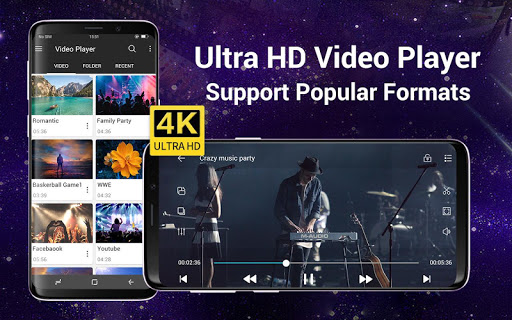
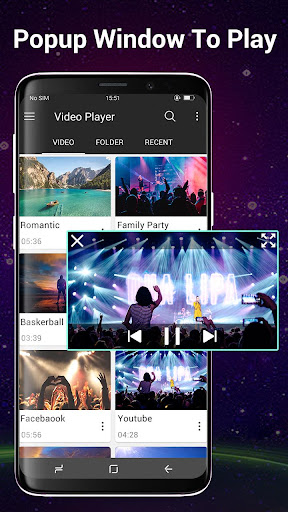
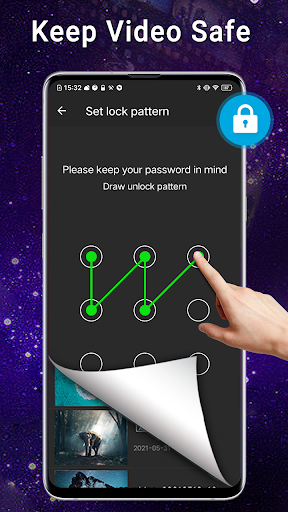
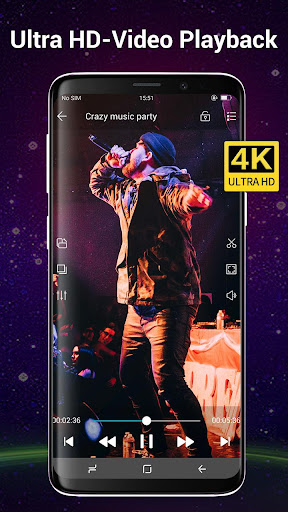
Video player All Format for Android supports ALL video formats, 4K/ultra HD video files, is a best HD video player with advanced hardware acceleration, smart playback, easy using, stylish design, and also protects your private video from being deleted or seen when people use your device.
Video Player All Format is a professional video playback and manger tool. Video Player automatically identifies all video files, plays with high-definition, make you enjoy the fast and smooth HD video playback quality.
HD Video player is the essential software for your Android devices. It’s definitely your best partner to enjoy the videos and movies playing!
All Format Video Player:
Video Player supports all popular video formats, including 3GP, AVI, FLV, M4V, MKV, MOV, MP4, WMV, etc.
Set password for private videos:
Secure password for your private videos in a folder to hide and manage them. Access the private videos through secure steps and you don’t need to worried about anything. If forgot the password, you can find back your password by your security questions.
Smart manage classified videos:
Video Player can Identify ALL video files on your device and SD Card automatically, allowing you to quickly locate and play the video. It helps you to manage your videos better. In addition, you can quickly rename, cut, delete and share your videos in a convenient way.
High quality and HD playing:
Video Player using hardware decoding, take advantage of hardware acceleration. You can startup quickly in all of your devices up to Android 8.0 and enjoy the best HD videos played with a HD quality and smoothly speed to get the most perfect movies playing experience.
Smart playback your videos:
Video Player is a best videos manager which helps you remember the last played progress, and auto playback in a HD Quality. Perfect stitching to the atmosphere of the previous movie scene.
Easy and convenient control:
Video Player supports gestures to easily adjust the screen brightness and video volume when you are watching the video.
And you can click the button to quickly control the videos’ progresses and the last or next video to play. In addition, locking screen, floating window playback, horizontal and vertical screen switching, trimming current interface, adjusting screen sizes features are ready for you!
Stylish design & colorful themes:
Video Player is designed by a simple stylish style and images filleted. And you can select your favorite one of six colorful themes to make your exclusive video player.
HD Video Player is a powerful and private smart playback video player. We are struggle for bringing you the most perfect experience in the HD video player. Hope you can enjoy the fun of movies playing in video player.
Notice: Video player is a free video player, but not supporting for downloading the online videos. All online videos are provided by YouTube complying with uses terms.
Show more

1. Download MEmu installer and finish the setup

2. Start MEmu then open Google Play on the desktop

3. Search Video Player All Format in Google Play
Install
4. Download and Install Video Player All Format
5. On install completion click the icon to start

6. Enjoy using Video Player All Format on PC with MEmu
MEmu Play is the best Android emulator, and 100 million users already enjoy its superb Android app experience. Powered by advanced virtualization technology, it lets you enjoy thousands of Android apps smoothly on your PC—including the most graphics-intensive ones.
Bigger screen with better graphics; Long duration, without limitation of battery or mobile data.
Full Keymapping support for precise control of keyboard and mouse or gamepad.
Multiple game accounts or tasks on single PC at one time with Multi-Instance manager.
Use Video Player All Format on PC by following steps:


























![[3D Platformer] Super Bear Adventure PC](https://dl.memuplay.com/new_market/img/com.Earthkwak.Platformer.icon.2024-09-08-15-16-43.png)








