Weather XL PRO
Updated
Current Version
1731940857
Offered By

Stop worrying about high battery drain when using Weather XL PRO on your phone. Free yourself from the tiny screen and enjoy the app on a much larger display. From now on, get a full-screen experience of your app with the convenience of a keyboard and mouse. MEmu offers you all the surprising features you’d expect: quick installation and easy setup, intuitive controls, and no more worries about battery life, mobile data, or unexpected calls. The all-new MEmu 9 is the choice for using Weather XL PRO on your computer. With the MEmu multi-instance manager, you can run two or more accounts at the same time. Most importantly, our exclusive emulation engine unlocks your PC’s full potential, delivering smooth and enjoyable performance.
Show more
Enjoy superb experience of using Weather XL PRO on PC with MEMU App Player. It's a powerful free Android emulator which provides you with thousands of android apps for their desktop version. Enjoy connecting with friends and polishing your work with higher efficiency! Welcome to one of the best weather apps on the Play Store, recognized as one of the best for its accuracy, widget flexibility, and ease-of-use.
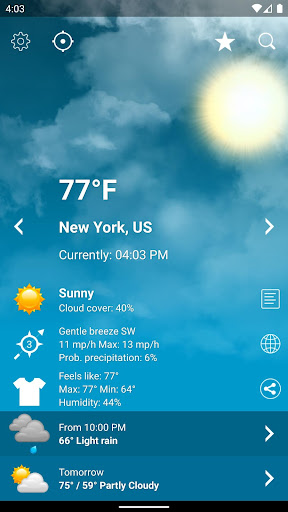
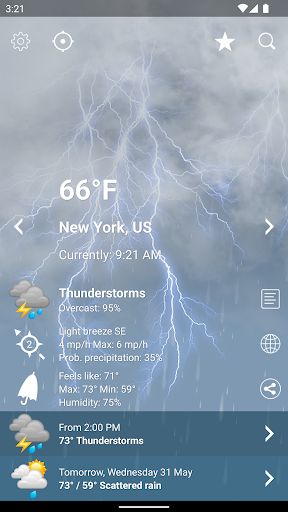
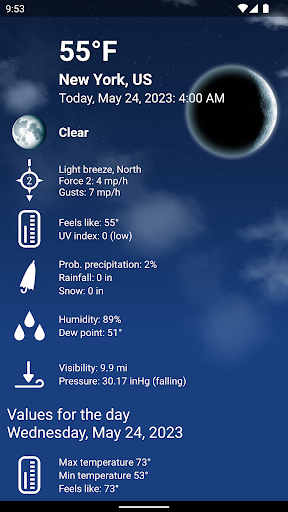
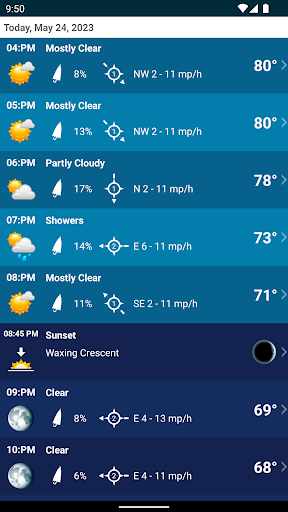
Welcome to one of the best weather apps on the Play Store, recognized as one of the best for its accuracy, widget flexibility, and ease-of-use.
Our intuitively designed interface provides you with informative, useful, and precise weather updates for your local area and around the globe, all accompanied by stunningly detailed animations.
Main App Features:
• Accurate and comprehensive weather forecasts for the next 10 days
• Hour-by-hour weather updates to help you plan your activities with precision
• Fast, beautiful, and simple-to-use interface
• Detailed forecasts for rain, snow, wind, storms and many other useful information - stay prepared for all weather conditions
• Daily updates on humidity, dew, UV index, and air pressure
• Data on highest and lowest historical weather values
• Dynamic animations of satellite and weather radar maps
• Weather also available in the notification area with the temperature display in your status bar
• Optimized for both phones and tablets, and fully compatible with your favorite Wear OS smartwatch
Customizable Home Screen Widgets:
• Highly configurable widgets with extensive customization options available to adjust the look, ensuring seamless integration with your home screen
• Choose the size, layout, and appearance of your widget, select what weather information to display, and even adjust text size and colors
• Get quick weather snapshots without even opening the app, right from your home screen
• Convenience at its best, with visually pleasing designs to suit your style and preference
Live Wallpaper Feature:
• Experience our Live Wallpaper feature, displaying mesmerizing weather animations right on your device screen (subject to device compatibility)
• Enjoy real-time weather updates in the most visually engaging way
Severe Weather Alerts:
• Stay safe and informed with critical information about severe weather warnings
• Alerts issued by official national weather services from around the globe, ensuring comprehensive coverage
Severe weather alerts availability: https://exovoid.ch/alerts
Air Quality Information:
• Detailed air quality information sourced from official stations to keep you healthy
• Track key pollutants including ground-level ozone, particle pollution (PM2.5 and PM10), carbon monoxide, sulfur dioxide, and nitrogen dioxide
Air quality Information availability: https://exovoid.ch/aqi
Pollen
The concentration of different pollen are displayed.
Pollen forecasts are available in these regions: https://exovoid.ch/aqi
We continue to actively work to add new regions to provide information on air quality and pollen.
Wear OS Support:
• Bringing forecasts right to your wrist with full support for Wear OS
• Stay updated with accurate weather information anytime, anywhere
Try the best weather app now – experience simplicity, usefulness, and informative power like never before, all for free!
--
Privacy Policy & Terms of use :
We do not collect any personal information. In order to use our apps, please accept our privacy policy and review conditions for third-parties such as advertising partners.
https://www.exovoid.ch/privacy-policy
Show more

1. Download MEmu installer and finish the setup

2. Start MEmu then open Google Play on the desktop

3. Search Weather XL PRO in Google Play
Install
4. Download and Install Weather XL PRO
5. On install completion click the icon to start

6. Enjoy using Weather XL PRO on PC with MEmu
MEmu Play is the best Android emulator, and 100 million users already enjoy its superb Android app experience. Powered by advanced virtualization technology, it lets you enjoy thousands of Android apps smoothly on your PC—including the most graphics-intensive ones.
Bigger screen with better graphics; Long duration, without limitation of battery or mobile data.
Full Keymapping support for precise control of keyboard and mouse or gamepad.
Multiple game accounts or tasks on single PC at one time with Multi-Instance manager.
Use Weather XL PRO on PC by following steps: