
Wise
Updated
Current Version
8.91.1
Offered By

Stop worrying about high battery drain when using Wise on your phone. Free yourself from the tiny screen and enjoy the app on a much larger display. From now on, get a full-screen experience of your app with the convenience of a keyboard and mouse. MEmu offers you all the surprising features you’d expect: quick installation and easy setup, intuitive controls, and no more worries about battery life, mobile data, or unexpected calls. The all-new MEmu 9 is the choice for using Wise on your computer. With the MEmu multi-instance manager, you can run two or more accounts at the same time. Most importantly, our exclusive emulation engine unlocks your PC’s full potential, delivering smooth and enjoyable performance.
Show more
Enjoy superb experience of using Wise on PC with MEMU App Player. It's a powerful free Android emulator which provides you with thousands of android apps for their desktop version. Enjoy connecting with friends and polishing your work with higher efficiency! Make your money work worldwide, for less.
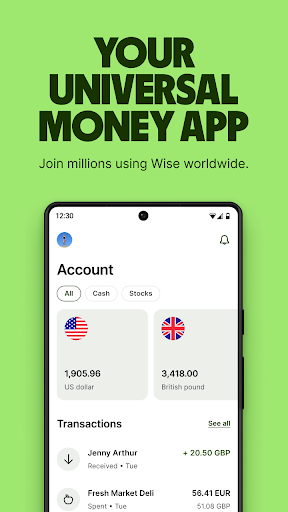
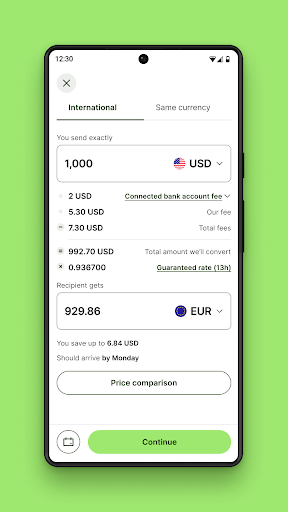
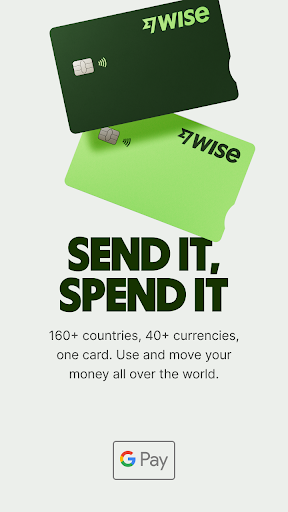
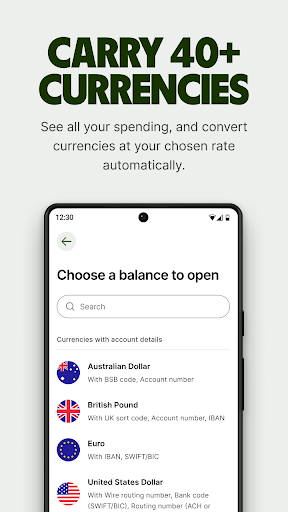
Make your money work worldwide, for less. 160 countries. 40 currencies.
Move, send and spend your money internationally with Wise. Get paid like a local. Keep as many currencies as you want. All without any hidden fees, and all at the real mid-market exchange rate.
Join 16+ million people and businesses worldwide.
— International money transfers —
• Send money to 70+ countries, fast
• Get the real mid-market exchange rate, like on Google, for every money transfer
• Over 52% of transfers are instant, arriving in under 20 seconds
• Secure your transfers with two-factor authentication, encryption and biometrics
— The debit card that’s always got the right currency —
• Spend or withdraw cash in more than 160 countries
• If you don’t have the local currency, we’ll auto-convert what you have with the lowest possible price
• Freeze and unfreeze your card, and update your digital card details
— Get paid like a local —
• Get your own UK account number and sort code, European IBAN, Australian account details and more, as if you had local bank accounts around the world
• Use these account details to get paid in multiple currencies for free, and for direct debits
• Keep up-to-date with instant push notifications for every transaction
— Hold 40 currencies and convert between them instantly —
• No monthly fee and no maintenance fee to keep money in your account, in most cases
• Convert between currencies instantly, at the real exchange rate, for a super-low fee
• Auto-convert currencies at specific rates, and keep up to date with exchange rates with Rate Alerts
— Put your money to work with Assets —
• Try Interest or Stocks in a few taps. Available in the UK, Singapore and multiple EEA countries, for now
• Capital at risk, growth not guaranteed
— A better business account for going global —
• Pay invoices and bills faster, at a better exchange rate
• Use account details to get paid by clients and customers around the world
• Connect to supported platforms like Amazon, Stripe, Xero, and more
Wise is regulated by local authorities around the world.
Send from: GBP (British pound), EUR (Euro), USD (US dollar), AUD (Australian dollar), BGN (Bulgarian lev), BRL (Brazilian real), CAD (Canadian dollar), CHF (Swiss franc), CZK (Czech koruna), DKK (Danish krone), HKD (Hong Kong dollar), HUF (Hungarian forint), JPY (Japanese yen), MYR (Malaysian ringgit), NOK (Norwegian krone), NZD (New Zealand dollar), PLN (Polish zloty), RON (New Romanian leu), SEK (Swedish krona), SGD (Singapore dollar)
Send to: EUR (Euro), USD (US dollar), GBP (British pound), AED (UAE dirham), ARS (Argentine peso), AUD (Australian dollar), BDT (Bangladeshi taka), BGN (Bulgarian lev), BRL (Brazilian real), CAD (Canadian dollar), CHF (Swiss franc), CLP (Chilean peso), CNY (Chinese yuan), CRC (Costa Rican colón), CZK (Czech koruna), DKK (Danish krone), EGP (Egyptian pound), GHS (Ghanaian cedi), GEL (Georgian lari), HKD (Hong Kong dollar), HUF (Hungarian forint), IDR (Indonesian rupiah), ILS (Israeli shekel), INR (Indian rupee), JPY (Japanese yen), KES (Kenyan shilling), KRW (South Korean won), LKR (Sri Lankan rupee), MAD (Moroccan dirham), MXN (Mexican peso), MYR (Malaysian ringgit), NPR (Nepalese rupee), NOK (Norwegian krone), NZD (New Zealand dollar), PEN (Peruvian sol), PHP (Philippine peso), PKR (Pakistan rupee), PLN (Polish zloty), RON (Romanian leu), SEK (Swedish krona), SGD (Singapore dollar), THB (Thai baht), TRY (Turkish lira), UAH (Ukrainian hryvnia), VND (Vietnamese dong), ZAR (South African rand), ZMW (Zambian kwacha)
Show more

1. Download MEmu installer and finish the setup

2. Start MEmu then open Google Play on the desktop

3. Search Wise in Google Play
Install
4. Download and Install Wise
5. On install completion click the icon to start

6. Enjoy using Wise on PC with MEmu
MEmu Play is the best Android emulator, and 100 million users already enjoy its superb Android app experience. Powered by advanced virtualization technology, it lets you enjoy thousands of Android apps smoothly on your PC—including the most graphics-intensive ones.
Bigger screen with better graphics; Long duration, without limitation of battery or mobile data.
Full Keymapping support for precise control of keyboard and mouse or gamepad.
Multiple game accounts or tasks on single PC at one time with Multi-Instance manager.
Use Wise on PC by following steps:
































