Zomato: Food Delivery & Dining
Updated
Current Version
19.7.8
Offered By

Stop worrying about high battery drain when using Zomato: Food Delivery & Dining on your phone. Free yourself from the tiny screen and enjoy the app on a much larger display. From now on, get a full-screen experience of your app with the convenience of a keyboard and mouse. MEmu offers you all the surprising features you’d expect: quick installation and easy setup, intuitive controls, and no more worries about battery life, mobile data, or unexpected calls. The all-new MEmu 9 is the choice for using Zomato: Food Delivery & Dining on your computer. With the MEmu multi-instance manager, you can run two or more accounts at the same time. Most importantly, our exclusive emulation engine unlocks your PC’s full potential, delivering smooth and enjoyable performance.
Show more
Enjoy superb experience of using Zomato: Food Delivery & Dining on PC with MEMU App Player. It's a powerful free Android emulator which provides you with thousands of android apps for their desktop version. Enjoy connecting with friends and polishing your work with higher efficiency! Fuel up.
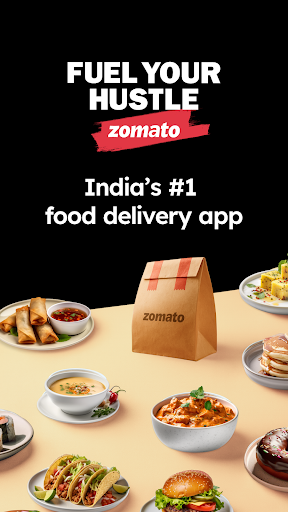
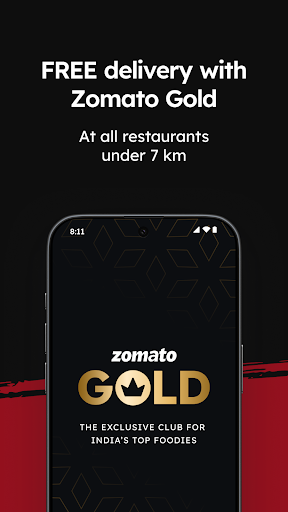
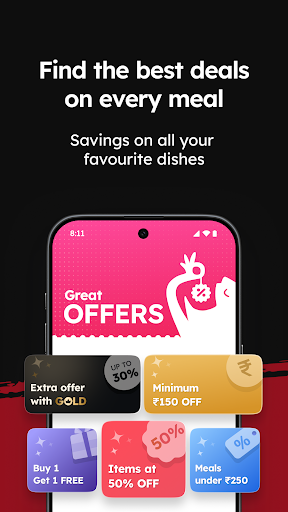
Fuel up. You’ve got things to chase.
Whether it’s biryani that fires you up, or a much-needed dosa break, or a pizza after a long day — Zomato delivers what keeps you moving. With 1.5 million+ restaurants, we’re here to power your hustle, one meal at a time. Since 2008, we’ve kept India’s hungriest (and busiest) fed.
Here’s what you get with the Zomato app:
1) Order food that keeps up with you:
Food. Fast. Anywhere.
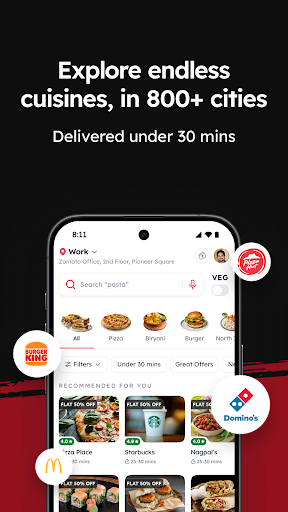
1000+ cities. Day or night. From local legends to global chains — we deliver what drives you.
Real-time tracking. Round-the-clock support.
Watch every move your food makes. Got an issue? Chat with us, anytime.
Smart payments. Bigger discounts.
Pay safely & securely with UPI, cash on delivery or cards/wallets/netbanking/buy now pay later/Pluxee/Simpl. Plus, score up to 60% OFF or a free dish.
Big day? No time? We got you.
Missed lunch? Surprise guests? Office party? Too drained to cook? Open Zomato — we move fast so you don’t have to.
Search like a pro. Eat like a boss.
Dosas to dimsum, biryani to burgers — filter by cravings, mood, budget, or speed.
Veg? Healthy? No compromise.
Choose veg-only joints or dive into nutritionist-approved meals. Balance, your way.
2) Dine out like a regular:
Find your next go-to spot
Look up restaurant menus, ratings, reviews, photos, contact details, map directions. Use search filters to find restaurants that fit your budget or are close by, or just refer to our curated lists called ‘Collections’ — all in one scroll.
Book tables, skip the line
Hustlers don’t wait. Reserve ahead and walk right in.
Pay smart. Earn while you eat.
Pay your bill on Zomato to get the biggest discounts & up to 100% cashback.
Rate, review, rep your favourites
Share the love. Drop honest reviews and help fellow foodies make the right call.
Zomato runs across India & UAE. Some features are city-specific.
#1 food delivery app in India, according to Play Store ratings & SimilarWeb.
Show more

1. Download MEmu installer and finish the setup

2. Start MEmu then open Google Play on the desktop

3. Search Zomato: Food Delivery & Dining in Google Play
Install
4. Download and Install Zomato: Food Delivery & Dining
5. On install completion click the icon to start

6. Enjoy using Zomato: Food Delivery & Dining on PC with MEmu
MEmu Play is the best Android emulator, and 100 million users already enjoy its superb Android app experience. Powered by advanced virtualization technology, it lets you enjoy thousands of Android apps smoothly on your PC—including the most graphics-intensive ones.
Bigger screen with better graphics; Long duration, without limitation of battery or mobile data.
Full Keymapping support for precise control of keyboard and mouse or gamepad.
Multiple game accounts or tasks on single PC at one time with Multi-Instance manager.
Use Zomato: Food Delivery & Dining on PC by following steps: