Mimic Party PC

Scarica Mimic Party su PC

Mimic Party PC
  • Aggiornata

  • Versione corrente

  • Offerta da

    Mimic Party PC

Caratteristiche di Mimic Party su PC

Vista tutta la passione dimostrata nel giocare a Mimic Party, le tue mani non dovrebbero essere limitate al minuscolo schermo di un telefono. Gioca come un professionista e ottieni il pieno controllo del gioco con tastiera e mouse. MEmu ti offre tutto ciò che ti aspetti. Scarica e gioca a Mimic Party su PC. Gioca quanto vuoi, niente più limitazioni di batteria, dati mobili e chiamate inquietanti. Il nuovissimo MEmu 9 è la scelta migliore per giocare a Mimic Party su PC. Realizzato sulla base della nostra esperienza, lo squisito sistema di mappatura dei tasti preimpostati rende Mimic Party un vero e proprio gioco per PC. MEmu è un gestore multi-instanza che permette di giocare con 2 o più account sullo stesso dispositivo. E la cosa più importante, il nostro esclusivo motore di emulazione può liberare tutto il potenziale del tuo PC, rendendo tutto fluido.

Mostra altro

Screenshot & video del PC Mimic Party

Scarica Mimic Party su PC con MEmu Android Emulator. Divertiti giocando sul grande schermo. An online 1-5 player voice party game.

Informazioni del gioco

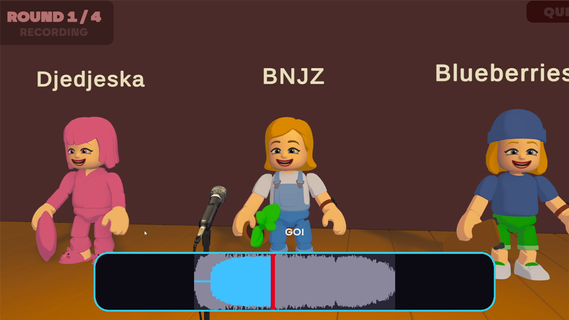
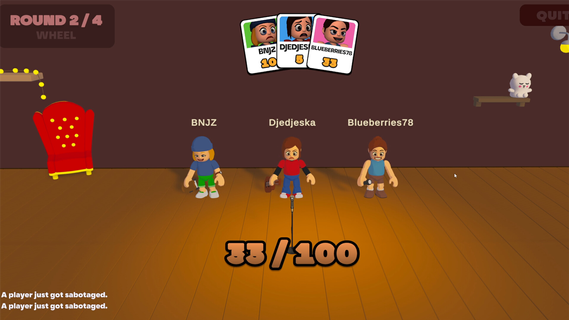
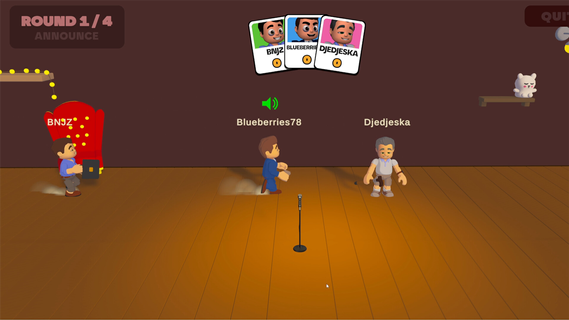
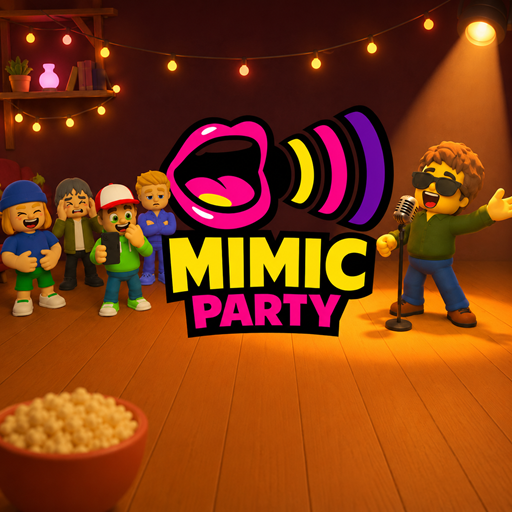
An online 1-5 player voice party game. You hear a sound. You get one shot to reproduce it with your own voice. A local AI grades how close you got melody, rhythm, attacks and then the wheel decides who walks away with a bonus and whose next take comes back saturated, echoing, or replaced by a fart.FEATURES:🎤 1-5 player online voice party game🎧 One-shot takes - no retries, no undo, no mercy🤖 Local AI scoring: melody, rhythm and attacks, not your voice🎡A wheel between rounds: bonuses, multipliers, and sabotages to hand out😈 Sabotages: saturation, echo, pitch shift, chopped audio or your take swapped for a fart🗣️ In-game voice chat that goes quiet exactly when someone performs🔊 Themed sound packs - animals, machines, voices, and more🛠️ Steam Workshop: build and share your own sound packs⏱️ 10 minutes per gameONE SOUND. ONE SHOT.Every round reveals a reference sound to the whole table at once. Everybody records on the same countdown, then the takes are played back one by one while the room reacts. There is no second attempt and no rehearsal - whatever came out of your mouth is what everyone hears.WE DON'T CARE ABOUT YOUR VOICEScoring is built around what a human throat can actually reproduce: the shape of the melody, the rhythm, the attacks, whether you barked once or three times. Not your timbre. A deep voice and a high voice doing the same curve score the same, so nobody wins just because they got lucky with their vocal cords.THE WHEEL DECIDESBetween rounds the wheel spins for everyone at once. It hands out points, multipliers and sabotages. Draw one and you choose your victim: their next take comes out saturated, echoing, chopped to pieces, or replaced outright by a garbage sound the whole table hears instead of their voice. It costs them points on top. And you find out who aimed at you only when your take plays.THE ROOM GOES QUIETVoice chat is always on except when it shouldn't be. The moment a take starts playing, the whole table is muted so everyone hears the same thing. The second it ends, the mics open again, right in time for the reaction. That half-second is the game.BRING YOUR OWN NOISESSound packs are just content. Make one, publish it to the Steam Workshop in a couple of clicks, and subscribe to whatever the community comes up with. Everyone at the table needs the pack before a game can start - the lobby tells you exactly who is still downloading.

Mostra altro

Come scaricare Mimic Party su PC

  • Mimic Party PC

    1. Scarica il programma di installazione di MEmu e completa l'installazione

  • Mimic Party PC

    2. Avvia il Memu e apri il Google Play sulla homepage

  • Mimic Party PC

    3. Cerca Mimic Party in Google Play

  • Mimic Party PC Install

    4. Scarica e installa Mimic Party

  • Mimic Party PC

    5. Al termine dell'installazione, fai clic sull'icona per avviar

  • Mimic Party PC
    Mimic Party PC Mimic Party PC

    6. Divertiti giocando a Mimic Party su PC con MEmu

Perché Usare MEmu per Mimic Party

MEmu App Player è il miglior emulatore Android gratuito, utilizzato da 50 milioni di persone per ottenere un'esperienza di gioco Android superba. La tecnilogia di virtualizzazione MEmu ti permette di giocare a migliaia di giochi Android con semplicità sul tuo computer, anche i giochi con la grafica più esigente.

  • Schermo più grande con una grafica migliore; Lunga durata, senza limitazione di batteria o dati mobili.

  • Supporto completo per mappa di tastiera per un controllo preciso di tastiera e mouse o gamepad.

  • Multipli account di gioco o attività su un singolo PC contemporaneamente con il gestore di multi istanza.

Pronto per giocare?

argomenti più seguiti

Mimic Party - FAQs

  • Come si gioca a Mimic Party su PC?

    Play Mimic Party on PC by following steps:

    • Download MEmu, then install and launch it
    • Login to Google Play Store, install the game
    • Enjoy playing the game on PC with MEmu
  • Quali sono i requisiti minimi di sistema per eseguire Mimic Party su PC?
    • Intel or AMD Processor
    • Microsoft Windows 7 and above
    • 2GB of memory
    • 5GB of free disk space
    • Hardware Virtualization Technology