Mimic Party PC

Download Mimic Party op PC

Mimic Party PC
  • Bijgewerkt

  • Huidige Versie

  • Aangeboden door

    Mimic Party PC

Functies van Mimic Party op PC

Met al je passie voor het spelen van Mimic Party, zouden je handen niet beperkt moeten zijn tot een klein scherm van je telefoon. Speel als een professional en krijg volledige controle over je spel met toetsenbord en muis. MEmu biedt je alles wat je verwacht. Download en speel Mimic Party op PC. Speel zo lang als je wilt, geen beperkingen meer van batterij, mobiele data en storende oproepen. De gloednieuwe MEmu 9 is de beste keuze om Mimic Party op PC te spelen. Voorbereid met onze expertise, maakt het uitmuntende vooraf ingestelde keymapping systeem van Mimic Party een echt PC-spel. MEmu multi-instance manager maakt het spelen van 2 of meer accounts op hetzelfde apparaat mogelijk. En het belangrijkste, onze exclusieve emulatie-engine kan het volledige potentieel van je PC benutten, waardoor alles soepel verloopt.

Meer tonen

Schermafbeeldingen & Video van Mimic Party PC

Download Mimic Party op je pc met de MEmu Android-emulator. Geniet van spelen op een groot scherm. An online 1-5 player voice party game.

Spelinfo

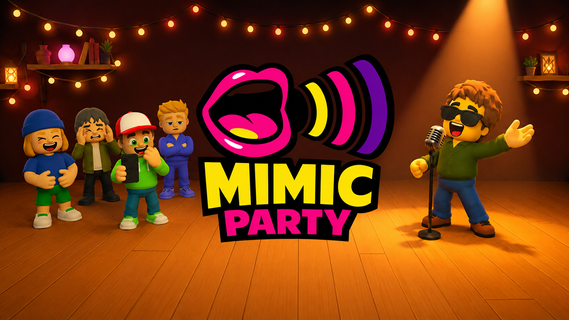
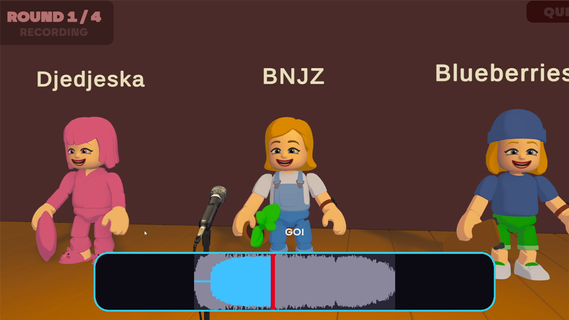
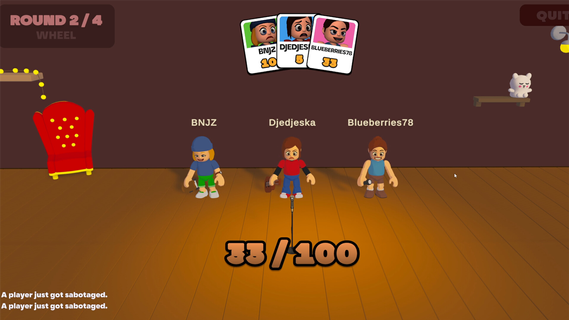
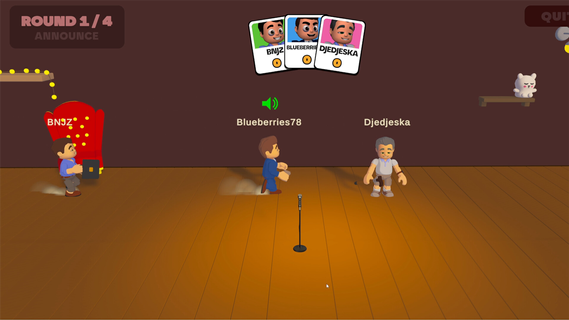
An online 1-5 player voice party game. You hear a sound. You get one shot to reproduce it with your own voice. A local AI grades how close you got melody, rhythm, attacks and then the wheel decides who walks away with a bonus and whose next take comes back saturated, echoing, or replaced by a fart.FEATURES:🎤 1-5 player online voice party game🎧 One-shot takes - no retries, no undo, no mercy🤖 Local AI scoring: melody, rhythm and attacks, not your voice🎡A wheel between rounds: bonuses, multipliers, and sabotages to hand out😈 Sabotages: saturation, echo, pitch shift, chopped audio or your take swapped for a fart🗣️ In-game voice chat that goes quiet exactly when someone performs🔊 Themed sound packs - animals, machines, voices, and more🛠️ Steam Workshop: build and share your own sound packs⏱️ 10 minutes per gameONE SOUND. ONE SHOT.Every round reveals a reference sound to the whole table at once. Everybody records on the same countdown, then the takes are played back one by one while the room reacts. There is no second attempt and no rehearsal - whatever came out of your mouth is what everyone hears.WE DON'T CARE ABOUT YOUR VOICEScoring is built around what a human throat can actually reproduce: the shape of the melody, the rhythm, the attacks, whether you barked once or three times. Not your timbre. A deep voice and a high voice doing the same curve score the same, so nobody wins just because they got lucky with their vocal cords.THE WHEEL DECIDESBetween rounds the wheel spins for everyone at once. It hands out points, multipliers and sabotages. Draw one and you choose your victim: their next take comes out saturated, echoing, chopped to pieces, or replaced outright by a garbage sound the whole table hears instead of their voice. It costs them points on top. And you find out who aimed at you only when your take plays.THE ROOM GOES QUIETVoice chat is always on except when it shouldn't be. The moment a take starts playing, the whole table is muted so everyone hears the same thing. The second it ends, the mics open again, right in time for the reaction. That half-second is the game.BRING YOUR OWN NOISESSound packs are just content. Make one, publish it to the Steam Workshop in a couple of clicks, and subscribe to whatever the community comes up with. Everyone at the table needs the pack before a game can start - the lobby tells you exactly who is still downloading.

Meer tonen

Hoe te downloaden Mimic Party op PC

  • Mimic Party PC

    1. Download de MEmu-installatie en voltooi de setup

  • Mimic Party PC

    2. Start MEmu en open vervolgens Google Play op het bureaublad

  • Mimic Party PC

    3. Zoek Mimic Party in Google Play

  • Mimic Party PC Install

    4. Download en installeer Mimic Party

  • Mimic Party PC

    5. Klik op het icoon om te starten na het voltooien van de installatie

  • Mimic Party PC
    Mimic Party PC Mimic Party PC

    6. Geniet van het spelen van Mimic Party op PC met MEmu

Waarom kiezen voor MEmu om Mimic Party te ervaren

MEmu Play is de beste Android Emulator en 100 miljoen mensen genieten al van de superieure Android-game-ervaring. De virtualisatietechnologie van MEmu stelt je in staat om duizenden Android-spellen soepel op je PC te spelen, zelfs de meest grafisch intensieve.

  • Groter scherm met betere graphics; Lange duur, zonder beperking van batterij of mobiele data.

  • Volledige Keymapping-ondersteuning voor nauwkeurige besturing van toetsenbord en muis of gamepad.

  • Meerdere game-accounts of taken op één PC tegelijk met Multi-Instance manager.

Klaar om te spelen?

Actuele onderwerpen

Mimic Party - Veelgestelde Vragen

  • Hoe speel je Mimic Party op PC?

    Speel Mimic Party op PC door de volgende stappen te volgen:

    • Download MEmu, installeer het en start het
    • Log in op Google Play Store, installeer het spel
    • Geniet van het spelen van het spel op PC met MEmu
  • Wat zijn de minimale systeemvereisten om Mimic Party op PC te draaien?
    • Intel of AMD Processor
    • Microsoft Windows 7 en hoger
    • 2GB geheugen
    • 5GB vrije schijfruimte
    • Hardware Virtualisatie Technologie