Mimic Party PC

ดาวน์โหลด Mimic Party บน PC

Mimic Party PC
  • อัปเดตเมื่อ

  • เวอร์ชันปัจจุบัน

  • ให้บริการโดย

    Mimic Party PC

คุณสมบัติของ Mimic Party บน PC

เวลาคุณเล่น Mimic Party, คุณอาจรู้สึกว่ามือคุณอาจบังจอแล้วทำให้ไม่ได้เล่นแบบเต็มที่. เล่นแบบไร้ขีดจำกัดด้วยเม้าส์และคีย์บอร์ด. MEmu มีตัวเลือกหลายอย่างให้คุณใช้งานเกมที่คุณเล่นแบบที่คุณต้องการ. ดาวน์โหลดและเล่น Mimic Party บน PC. เล่นนานแค่ไหนก็ได้, ไม่ต้องชาร์จแบตเตอรี่, หรือเจอคนโทรเข้ามาระหว่างเล่น. MEmu 9 เป็นตัวเลือกสำหรับการเล่น Mimic Party บน PC. ทางทีมงานเราได้ปรับแต่งเกม, ปรับให้เล่นเกมบางเกมได้เหมือนเล่น Mimic Party เป็นเกม PC เช่นเล็งด้วยเม้าส์หรือใช้คีย์บอร์ด. ระบบของเรายังทำให้คุณสามารถเปิดเล่นได้มากกว่า 2 เกมพร้อมๆกันในคอมของคุณ. และที่สำคัญที่สุด, ระบบโปรแกรมของเราสามารถทำให้คุณใช้ระบบของ PC ทำให้เกมลื่นเหมือนกับใช้โทรศัพท์รุ่นล่าสุด. เราไม่ได้ดูแลเรื่องการเล่นเกม, แต่เราดูแลถึงความสนุกสนานที่คุณได้จากการเล่นด้วย.

แสดงเพิ่มเติม

สกรีนช็อตและ & วีดีโอของ Mimic Party บน PC

ดาวน์โหลด Mimic Party บน PC ด้วย MEmu Android Emulator สนุกกับการเล่นบนหน้าจอขนาดใหญ่ An online 1-5 player voice party game.

ข้อมูลเกม

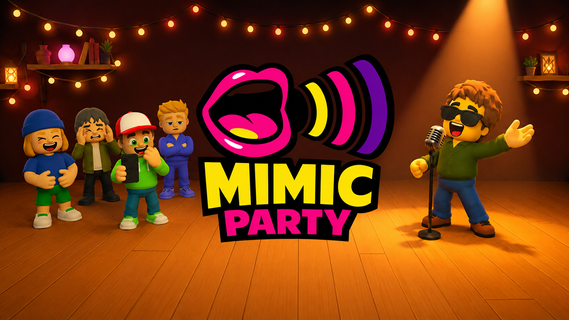
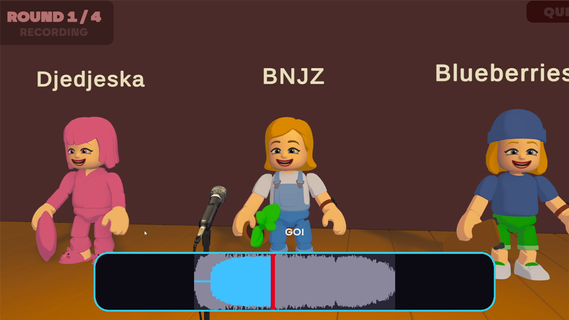
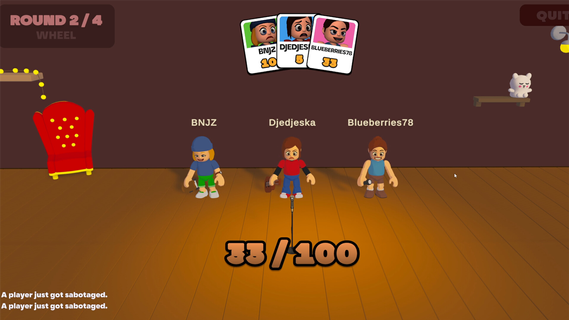
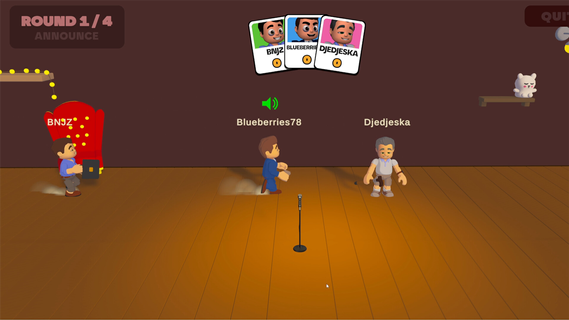
An online 1-5 player voice party game. You hear a sound. You get one shot to reproduce it with your own voice. A local AI grades how close you got melody, rhythm, attacks and then the wheel decides who walks away with a bonus and whose next take comes back saturated, echoing, or replaced by a fart.FEATURES:🎤 1-5 player online voice party game🎧 One-shot takes - no retries, no undo, no mercy🤖 Local AI scoring: melody, rhythm and attacks, not your voice🎡A wheel between rounds: bonuses, multipliers, and sabotages to hand out😈 Sabotages: saturation, echo, pitch shift, chopped audio or your take swapped for a fart🗣️ In-game voice chat that goes quiet exactly when someone performs🔊 Themed sound packs - animals, machines, voices, and more🛠️ Steam Workshop: build and share your own sound packs⏱️ 10 minutes per gameONE SOUND. ONE SHOT.Every round reveals a reference sound to the whole table at once. Everybody records on the same countdown, then the takes are played back one by one while the room reacts. There is no second attempt and no rehearsal - whatever came out of your mouth is what everyone hears.WE DON'T CARE ABOUT YOUR VOICEScoring is built around what a human throat can actually reproduce: the shape of the melody, the rhythm, the attacks, whether you barked once or three times. Not your timbre. A deep voice and a high voice doing the same curve score the same, so nobody wins just because they got lucky with their vocal cords.THE WHEEL DECIDESBetween rounds the wheel spins for everyone at once. It hands out points, multipliers and sabotages. Draw one and you choose your victim: their next take comes out saturated, echoing, chopped to pieces, or replaced outright by a garbage sound the whole table hears instead of their voice. It costs them points on top. And you find out who aimed at you only when your take plays.THE ROOM GOES QUIETVoice chat is always on except when it shouldn't be. The moment a take starts playing, the whole table is muted so everyone hears the same thing. The second it ends, the mics open again, right in time for the reaction. That half-second is the game.BRING YOUR OWN NOISESSound packs are just content. Make one, publish it to the Steam Workshop in a couple of clicks, and subscribe to whatever the community comes up with. Everyone at the table needs the pack before a game can start - the lobby tells you exactly who is still downloading.

แสดงเพิ่มเติม

ดาวน์โหลด Mimic Party บน PC

  • Mimic Party PC

    1. ดาวน์โหลดตัวติดตั้ง MEmu และสิ้นสุดการติดตั้ง

  • Mimic Party PC

    2. เริ่ม MEmu จากนั้นเปิด Google Play บนหน้าแรก

  • Mimic Party PC

    3. ค้นหา Mimic Party ใน Google Play

  • Mimic Party PC Install

    4. ดาวน์โหลดและติดตั้ง Mimic Party

  • Mimic Party PC

    5. เมื่อติดตั้งเสร็จให้คลิกที่ไอคอนเพื่อเริ่มใช้งาน

  • Mimic Party PC
    Mimic Party PC Mimic Party PC

    6. สนุกกับการเล่น Mimic Party บนพีซีด้วย MEmu

ทำไมถึงควรใช้ Memu สำหรับ Mimic Party

MEmu App Player เป็นอีมูเลเตอร์ Android ที่ดีที่สุดและผู้คนกว่า 50 ล้านคนเพลิดเพลินไปกับประสบการณ์การเล่นเกม Android ที่ยอดเยี่ยม เทคโนโลยีการจำลองเสมือนของ MEmu ช่วยให้คุณเล่นเกม Android หลายพันเกมได้อย่างราบรื่นบนพีซีของคุณแม้แต่เกมที่ต้องใช้กราฟิกมากที่สุด

  • จอใหญ่และกราฟฟิกสวยกว่า; เล่นได้นาน, ไม่ต้องใช้แบตเตอรี่โทรศัพท์หรือเน็ตโทรศัพท์.

  • ระบบปรับแต่งปุ่มคีย์บอร์ดและเม้าส์ตามที่คุณเลือก

  • เล่นมากกว่าหนึ่งเกมบน PC ในเวลาเดียวกันด้วยระบบหลายจอหรือ Multi-Instance manager.

พร้อมที่จะเล่นหรือยัง?

หัวข้อร้อน

Mimic Party - FAQs

  • วิธีการเล่น Mimic Party บน PC?

    Play Mimic Party on PC by following steps:

    • Download MEmu, then install and launch it
    • Login to Google Play Store, install the game
    • Enjoy playing the game on PC with MEmu
  • ข้อกำหนดขั้นต่ำของระบบในการใช้งาน Mimic Party บน PC มีอะไรบ้าง?
    • Intel or AMD Processor
    • Microsoft Windows 7 and above
    • 2GB of memory
    • 5GB of free disk space
    • Hardware Virtualization Technology