Mimic Party PC

Mimic Party auf dem PC herunterlanden

Mimic Party PC
  • Aktualisiert

  • Aktuelle Version

  • Angeboten von

    Mimic Party PC

Eigenschaften von Mimic Party auf dem PC

Bei all Ihrer Leidenschaft für das Spielen von Mimic Party sollten Ihre Hände nicht auf einen winzigen Bildschirm Ihres Telefons beschränkt sein. Spielen Sie wie ein Profi und übernehmen Sie die volle Kontrolle über Ihr Spiel mit Tastatur und Maus. MEmu bietet Ihnen all die Dinge, die Sie erwarten. Laden Sie Mimic Party herunter und spielen Sie es auf dem PC. Spielen Sie so lange, wie Sie wollen, ohne Grenzwerte für Akku, mobile Daten und störende Anrufe. Das brandneue MEmu 9 ist die beste Wahl, um Mimic Party auf dem PC zu spielen. Das exquisite voreingestellte Tastaturbelegungssystem, das mit unserem Fachwissen vorbereitet wurde, macht Mimic Party zu einem echten PC-Spiel. Der MEmu Multi-Instanz-Manager ermöglicht das Spielen von 2 oder mehr Konten auf demselben Gerät. Und das Wichtigste: Unsere exklusive Emulations-Engine kann das volle Potenzial Ihres PCs freisetzen und für reibungslose Abläufe sorgen.

Mehr anzeigen

Bilder & Videos von Mimic Party auf dem PC

Laden Sie Play Mimic Party auf dem PC mit MEmu Android Emulator. Viel Spaß beim Spielen auf großmundieren. An online 1-5 player voice party game.

Spiel Info

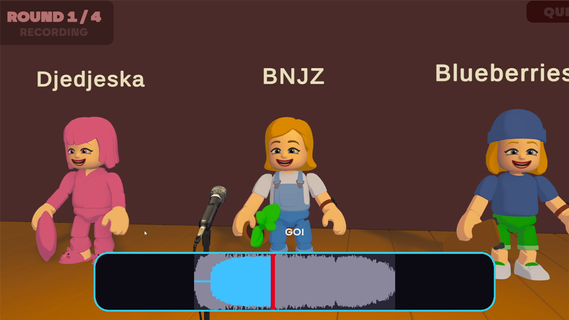
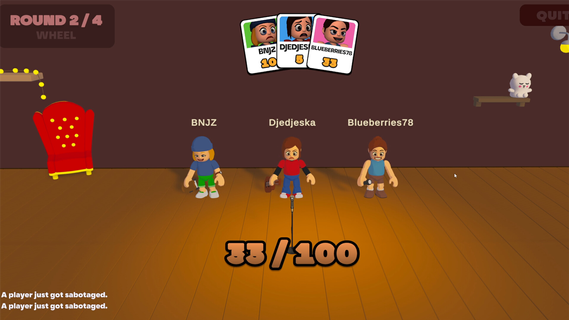
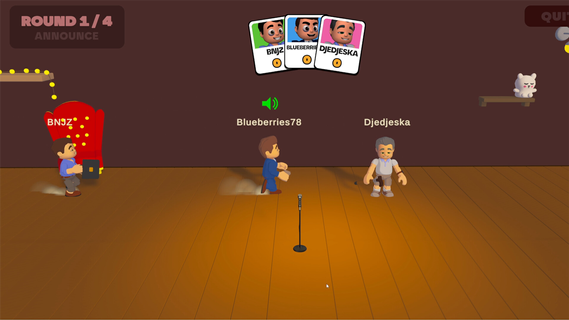
An online 1-5 player voice party game. You hear a sound. You get one shot to reproduce it with your own voice. A local AI grades how close you got melody, rhythm, attacks and then the wheel decides who walks away with a bonus and whose next take comes back saturated, echoing, or replaced by a fart.FEATURES:🎤 1-5 player online voice party game🎧 One-shot takes - no retries, no undo, no mercy🤖 Local AI scoring: melody, rhythm and attacks, not your voice🎡A wheel between rounds: bonuses, multipliers, and sabotages to hand out😈 Sabotages: saturation, echo, pitch shift, chopped audio or your take swapped for a fart🗣️ In-game voice chat that goes quiet exactly when someone performs🔊 Themed sound packs - animals, machines, voices, and more🛠️ Steam Workshop: build and share your own sound packs⏱️ 10 minutes per gameONE SOUND. ONE SHOT.Every round reveals a reference sound to the whole table at once. Everybody records on the same countdown, then the takes are played back one by one while the room reacts. There is no second attempt and no rehearsal - whatever came out of your mouth is what everyone hears.WE DON'T CARE ABOUT YOUR VOICEScoring is built around what a human throat can actually reproduce: the shape of the melody, the rhythm, the attacks, whether you barked once or three times. Not your timbre. A deep voice and a high voice doing the same curve score the same, so nobody wins just because they got lucky with their vocal cords.THE WHEEL DECIDESBetween rounds the wheel spins for everyone at once. It hands out points, multipliers and sabotages. Draw one and you choose your victim: their next take comes out saturated, echoing, chopped to pieces, or replaced outright by a garbage sound the whole table hears instead of their voice. It costs them points on top. And you find out who aimed at you only when your take plays.THE ROOM GOES QUIETVoice chat is always on except when it shouldn't be. The moment a take starts playing, the whole table is muted so everyone hears the same thing. The second it ends, the mics open again, right in time for the reaction. That half-second is the game.BRING YOUR OWN NOISESSound packs are just content. Make one, publish it to the Steam Workshop in a couple of clicks, and subscribe to whatever the community comes up with. Everyone at the table needs the pack before a game can start - the lobby tells you exactly who is still downloading.

Mehr anzeigen

So installierst du Mimic Party auf dem PC

  • Mimic Party PC

    1. Laden das MEmu-Installationsprogramm herunter und beenden die Installation

  • Mimic Party PC

    2. MEmu starten und Google Play auf der Homepage öffnen

  • Mimic Party PC

    3. Suchen Mimic Party in Google Play

  • Mimic Party PC Install

    4. Herunterladen und Installieren Mimic Party

  • Mimic Party PC

    5. Klicken nach Abschluss der Installation auf das Symbol, um es zu starten

  • Mimic Party PC
    Mimic Party PC Mimic Party PC

    6. Viel Spaß beim Spielen von Mimic Party auf dem PC mit MEmu

Warum MEmu für Mimic Party nutzen

MEmu App Player ist der beste kostenlose Android-Emulator und 50 Millionen Menschen genießen bereits seine hervorragende Android-Gaming-Erfahrung. Mit der MEmu-Virtualisierungstechnologie können Sie Tausende von Android-Spielen problemlos auf Ihrem PC spielen, selbst bei grafikintensiven Spielen.

  • BGrößeres Bild mit besserer Grafik; Keine unterbrechungen, keine sorgen um Akku

  • Komplette Tastenbelegung unterstützt mit Maus und Tastatur oder Controller

  • Mit dem „Multi-Instance-Manager“ können Sie mehrere Spielkonten oder Spiele gleichzeitig auf einem PC ausführen.

Bereit zum Spielen?

Heiße Themen

Mimic Party - FAQs

  • Wie kann man Mimic Party auf dem PC wiedergeben?

    Play Mimic Party on PC by following steps:

    • Download MEmu, then install and launch it
    • Login to Google Play Store, install the game
    • Enjoy playing the game on PC with MEmu
  • Was sind die Mindestsystemanforderungen, um Mimic Party auf dem PC auszuführen?
    • Intel or AMD Processor
    • Microsoft Windows 7 and above
    • 2GB of memory
    • 5GB of free disk space
    • Hardware Virtualization Technology