komputer Mimic Party

Muat turun Mimic Party di komputer

komputer Mimic Party
  • Dikemas kini

  • Versi Semasa

  • Ditawarkan Oleh

    komputer Mimic Party

Ciri-ciri Mimic Party pada komputer anda

Dengan semangat anda untuk bermain Mimic Party, tangan anda tidak seharusnya terhad pada skrin kecil telefon anda. Main seperti profesional dan kendalikan sepenuhnya permainan anda dengan papan kekunci dan tetikus. MEmu menawarkan semua perkara yang anda harapkan. Muat turun dan mainkan Mimic Party di PC. Main selagi anda mahu, tidak ada batasan bateri, data mudah alih dan panggilan yang mengganggu. MEmu 9 yang baru adalah pilihan terbaik untuk bermain Mimic Party di PC. Disiapkan dengan kepakaran kami, sistem pemetaan kunci pratetap yang indah menjadikan Mimic Party permainan PC sebenar. Dikodkan dengan penyerapan kami, pengurus multi-instance menjadikan bermain 2 atau lebih akaun pada peranti yang sama mungkin. Dan yang paling penting, enjin emulasi eksklusif kami dapat melepaskan potensi penuh PC anda, menjadikan semuanya lancar.Kami tidak hanya peduli bagaimana anda bermain, tetapi juga keseluruhan proses menikmati kebahagiaan permainan.

Tunjukkan Lagi

Versi PC tangkapan skrin dan video Mimic Party

Muat turun Mimic Party pada PC dengan MEmu Android Emulator. Nikmati bermain di skrin besar An online 1-5 player voice party game.

Maklumat permainan

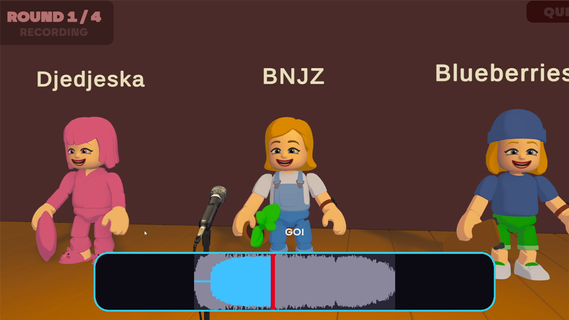
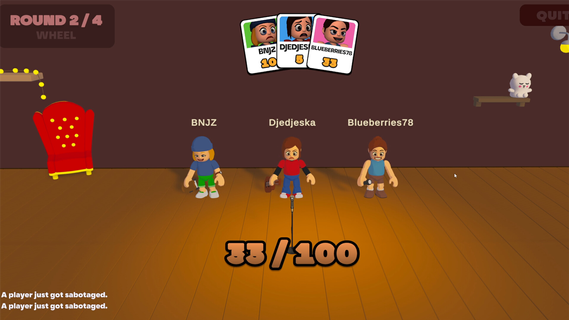
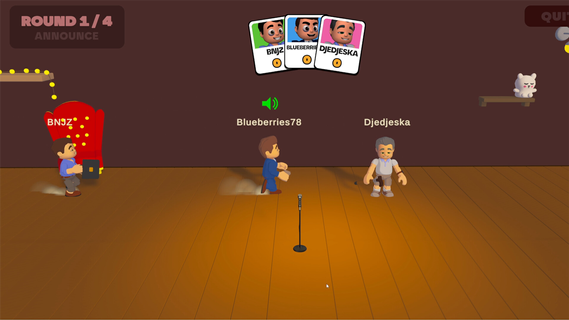
An online 1-5 player voice party game. You hear a sound. You get one shot to reproduce it with your own voice. A local AI grades how close you got melody, rhythm, attacks and then the wheel decides who walks away with a bonus and whose next take comes back saturated, echoing, or replaced by a fart.FEATURES:🎤 1-5 player online voice party game🎧 One-shot takes - no retries, no undo, no mercy🤖 Local AI scoring: melody, rhythm and attacks, not your voice🎡A wheel between rounds: bonuses, multipliers, and sabotages to hand out😈 Sabotages: saturation, echo, pitch shift, chopped audio or your take swapped for a fart🗣️ In-game voice chat that goes quiet exactly when someone performs🔊 Themed sound packs - animals, machines, voices, and more🛠️ Steam Workshop: build and share your own sound packs⏱️ 10 minutes per gameONE SOUND. ONE SHOT.Every round reveals a reference sound to the whole table at once. Everybody records on the same countdown, then the takes are played back one by one while the room reacts. There is no second attempt and no rehearsal - whatever came out of your mouth is what everyone hears.WE DON'T CARE ABOUT YOUR VOICEScoring is built around what a human throat can actually reproduce: the shape of the melody, the rhythm, the attacks, whether you barked once or three times. Not your timbre. A deep voice and a high voice doing the same curve score the same, so nobody wins just because they got lucky with their vocal cords.THE WHEEL DECIDESBetween rounds the wheel spins for everyone at once. It hands out points, multipliers and sabotages. Draw one and you choose your victim: their next take comes out saturated, echoing, chopped to pieces, or replaced outright by a garbage sound the whole table hears instead of their voice. It costs them points on top. And you find out who aimed at you only when your take plays.THE ROOM GOES QUIETVoice chat is always on except when it shouldn't be. The moment a take starts playing, the whole table is muted so everyone hears the same thing. The second it ends, the mics open again, right in time for the reaction. That half-second is the game.BRING YOUR OWN NOISESSound packs are just content. Make one, publish it to the Steam Workshop in a couple of clicks, and subscribe to whatever the community comes up with. Everyone at the table needs the pack before a game can start - the lobby tells you exactly who is still downloading.

Tunjukkan Lagi

Cara Muat turun Mimic Party di komputer

  • komputer Mimic Party

    1. Muat turun pemasang MEmu dan selesaikan persediaan

  • komputer Mimic Party

    2. Mulakan MEnu kemudian buka Google Play di desktop

  • komputer Mimic Party

    3. Cari Mimic Party di Google Play

  • komputer Mimic Party Install

    4. Muat turun dan Pasang Mimic Party

  • komputer Mimic Party

    5. Apabila selesai pemasangan, menekan ikon itu untuk memulakan

  • komputer Mimic Party
    komputer Mimic Party komputer Mimic Party

    6. Nikmati bermain Mimic Party di komputer dengan MEmu

Mengapa memilih MEmu untuk merasai pengalaman Mimic Party

MEmu Play adalah emulator Android terbaik dan 100 juta orang sudah menikmati pengalaman permainan Androidnya yang luar biasa. Teknologi virtualisasi MEmu memberi kuasa kepada anda untuk bermain beribu-ribu permainan Android dengan lancar di komputar anda, malah yang paling intensif grafik.

  • Skrin lebih besar dengan grafik yang lebih baik; Tempoh yang panjang, tanpa had bateri atau data mudah alih.

  • Sokongan Keymapping penuh untuk kawalan tepat papan kekunci dan tetikus atau gamepad.

  • Pelbagai akaun permainan atau tugas pada satu PC sekaligus dengan pengurus pelbagai contoh.

Bersiap sedia untuk bermain

Topik yang hangat

Mimic Party - FAQs

  • Bagaimanakah untuk memainkan Mimic Party pada PC?

    Play Mimic Party on PC by following steps:

    • Download MEmu, then install and launch it
    • Login to Google Play Store, install the game
    • Enjoy playing the game on PC with MEmu
  • Apakah syarat sistem minimum untuk menjalankan Mimic Party pada PC?
    • Intel or AMD Processor
    • Microsoft Windows 7 and above
    • 2GB of memory
    • 5GB of free disk space
    • Hardware Virtualization Technology