PVKK: Planetenverteidigungskanonenkommandant
Aggiornata
Versione corrente
Offerta da

Vista tutta la passione dimostrata nel giocare a PVKK: Planetenverteidigungskanonenkommandant, le tue mani non dovrebbero essere limitate al minuscolo schermo di un telefono. Gioca come un professionista e ottieni il pieno controllo del gioco con tastiera e mouse. MEmu ti offre tutto ciò che ti aspetti. Scarica e gioca a PVKK: Planetenverteidigungskanonenkommandant su PC. Gioca quanto vuoi, niente più limitazioni di batteria, dati mobili e chiamate inquietanti. Il nuovissimo MEmu 9 è la scelta migliore per giocare a PVKK: Planetenverteidigungskanonenkommandant su PC. Realizzato sulla base della nostra esperienza, lo squisito sistema di mappatura dei tasti preimpostati rende PVKK: Planetenverteidigungskanonenkommandant un vero e proprio gioco per PC. MEmu è un gestore multi-instanza che permette di giocare con 2 o più account sullo stesso dispositivo. E la cosa più importante, il nostro esclusivo motore di emulazione può liberare tutto il potenziale del tuo PC, rendendo tutto fluido.
Mostra altro
Scarica PVKK: Planetenverteidigungskanonenkommandant su PC con MEmu Android Emulator. Divertiti giocando sul grande schermo. PVKK: Planetenverteidigungskanonenkommandant is a unique blend of strategy, action, and simulation that puts you in charge of defending your planet from an interplanetary invasion.
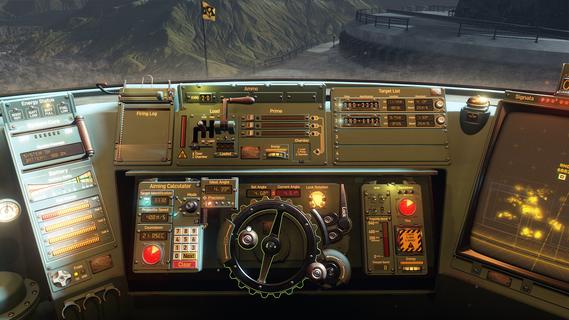
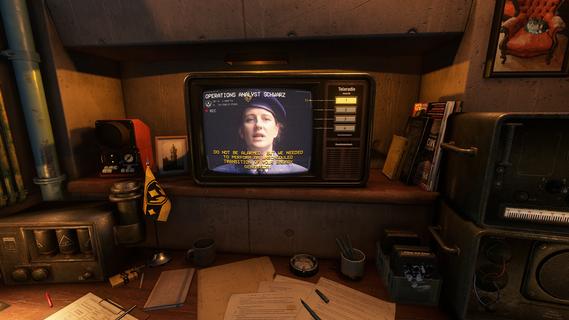
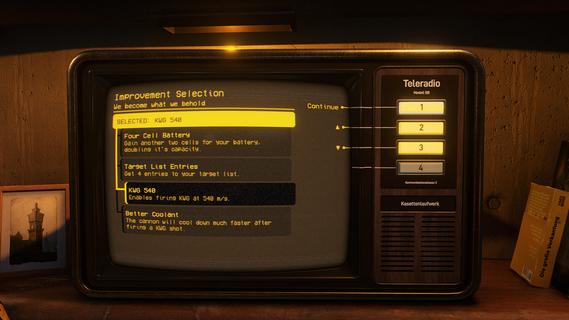
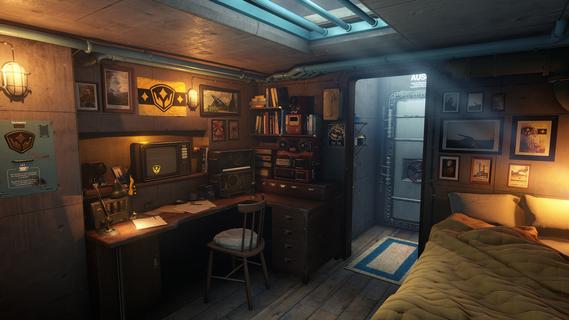
PVKK: Planetenverteidigungskanonenkommandant is a unique blend of strategy, action, and simulation that puts you in charge of defending your planet from an interplanetary invasion. Set within the confines of a cozy, well-equipped bunker, the game challenges players to operate a powerful planetary defense cannon, making split-second decisions to repel waves of alien attackers while managing limited resources and maintaining composure. The core gameplay revolves around quick reflexes and strategic thinking. As the cannon commander, you must obey orders from your superiors, who provide mission objectives and tactical advice. Success depends on pressing the right buttons at the right time to fire your cannon accurately and efficiently. Each incoming wave of enemies grows more challenging, requiring players to adapt their tactics and prioritize targets to prevent breaches. Beyond the intense action, PVKK adds a layer of immersive simulation by placing you in the bunker environment. This setting is not just a backdrop but an interactive space where you manage daily routines, such as sipping your tea ration—a small but meaningful detail that adds to the game's atmosphere and character. This blend of mundane tasks with high-stakes defense creates a compelling contrast, making the experience feel grounded despite the sci-fi premise. The game’s controls are designed to be intuitive yet demanding. Players must balance rapid-fire sequences with cooldown periods and ammunition management. Missteps can lead to catastrophic consequences, emphasizing the importance of precision and timing. The interface includes various indicators and alerts, helping you track enemy positions, cannon status, and remaining resources, all critical for maintaining planetary security. Visually, PVKK embraces a minimalist but effective design, focusing on clarity and functionality. The bunker’s interior is depicted with cozy details that contrast with the starkness of space outside, reinforcing the feeling of isolation and responsibility. Enemy ships and projectiles are clearly distinguishable, allowing players to react swiftly. Sound design complements the gameplay with alert tones, radio chatter, and the calming background hum of the bunker, enhancing immersion. PVKK also incorporates a narrative element, conveyed through communications with your superiors and occasional updates on the invasion’s progress. These interactions provide context and motivation, reminding players of the stakes involved. The story unfolds gradually, adding depth without overwhelming the core gameplay loop. For players who enjoy a mix of tactical challenge and atmospheric simulation, PVKK offers a fresh experience. It demands focus, quick thinking, and adaptability while rewarding those who master its mechanics with a satisfying sense of accomplishment. Whether you’re a fan of strategy games, action shooters, or immersive simulations, PVKK: Planetenverteidigungskanonenkommandant invites you to take your place behind the cannon and defend your world against the unknown.
Mostra altro

1. Scarica il programma di installazione di MEmu e completa l'installazione

2. Avvia il Memu e apri il Google Play sulla homepage

3. Cerca PVKK: Planetenverteidigungskanonenkommandant in Google Play
Install
4. Scarica e installa PVKK: Planetenverteidigungskanonenkommandant
5. Al termine dell'installazione, fai clic sull'icona per avviar

6. Divertiti giocando a PVKK: Planetenverteidigungskanonenkommandant su PC con MEmu
MEmu App Player è il miglior emulatore Android gratuito, utilizzato da 50 milioni di persone per ottenere un'esperienza di gioco Android superba. La tecnilogia di virtualizzazione MEmu ti permette di giocare a migliaia di giochi Android con semplicità sul tuo computer, anche i giochi con la grafica più esigente.
Schermo più grande con una grafica migliore; Lunga durata, senza limitazione di batteria o dati mobili.
Supporto completo per mappa di tastiera per un controllo preciso di tastiera e mouse o gamepad.
Multipli account di gioco o attività su un singolo PC contemporaneamente con il gestore di multi istanza.
Play PVKK: Planetenverteidigungskanonenkommandant on PC by following steps: