PVKK: Planetenverteidigungskanonenkommandant
Bijgewerkt
Huidige Versie
Aangeboden door

Met al je passie voor het spelen van PVKK: Planetenverteidigungskanonenkommandant, zouden je handen niet beperkt moeten zijn tot een klein scherm van je telefoon. Speel als een professional en krijg volledige controle over je spel met toetsenbord en muis. MEmu biedt je alles wat je verwacht. Download en speel PVKK: Planetenverteidigungskanonenkommandant op PC. Speel zo lang als je wilt, geen beperkingen meer van batterij, mobiele data en storende oproepen. De gloednieuwe MEmu 9 is de beste keuze om PVKK: Planetenverteidigungskanonenkommandant op PC te spelen. Voorbereid met onze expertise, maakt het uitmuntende vooraf ingestelde keymapping systeem van PVKK: Planetenverteidigungskanonenkommandant een echt PC-spel. MEmu multi-instance manager maakt het spelen van 2 of meer accounts op hetzelfde apparaat mogelijk. En het belangrijkste, onze exclusieve emulatie-engine kan het volledige potentieel van je PC benutten, waardoor alles soepel verloopt.
Meer tonen
Download PVKK: Planetenverteidigungskanonenkommandant on PC with MEmu Android Emulator. Enjoy playing on big screen. PVKK: Planetenverteidigungskanonenkommandant is a unique blend of strategy, action, and simulation that puts you in charge of defending your planet from an interplanetary invasion.
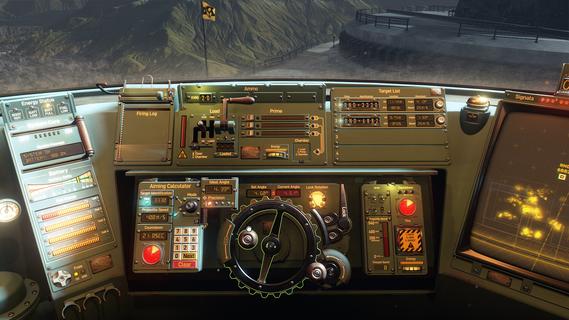
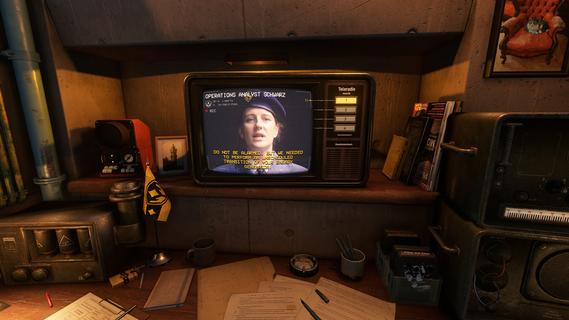
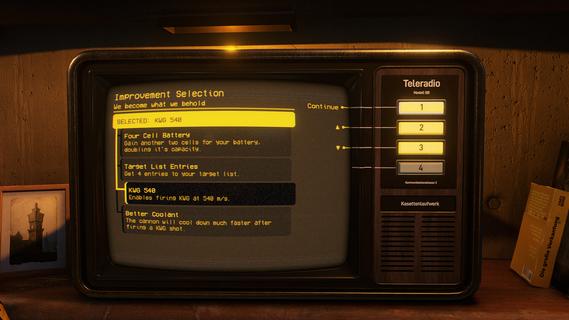
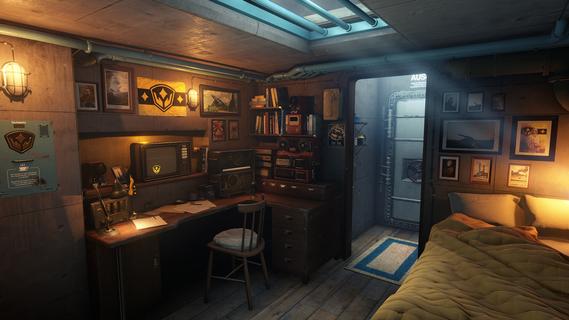
PVKK: Planetenverteidigungskanonenkommandant is a unique blend of strategy, action, and simulation that puts you in charge of defending your planet from an interplanetary invasion. Set within the confines of a cozy, well-equipped bunker, the game challenges players to operate a powerful planetary defense cannon, making split-second decisions to repel waves of alien attackers while managing limited resources and maintaining composure. The core gameplay revolves around quick reflexes and strategic thinking. As the cannon commander, you must obey orders from your superiors, who provide mission objectives and tactical advice. Success depends on pressing the right buttons at the right time to fire your cannon accurately and efficiently. Each incoming wave of enemies grows more challenging, requiring players to adapt their tactics and prioritize targets to prevent breaches. Beyond the intense action, PVKK adds a layer of immersive simulation by placing you in the bunker environment. This setting is not just a backdrop but an interactive space where you manage daily routines, such as sipping your tea ration—a small but meaningful detail that adds to the game's atmosphere and character. This blend of mundane tasks with high-stakes defense creates a compelling contrast, making the experience feel grounded despite the sci-fi premise. The game’s controls are designed to be intuitive yet demanding. Players must balance rapid-fire sequences with cooldown periods and ammunition management. Missteps can lead to catastrophic consequences, emphasizing the importance of precision and timing. The interface includes various indicators and alerts, helping you track enemy positions, cannon status, and remaining resources, all critical for maintaining planetary security. Visually, PVKK embraces a minimalist but effective design, focusing on clarity and functionality. The bunker’s interior is depicted with cozy details that contrast with the starkness of space outside, reinforcing the feeling of isolation and responsibility. Enemy ships and projectiles are clearly distinguishable, allowing players to react swiftly. Sound design complements the gameplay with alert tones, radio chatter, and the calming background hum of the bunker, enhancing immersion. PVKK also incorporates a narrative element, conveyed through communications with your superiors and occasional updates on the invasion’s progress. These interactions provide context and motivation, reminding players of the stakes involved. The story unfolds gradually, adding depth without overwhelming the core gameplay loop. For players who enjoy a mix of tactical challenge and atmospheric simulation, PVKK offers a fresh experience. It demands focus, quick thinking, and adaptability while rewarding those who master its mechanics with a satisfying sense of accomplishment. Whether you’re a fan of strategy games, action shooters, or immersive simulations, PVKK: Planetenverteidigungskanonenkommandant invites you to take your place behind the cannon and defend your world against the unknown.
Meer tonen

1. Download de MEmu-installatie en voltooi de setup

2. Start MEmu en open vervolgens Google Play op het bureaublad

3. Zoek PVKK: Planetenverteidigungskanonenkommandant in Google Play
Install
4. Download en installeer PVKK: Planetenverteidigungskanonenkommandant
5. Klik op het icoon om te starten na het voltooien van de installatie

6. Geniet van het spelen van PVKK: Planetenverteidigungskanonenkommandant op PC met MEmu
MEmu Play is de beste Android Emulator en 100 miljoen mensen genieten al van de superieure Android-game-ervaring. De virtualisatietechnologie van MEmu stelt je in staat om duizenden Android-spellen soepel op je PC te spelen, zelfs de meest grafisch intensieve.
Groter scherm met betere graphics; Lange duur, zonder beperking van batterij of mobiele data.
Volledige Keymapping-ondersteuning voor nauwkeurige besturing van toetsenbord en muis of gamepad.
Meerdere game-accounts of taken op één PC tegelijk met Multi-Instance manager.
Speel PVKK: Planetenverteidigungskanonenkommandant op PC door de volgende stappen te volgen: