PVKK: Planetenverteidigungskanonenkommandant
Actualizada
Versión actual
Ofrecida por

Con toda tu pasión para jugar PVKK: Planetenverteidigungskanonenkommandant, no se supone que tus manos estén limitadas en una pequeña pantalla de tu teléfono. Juega como un profesional y obtén el control total de tu juego con el teclado y el mouse. MEmu le ofrece todas las cosas que espera. Descargar y jugar PVKK: Planetenverteidigungskanonenkommandant en PC. Juega todo el tiempo que quieras, sin más limitaciones de batería, datos móviles y llamadas molestas. El nuevo MEmu 9 es la mejor opción para jugar PVKK: Planetenverteidigungskanonenkommandant en PC. Preparado con nuestra experiencia, el exquisito sistema de keymapping preestablecido convierte a PVKK: Planetenverteidigungskanonenkommandant en un verdadero juego de PC. Codificado con nuestra absorción, el administrador de instancias múltiples hace posible jugar 2 o más cuentas en el mismo dispositivo. Y lo más importante, nuestro exclusivo motor de emulación puede liberar todo el potencial de su PC, hacer que todo sea más fluido. Nos importa no solo cómo juegas, sino también todo el proceso de disfrutar de la felicidad de los juegos.
Más detalles
Descargar PVKK: Planetenverteidigungskanonenkommandant en PC con MEmu Android Emulador. Disfruta jugando en la pentalla grande. PVKK: Planetenverteidigungskanonenkommandant is a unique blend of strategy, action, and simulation that puts you in charge of defending your planet from an interplanetary invasion.
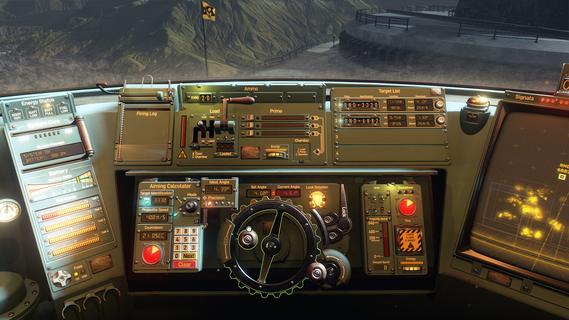
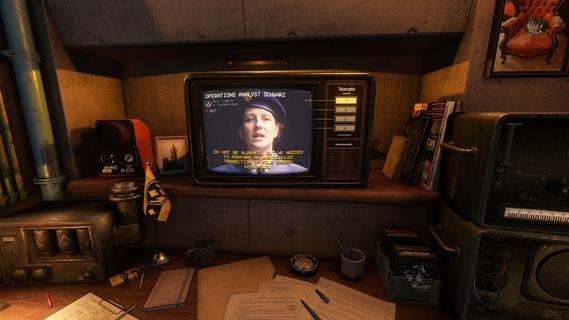
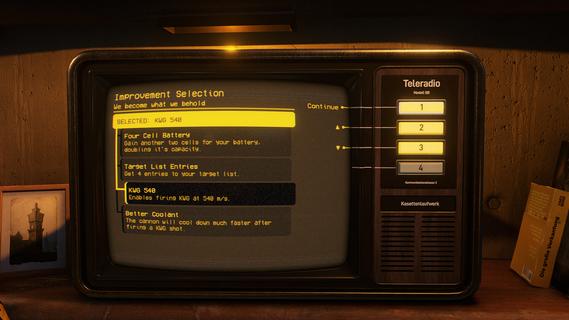
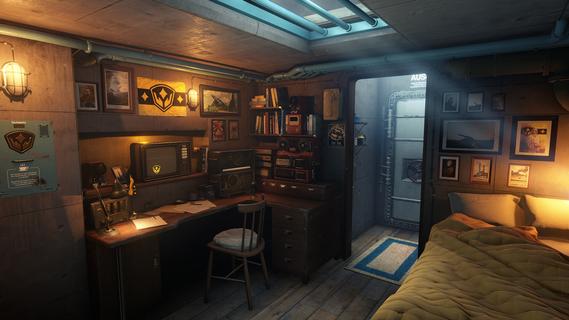
PVKK: Planetenverteidigungskanonenkommandant is a unique blend of strategy, action, and simulation that puts you in charge of defending your planet from an interplanetary invasion. Set within the confines of a cozy, well-equipped bunker, the game challenges players to operate a powerful planetary defense cannon, making split-second decisions to repel waves of alien attackers while managing limited resources and maintaining composure. The core gameplay revolves around quick reflexes and strategic thinking. As the cannon commander, you must obey orders from your superiors, who provide mission objectives and tactical advice. Success depends on pressing the right buttons at the right time to fire your cannon accurately and efficiently. Each incoming wave of enemies grows more challenging, requiring players to adapt their tactics and prioritize targets to prevent breaches. Beyond the intense action, PVKK adds a layer of immersive simulation by placing you in the bunker environment. This setting is not just a backdrop but an interactive space where you manage daily routines, such as sipping your tea ration—a small but meaningful detail that adds to the game's atmosphere and character. This blend of mundane tasks with high-stakes defense creates a compelling contrast, making the experience feel grounded despite the sci-fi premise. The game’s controls are designed to be intuitive yet demanding. Players must balance rapid-fire sequences with cooldown periods and ammunition management. Missteps can lead to catastrophic consequences, emphasizing the importance of precision and timing. The interface includes various indicators and alerts, helping you track enemy positions, cannon status, and remaining resources, all critical for maintaining planetary security. Visually, PVKK embraces a minimalist but effective design, focusing on clarity and functionality. The bunker’s interior is depicted with cozy details that contrast with the starkness of space outside, reinforcing the feeling of isolation and responsibility. Enemy ships and projectiles are clearly distinguishable, allowing players to react swiftly. Sound design complements the gameplay with alert tones, radio chatter, and the calming background hum of the bunker, enhancing immersion. PVKK also incorporates a narrative element, conveyed through communications with your superiors and occasional updates on the invasion’s progress. These interactions provide context and motivation, reminding players of the stakes involved. The story unfolds gradually, adding depth without overwhelming the core gameplay loop. For players who enjoy a mix of tactical challenge and atmospheric simulation, PVKK offers a fresh experience. It demands focus, quick thinking, and adaptability while rewarding those who master its mechanics with a satisfying sense of accomplishment. Whether you’re a fan of strategy games, action shooters, or immersive simulations, PVKK: Planetenverteidigungskanonenkommandant invites you to take your place behind the cannon and defend your world against the unknown.
Más detalles

1. Descargar el instalador de MEmu y finalice la instalación

2. Iniciar MEmu y abrir Google Play en la página de inicio

3. Buscar PVKK: Planetenverteidigungskanonenkommandant en Google Play
Install
4. Descargar y instalar PVKK: Planetenverteidigungskanonenkommandant
5. Hacer click al icono para iniciar

6. Disfruta jugando PVKK: Planetenverteidigungskanonenkommandant en PC con MEmu
MEmu App Player es el mejor emulador de Android gratuito y 50 millones de personas ya están disfrutando su magnífica experiencia jugando en Android. La tecnología de virtualización de MEmu te permite jugar a miles de juegos Android suavemente en tu PC, incluso los más intensivos gráficamente.
Pantalla más grande con mejores gráficos; Larga duración, sin limitación de batería o datos móviles.
Soporte completo de keymapping para un control preciso del teclado y el mouse o gamepad.
Múltiples cuentas de juegos o tareas en una sola PC a la vez con el administrador de instancias múltiples.
Play PVKK: Planetenverteidigungskanonenkommandant on PC by following steps: