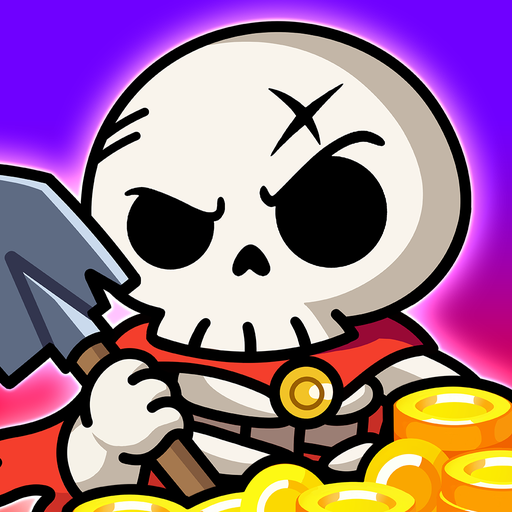
Skull Up
Aggiornata
Versione corrente
1.0.11
Offerta da

Vista tutta la passione dimostrata nel giocare a Skull Up, le tue mani non dovrebbero essere limitate al minuscolo schermo di un telefono. Gioca come un professionista e ottieni il pieno controllo del gioco con tastiera e mouse. MEmu ti offre tutto ciò che ti aspetti. Scarica e gioca a Skull Up su PC. Gioca quanto vuoi, niente più limitazioni di batteria, dati mobili e chiamate inquietanti. Il nuovissimo MEmu 9 è la scelta migliore per giocare a Skull Up su PC. Realizzato sulla base della nostra esperienza, lo squisito sistema di mappatura dei tasti preimpostati rende Skull Up un vero e proprio gioco per PC. MEmu è un gestore multi-instanza che permette di giocare con 2 o più account sullo stesso dispositivo. E la cosa più importante, il nostro esclusivo motore di emulazione può liberare tutto il potenziale del tuo PC, rendendo tutto fluido.
Mostra altro
Scarica Skull Up su PC con MEmu Android Emulator. Divertiti giocando sul grande schermo. [Game Features].

[Game Features]
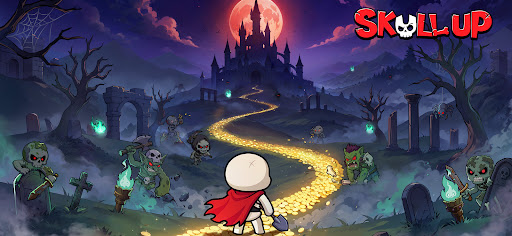
Even a rookie skull can become the Skull King! In Skull Up, you will rise from the bottom to the throne: collect over 60 Skellies to form your unique teams, enjoy idle management with abundant rewards, and unlock multiple adventures. Come and unleash the power of the undead and evolve from a nobody into the Skull King!
[Endless Fun, Underworld Adventures]
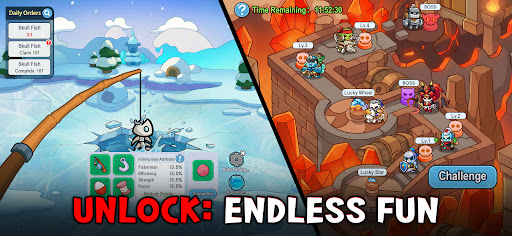
A rookie skull uncovered hidden treasures! In Skull Up, you can amass massive resources through management gameplay, or defeat mighty enemies with smart strategies. Join a guild and fight alongside your bone buddies! More content await—nonstop excitement guaranteed!
[Diverse Skellies, Boundless Power]
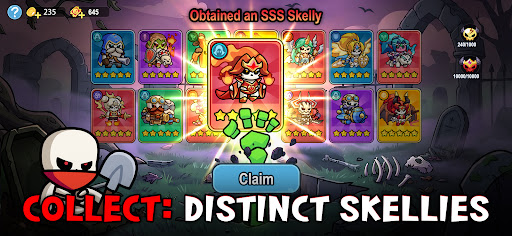
Gather various Skellies during your path to becoming the King! During this adventure, you will encounter over 60 unique Skellies with distinct looks and abilities. With diverse designs, they can be switched between human and skull forms, who are your strongest bone allies!
[Easy Progression, Loss-Free Growth]
Power up your companions without pressure: The loss-free progress system allows you to upgrade any Skelly—the resources can be fully refunded. Experiment freely, optimize your team, and achieve rapid power spikes with no investment wasted.
[Free Combinations, Smart Strategies]
Level up nonstop and show the king’s edge! Unlock your strategic potential and assemble a bone-powered team. Whether breaking defenses or providing support, every Skelly hides unique strengths— deploy them wisely!
[Idle Management, Effortless Rewards]
Future king, this undead castle is yours! Assign skull workers to smelt, log, and mine—gain massive EXP and valuable resources even while offline and level up with ease! With an idle strategy system, victory comes effortlessly!
Mostra altro

1. Scarica il programma di installazione di MEmu e completa l'installazione

2. Avvia il Memu e apri il Google Play sulla homepage

3. Cerca Skull Up in Google Play
Install
4. Scarica e installa Skull Up
5. Al termine dell'installazione, fai clic sull'icona per avviar

6. Divertiti giocando a Skull Up su PC con MEmu
MEmu App Player è il miglior emulatore Android gratuito, utilizzato da 50 milioni di persone per ottenere un'esperienza di gioco Android superba. La tecnilogia di virtualizzazione MEmu ti permette di giocare a migliaia di giochi Android con semplicità sul tuo computer, anche i giochi con la grafica più esigente.
Schermo più grande con una grafica migliore; Lunga durata, senza limitazione di batteria o dati mobili.
Supporto completo per mappa di tastiera per un controllo preciso di tastiera e mouse o gamepad.
Multipli account di gioco o attività su un singolo PC contemporaneamente con il gestore di multi istanza.
Play Skull Up on PC by following steps: