STARCRAFT
Aggiornata
Versione corrente
Offerta da

Vista tutta la passione dimostrata nel giocare a STARCRAFT, le tue mani non dovrebbero essere limitate al minuscolo schermo di un telefono. Gioca come un professionista e ottieni il pieno controllo del gioco con tastiera e mouse. MEmu ti offre tutto ciò che ti aspetti. Scarica e gioca a STARCRAFT su PC. Gioca quanto vuoi, niente più limitazioni di batteria, dati mobili e chiamate inquietanti. Il nuovissimo MEmu 9 è la scelta migliore per giocare a STARCRAFT su PC. Realizzato sulla base della nostra esperienza, lo squisito sistema di mappatura dei tasti preimpostati rende STARCRAFT un vero e proprio gioco per PC. MEmu è un gestore multi-instanza che permette di giocare con 2 o più account sullo stesso dispositivo. E la cosa più importante, il nostro esclusivo motore di emulazione può liberare tutto il potenziale del tuo PC, rendendo tutto fluido.
Mostra altro
Scarica STARCRAFT su PC con MEmu Android Emulator. Divertiti giocando sul grande schermo. StarCraft is a legendary real-time strategy game set in a distant future where three powerful races fight for survival, dominance, and control of the galaxy.
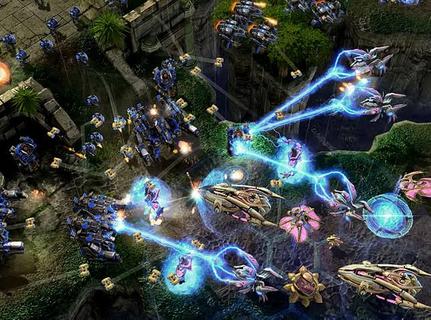
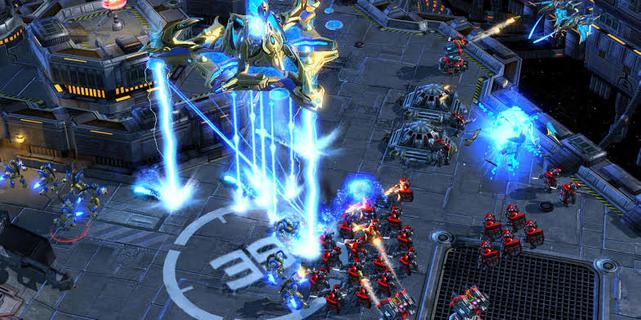
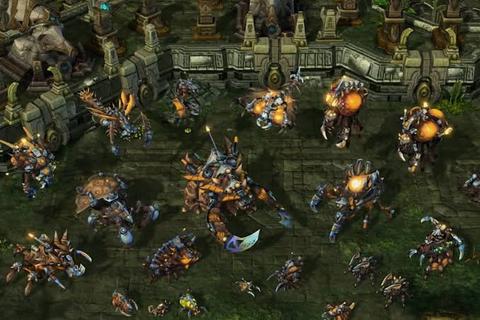
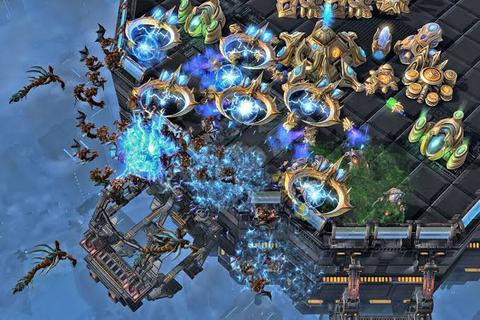
StarCraft is a legendary real-time strategy game set in a distant future where three powerful races fight for survival, dominance, and control of the galaxy. Developed by Blizzard Entertainment, the game combines fast-paced tactical combat, resource management, base construction, and an unforgettable science-fiction story. Players must gather minerals and vespene gas, expand their bases, research advanced technologies, and command armies in intense battles where every decision can determine victory or defeat.The Terrans are resourceful humans who rely on adaptable military units, heavy machinery, and defensive structures. Their forces include Marines, Siege Tanks, Battlecruisers, and powerful orbital support. The Zerg are a relentless alien swarm driven by instinct and evolution. They reproduce rapidly, overwhelm enemies with massive numbers, and mutate their organisms into deadly specialized units. The Protoss are an ancient and highly advanced species whose elite warriors use psychic powers, energy weapons, and sophisticated technology to defend their civilization.StarCraftâs campaign tells a dramatic story of war, betrayal, political conflict, and alien invasion. Each race has its own perspective, heroes, motivations, and missions, allowing players to experience the conflict from different sides. Iconic characters such as Jim Raynor, Sarah Kerrigan, and Artanis have helped make the series one of the most memorable franchises in gaming history.The gameplay is famous for its depth and competitive balance. New players can enjoy building armies and completing campaign missions, while experienced players can master advanced techniques such as scouting, unit positioning, economy control, and precise timing attacks. Because every faction has unique strengths and weaknesses, matches require constant adaptation. A well-planned strategy can defeat a larger army, but even a strong plan may fail if the opponent reacts quickly.Multiplayer is one of StarCraftâs greatest features. Players can compete online in ranked matches, casual battles, team games, and custom scenarios. The gameâs fast pace and high skill ceiling have made it a cornerstone of esports, with professional players competing in tournaments around the world. Watching expert matches is exciting because strategies can change in seconds, turning a losing position into an incredible comeback.With its distinct races, strategic freedom, atmospheric world, and intense battles, StarCraft remains a classic for fans of science fiction and real-time strategy. Whether you prefer commanding human armies, evolving alien swarms, or leading advanced warriors, the galaxy offers endless opportunities for conquest.
Mostra altro

1. Scarica il programma di installazione di MEmu e completa l'installazione

2. Avvia il Memu e apri il Google Play sulla homepage

3. Cerca STARCRAFT in Google Play
Install
4. Scarica e installa STARCRAFT
5. Al termine dell'installazione, fai clic sull'icona per avviar

6. Divertiti giocando a STARCRAFT su PC con MEmu
MEmu App Player è il miglior emulatore Android gratuito, utilizzato da 50 milioni di persone per ottenere un'esperienza di gioco Android superba. La tecnilogia di virtualizzazione MEmu ti permette di giocare a migliaia di giochi Android con semplicità sul tuo computer, anche i giochi con la grafica più esigente.
Schermo più grande con una grafica migliore; Lunga durata, senza limitazione di batteria o dati mobili.
Supporto completo per mappa di tastiera per un controllo preciso di tastiera e mouse o gamepad.
Multipli account di gioco o attività su un singolo PC contemporaneamente con il gestore di multi istanza.
Play STARCRAFT on PC by following steps: