STARCRAFT
Zaktualizowano
Aktualna wersja
Sprzedawca

Przy całej swojej pasji do grania w STARCRAFT, twoje ręce nie powinny być ograniczone na małym ekranie telefonu. Graj jak zawodowiec i uzyskaj pełną kontrolę nad grą za pomocą klawiatury i myszy. MEmu oferuje ci wszystko, czego oczekujesz. Pobierz i graj STARCRAFT na PC. Graj tak długo, jak chcesz, bez ograniczeń baterii, danych komórkowych i niepokojących połączeń. Zupełnie nowy MEmu 9 to najlepszy wybór do grania w STARCRAFT na PC. Przygotowany dzięki naszej wiedzy, znakomity, wstępnie ustawiony system mapowania klawiszy sprawia, że STARCRAFT jest prawdziwą grą na PC. Zakodowany naszą absorpcją, menedżer wielu instancji umożliwia granie na 2 lub więcej kontach na tym samym urządzeniu. A co najważniejsze, nasz emulator może uwolnić pełny potencjał twojego komputera, sprawić, że wszystko będzie płynne. Dbamy nie tylko o to, jak grasz, ale także o cały proces czerpania radości z grania.
Pokaż więcej
Ciesz się wspaniałym doświadczeniem podczas grania w STARCRAFT na komputerze z aplikacją MEMU App Player. Jest to potężny darmowy emulator Androida pozwalający grać w tysiące gier na Androida. StarCraft is a legendary real-time strategy game set in a distant future where three powerful races fight for survival, dominance, and control of the galaxy.
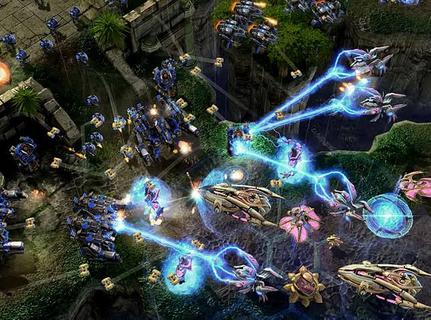
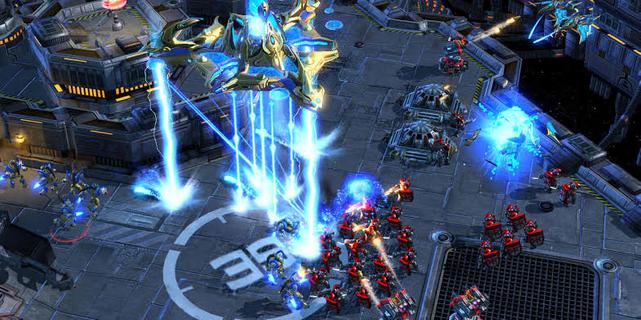
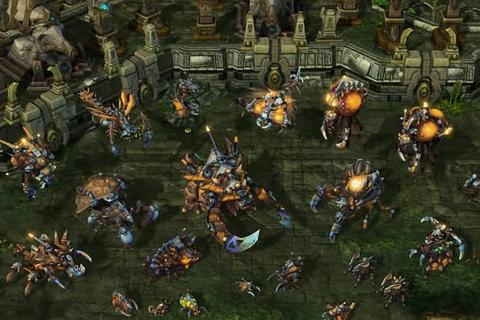
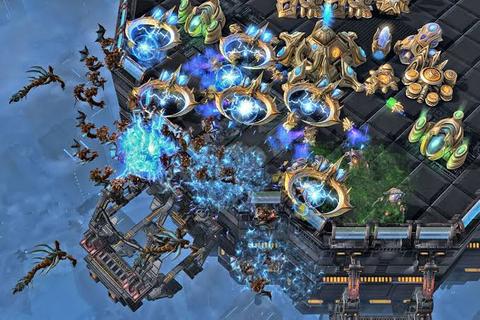
StarCraft is a legendary real-time strategy game set in a distant future where three powerful races fight for survival, dominance, and control of the galaxy. Developed by Blizzard Entertainment, the game combines fast-paced tactical combat, resource management, base construction, and an unforgettable science-fiction story. Players must gather minerals and vespene gas, expand their bases, research advanced technologies, and command armies in intense battles where every decision can determine victory or defeat.The Terrans are resourceful humans who rely on adaptable military units, heavy machinery, and defensive structures. Their forces include Marines, Siege Tanks, Battlecruisers, and powerful orbital support. The Zerg are a relentless alien swarm driven by instinct and evolution. They reproduce rapidly, overwhelm enemies with massive numbers, and mutate their organisms into deadly specialized units. The Protoss are an ancient and highly advanced species whose elite warriors use psychic powers, energy weapons, and sophisticated technology to defend their civilization.StarCraftâs campaign tells a dramatic story of war, betrayal, political conflict, and alien invasion. Each race has its own perspective, heroes, motivations, and missions, allowing players to experience the conflict from different sides. Iconic characters such as Jim Raynor, Sarah Kerrigan, and Artanis have helped make the series one of the most memorable franchises in gaming history.The gameplay is famous for its depth and competitive balance. New players can enjoy building armies and completing campaign missions, while experienced players can master advanced techniques such as scouting, unit positioning, economy control, and precise timing attacks. Because every faction has unique strengths and weaknesses, matches require constant adaptation. A well-planned strategy can defeat a larger army, but even a strong plan may fail if the opponent reacts quickly.Multiplayer is one of StarCraftâs greatest features. Players can compete online in ranked matches, casual battles, team games, and custom scenarios. The gameâs fast pace and high skill ceiling have made it a cornerstone of esports, with professional players competing in tournaments around the world. Watching expert matches is exciting because strategies can change in seconds, turning a losing position into an incredible comeback.With its distinct races, strategic freedom, atmospheric world, and intense battles, StarCraft remains a classic for fans of science fiction and real-time strategy. Whether you prefer commanding human armies, evolving alien swarms, or leading advanced warriors, the galaxy offers endless opportunities for conquest.
Pokaż więcej

1. Pobierz instalator MEmu i zakończ instalację

2. Uruchom MEmu, a następnie otwórz Google Play na pulpicie

3. Wyszukaj STARCRAFT w Google Play
Install
4. Pobierz i zainstaluj STARCRAFT
5. Po zakończeniu instalacji kliknij ikonę, aby rozpocząć

6. Ciesz się grą STARCRAFT na PC z MEmu
MEmu Play to najlepszy emulator Androida, a 100 milionów ludzi już korzysta z jego i dosta doskonałe wrażenia z gier na Androida. Technologia wirtualizacji MEmu umożliwia płynne granie w tysiące gier Androida na komputerze, nawet tych najbardziej wymagających grafiki.
Większy ekran z lepszą grafiką; Długi czas, bez ograniczeń baterii lub danych mobilnych.
Pełna obsługa mapowania klawiszy dla precyzyjnego sterowania klawiaturą i myszą lub gamepadem.
Wiele kont gier lub zadań na jednym komputerze jednocześnie z menedżerem wielu instancji.
Play STARCRAFT on PC by following steps: