STARCRAFT
更新日
現在のバージョン
提供元

スマホ不要!プロ選手のようにキーボードとマウスで操作しよう。MEmuエミュはあなたにすべての期待を与える。電池が切れてしまうとか画面が小さいとかの問題を心配する必要がなくて、存分STARCRAFTを楽しんでください。新しいMEmuエミュ7はPCでSTARCRAFTをプレイするのに最適!完璧なキーマッピングシステムにより、まるでパソコンゲームみたい。マルチインスタンスで複数のゲームやアプリを同時に実行!唯一無二な仮想化エンジンがパソコンの可能性を最大限になる。遊べるだけでなく、より楽しめる!
もっと見る
STARCRAFTをPCでダウンロード!大画面でより楽しむ。電源が落ちてしまうとか通信料が足りないとかの問題を心配する必要がなく、PCの大画面でより快適にゲームを楽しましょう! StarCraft is a legendary real-time strategy game set in a distant future where three powerful races fight for survival, dominance, and control of the galaxy.
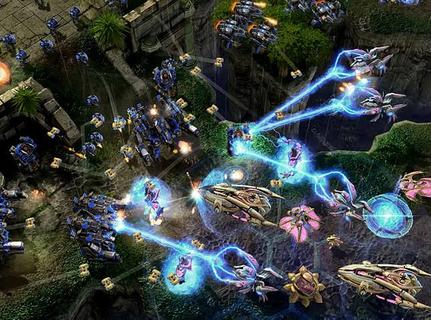
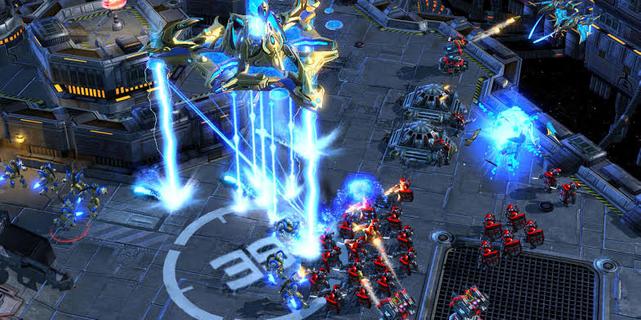
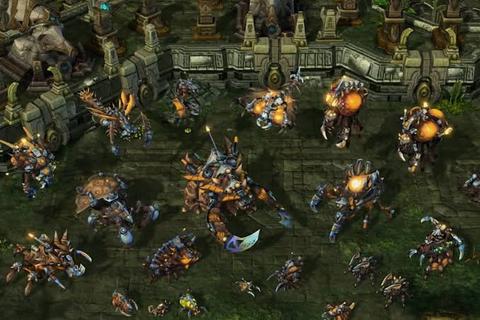
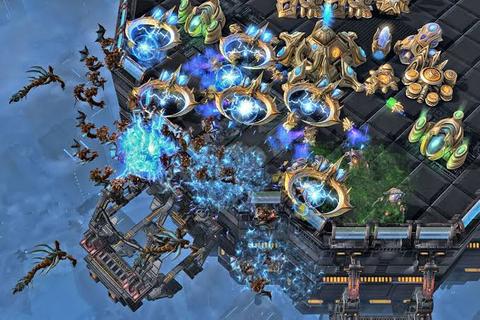
StarCraft is a legendary real-time strategy game set in a distant future where three powerful races fight for survival, dominance, and control of the galaxy. Developed by Blizzard Entertainment, the game combines fast-paced tactical combat, resource management, base construction, and an unforgettable science-fiction story. Players must gather minerals and vespene gas, expand their bases, research advanced technologies, and command armies in intense battles where every decision can determine victory or defeat.The Terrans are resourceful humans who rely on adaptable military units, heavy machinery, and defensive structures. Their forces include Marines, Siege Tanks, Battlecruisers, and powerful orbital support. The Zerg are a relentless alien swarm driven by instinct and evolution. They reproduce rapidly, overwhelm enemies with massive numbers, and mutate their organisms into deadly specialized units. The Protoss are an ancient and highly advanced species whose elite warriors use psychic powers, energy weapons, and sophisticated technology to defend their civilization.StarCraftâs campaign tells a dramatic story of war, betrayal, political conflict, and alien invasion. Each race has its own perspective, heroes, motivations, and missions, allowing players to experience the conflict from different sides. Iconic characters such as Jim Raynor, Sarah Kerrigan, and Artanis have helped make the series one of the most memorable franchises in gaming history.The gameplay is famous for its depth and competitive balance. New players can enjoy building armies and completing campaign missions, while experienced players can master advanced techniques such as scouting, unit positioning, economy control, and precise timing attacks. Because every faction has unique strengths and weaknesses, matches require constant adaptation. A well-planned strategy can defeat a larger army, but even a strong plan may fail if the opponent reacts quickly.Multiplayer is one of StarCraftâs greatest features. Players can compete online in ranked matches, casual battles, team games, and custom scenarios. The gameâs fast pace and high skill ceiling have made it a cornerstone of esports, with professional players competing in tournaments around the world. Watching expert matches is exciting because strategies can change in seconds, turning a losing position into an incredible comeback.With its distinct races, strategic freedom, atmospheric world, and intense battles, StarCraft remains a classic for fans of science fiction and real-time strategy. Whether you prefer commanding human armies, evolving alien swarms, or leading advanced warriors, the galaxy offers endless opportunities for conquest.
もっと見る

1. MEmuインストーラーをダウンロードしてセットアップを完了する

2. MEmuを起動し、デスクトップでのPlayストアを開く

3. PlayストアでSTARCRAFTを検索する
Install
4. STARCRAFTをダウンロードしてインストールする
5. インストールが完了したら、アイコンをクリックしてスタート

6. MEmuを使用してPCでSTARCRAFTを楽しむ
MEmu App Playerは最高の無料で提供されるAndroidエミュレータで、5,000万人がすでに優れたAndroidゲーム体験を楽しんでいます。 MEmuの仮想化技術は、あなたのPCで何千ものAndroidゲームを快適にプレイすることを可能にします。
大画面でより精細;無限の待機、電池とドラフィックの極限を超え
キーボード・マウス・コントローラーを全力でサポート、より快適
マルチインスタンスで複数のゲームを同時に実行
Play STARCRAFT on PC by following steps: