STARCRAFT
Atualizada
Versão atual
Oferecido por

Com toda a sua paixão por jogar STARCRAFT, não deixe os polegares te atrapalharem em uma pequena tela do seu celular. Jogue como um profissional e tenha controle total do seu jogo com teclado e mouse. O MEmu oferece todas as coisas que você está esperando. Baixe e jogue STARCRAFT no PC. Jogue o tempo que quiser, sem mais limitações de bateria, dados móveis e aquelas ligações enquanto estiver jogando. O novíssimo MEmu 9 é a melhor escolha de jogar STARCRAFT no PC. Com grandes novidades no sistema de mapeamento que faz STARCRAFT um jogo de PC real. Nossa equipe melhorou o gerenciamento de várias instâncias do Android, reduzindo tempo de reprodução de 2 ou mais contas no mesmo dispositivo. O mais importante, nosso mecanimos de emulação exclusivo pode liberar todo o potencial do seu PC sem travamentos, rodando tudo liso. Nós nos preocupamos não apenas com você joga, mas com todo o processo de desfrutar de 100% do seu jogo favorito.
Mostre mais
Download do STARCRAFT no PC com MEmu Android Emulador: Divirta-se jogando na tela grande. StarCraft is a legendary real-time strategy game set in a distant future where three powerful races fight for survival, dominance, and control of the galaxy.
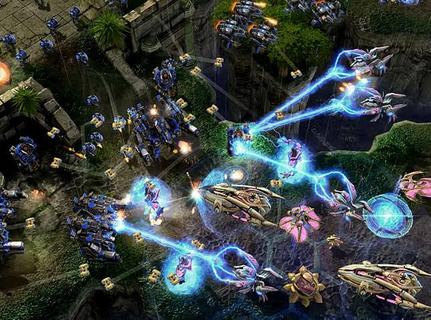
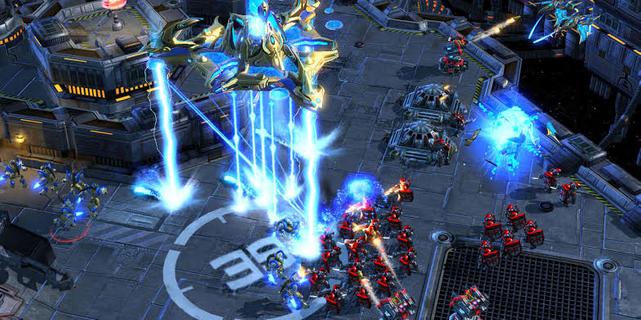
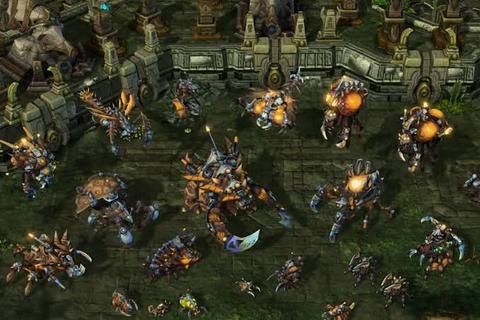
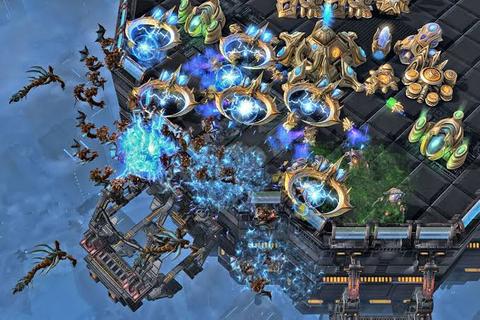
StarCraft is a legendary real-time strategy game set in a distant future where three powerful races fight for survival, dominance, and control of the galaxy. Developed by Blizzard Entertainment, the game combines fast-paced tactical combat, resource management, base construction, and an unforgettable science-fiction story. Players must gather minerals and vespene gas, expand their bases, research advanced technologies, and command armies in intense battles where every decision can determine victory or defeat.The Terrans are resourceful humans who rely on adaptable military units, heavy machinery, and defensive structures. Their forces include Marines, Siege Tanks, Battlecruisers, and powerful orbital support. The Zerg are a relentless alien swarm driven by instinct and evolution. They reproduce rapidly, overwhelm enemies with massive numbers, and mutate their organisms into deadly specialized units. The Protoss are an ancient and highly advanced species whose elite warriors use psychic powers, energy weapons, and sophisticated technology to defend their civilization.StarCraftâs campaign tells a dramatic story of war, betrayal, political conflict, and alien invasion. Each race has its own perspective, heroes, motivations, and missions, allowing players to experience the conflict from different sides. Iconic characters such as Jim Raynor, Sarah Kerrigan, and Artanis have helped make the series one of the most memorable franchises in gaming history.The gameplay is famous for its depth and competitive balance. New players can enjoy building armies and completing campaign missions, while experienced players can master advanced techniques such as scouting, unit positioning, economy control, and precise timing attacks. Because every faction has unique strengths and weaknesses, matches require constant adaptation. A well-planned strategy can defeat a larger army, but even a strong plan may fail if the opponent reacts quickly.Multiplayer is one of StarCraftâs greatest features. Players can compete online in ranked matches, casual battles, team games, and custom scenarios. The gameâs fast pace and high skill ceiling have made it a cornerstone of esports, with professional players competing in tournaments around the world. Watching expert matches is exciting because strategies can change in seconds, turning a losing position into an incredible comeback.With its distinct races, strategic freedom, atmospheric world, and intense battles, StarCraft remains a classic for fans of science fiction and real-time strategy. Whether you prefer commanding human armies, evolving alien swarms, or leading advanced warriors, the galaxy offers endless opportunities for conquest.
Mostre mais

1. Faça o download do instalador do MEmu e conclua a instalação

2. Inicie o MEmu e depois abra o Google Play na página inicial

3. Pesquise STARCRAFT no Google Play
Install
4. Baixe e Instale STARCRAFT
5. Na conclusão da instalação, clique no ícone para iniciar

6. Divirta-se jogando STARCRAFT no PC com MEmu
O MEmu App Player é o melhor emulador de Android grátis e 50 milhões de pessoas já desfrutam de sua excelente experiência de jogos no Android. A tecnologia de virtualização do MEmu permite que você jogue milhares de jogos do Android sem problemas no seu PC, mesmo os com gráficos mais intensivos.
Tela maior com gráficos melhores; Longa duração e sem limitação de bateria ou dados móveis.
Suporte completo ao Mapaeamento de Teclas para controle preciso do teclado e mouse ou gamepad.
Várias contas de jogos ou tarefas em um único PC de uma só vez com o Gerenciador de várias instâncias.
Play STARCRAFT on PC by following steps: