SUPER ZSNES
Aggiornata
Versione corrente
0.201
Offerta da

Vista tutta la passione dimostrata nel giocare a SUPER ZSNES, le tue mani non dovrebbero essere limitate al minuscolo schermo di un telefono. Gioca come un professionista e ottieni il pieno controllo del gioco con tastiera e mouse. MEmu ti offre tutto ciò che ti aspetti. Scarica e gioca a SUPER ZSNES su PC. Gioca quanto vuoi, niente più limitazioni di batteria, dati mobili e chiamate inquietanti. Il nuovissimo MEmu 9 è la scelta migliore per giocare a SUPER ZSNES su PC. Realizzato sulla base della nostra esperienza, lo squisito sistema di mappatura dei tasti preimpostati rende SUPER ZSNES un vero e proprio gioco per PC. MEmu è un gestore multi-instanza che permette di giocare con 2 o più account sullo stesso dispositivo. E la cosa più importante, il nostro esclusivo motore di emulazione può liberare tutto il potenziale del tuo PC, rendendo tutto fluido.
Mostra altro
Scarica SUPER ZSNES su PC con MEmu Android Emulator. Divertiti giocando sul grande schermo. Benvenuti in SUPER ZSNES!
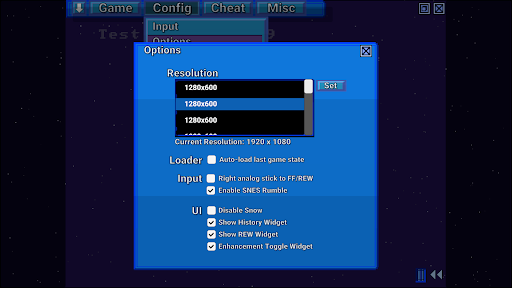
Benvenuti in SUPER ZSNES!
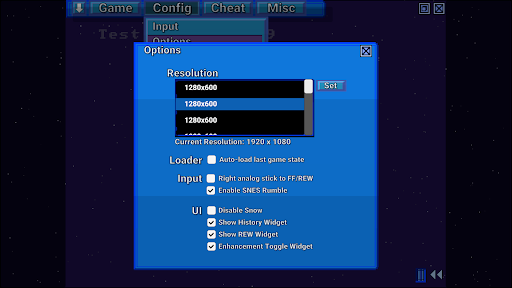
I due sviluppatori originali di ZSNES sono finalmente tornati a lavorare insieme! Vi presentiamo SUPER ZSNES! Completamente riscritto da zero, questo emulatore SNES potenziato dalla GPU vi offre: alcune caratteristiche familiari, alcune novità e altre ancora. L'emulatore è ancora in fase di sviluppo e verrà costantemente migliorato.
NOTA: Attualmente le ROM possono essere caricate solo dalla cartella interna dell'applicazione, quindi copiatele lì. Stiamo lavorando per migliorare questa funzionalità.
Caratteristiche principali
- CPU e core audio molto più precisi rispetto all'originale ZSNES
- Core PPU potenziato dalla GPU per supportare la Modalità 7 ad alta risoluzione e speciali funzionalità di miglioramento per ogni gioco
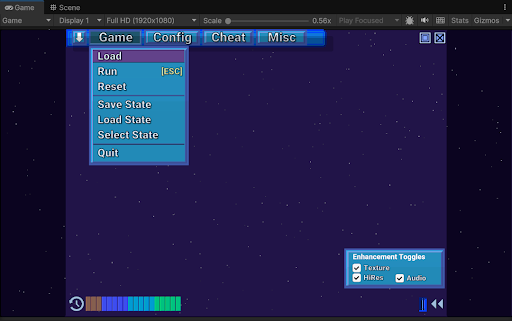
- Interfaccia utente classica con effetto neve, modernizzata con una definizione più elevata e un'esperienza utente migliorata
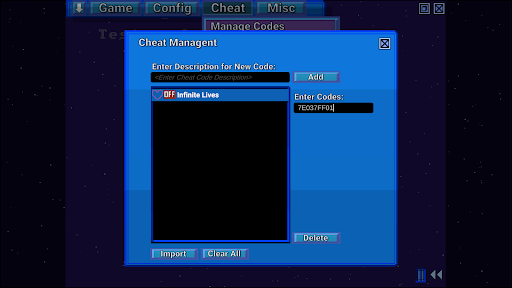
- Avanzamento rapido, riavvolgimento, salvataggio di stato, cronologia di salvataggio automatico, segnalibri, codici cheat, caricamento rapido e altro ancora
- Super Enhancement Engine, grazie al quale gli sviluppatori di ZSNES stanno migliorando i giochi uno alla volta
Il Super Enhancement Engine è attualmente implementato con il supporto per 7 giochi popolari. Il supporto per altri giochi aumenterà man mano che l'emulatore è in fase di sviluppo:
Alta risoluzione - Non si tratta di un semplice upscaling automatico, ma viene utilizzato un programma di disegno interno per garantire che i dettagli ad alta risoluzione possano essere disegnati manualmente per un aspetto nitido e definito.
Texture/Normal Map - Aggiunge dettagli agli sfondi per conferire loro un aspetto ad alta risoluzione.
Overclock - Alcuni giochi che spesso presentano rallentamenti vengono overcloccati.
Schermo panoramico (ove disponibile) - Abilitiamo lo schermo panoramico ogni volta che il gioco è codificato internamente per supportare lo schermo panoramico parziale o completo.
Sostituzione audio non compressa - Selezioniamo e utilizziamo campioni audio non compressi per sostituire i campioni audio originali altamente compressi.
3D - Attualmente supportato solo nella Modalità 7 in stile prospettico, sostituisce le tessere con dati 3D mappati in altezza.
Tutti i miglioramenti possono essere disabilitati singolarmente per adattarsi al tuo stile di gioco.
Nota: i dati di miglioramento non contengono ROM o dati protetti da copyright. Dovrai fornire le ROM. Non chiedere le ROM agli sviluppatori.
Cosa arriverà
- Correzione di bug
- Emulazione di chip speciali (DSP1, SuperFX, ecc.)
- Ulteriori ottimizzazioni
- Più tipi di miglioramenti
- Gioco online
- Altre funzionalità
Note
Questa è una versione preliminare, quindi sono ancora presenti bug di emulazione e i chip speciali (DSP1, SuperFX, ecc.) devono ancora essere implementati. Sono ancora in corso diverse ottimizzazioni, quindi le prestazioni potrebbero essere un po' lente.
Mostra altro

1. Scarica il programma di installazione di MEmu e completa l'installazione

2. Avvia il Memu e apri il Google Play sulla homepage

3. Cerca SUPER ZSNES in Google Play
Install
4. Scarica e installa SUPER ZSNES
5. Al termine dell'installazione, fai clic sull'icona per avviar

6. Divertiti giocando a SUPER ZSNES su PC con MEmu
MEmu App Player è il miglior emulatore Android gratuito, utilizzato da 50 milioni di persone per ottenere un'esperienza di gioco Android superba. La tecnilogia di virtualizzazione MEmu ti permette di giocare a migliaia di giochi Android con semplicità sul tuo computer, anche i giochi con la grafica più esigente.
Schermo più grande con una grafica migliore; Lunga durata, senza limitazione di batteria o dati mobili.
Supporto completo per mappa di tastiera per un controllo preciso di tastiera e mouse o gamepad.
Multipli account di gioco o attività su un singolo PC contemporaneamente con il gestore di multi istanza.
Play SUPER ZSNES on PC by following steps: