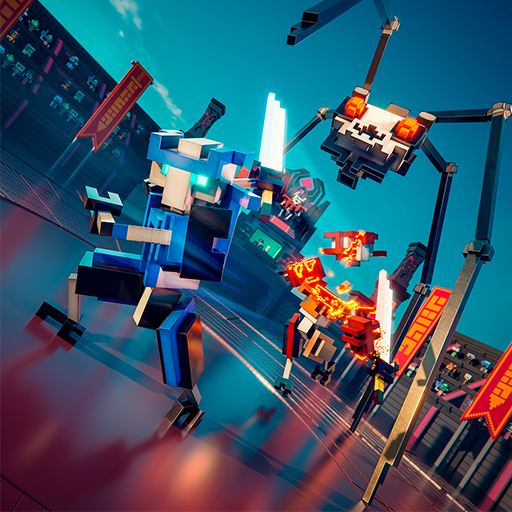
SUPER ZSNES
Updated
Current Version
0.110
Offered By

With your passion for SUPER ZSNES, you shouldn’t have to limit yourself to the small screen of a phone. Play like a pro and take full control of the game using a keyboard and mouse. MEmu gives you everything you’re looking for. Download and play SUPER ZSNES on PC. Play as long as you want — no more worries about battery life, mobile data, or unexpected calls. The all-new MEmu 9 is the best way to play SUPER ZSNES on PC. With our expertly designed keymapping system, SUPER ZSNES feels just like a real PC game. The MEmu multi-instance manager lets you run two or more accounts on the same device at the same time. Most importantly, our exclusive emulation engine unlocks your PC’s full potential, delivering smooth and seamless performance.
Show more
Download SUPER ZSNES on PC with MEmu Android Emulator. Enjoy playing on big screen. Welcome to SUPER ZSNES.
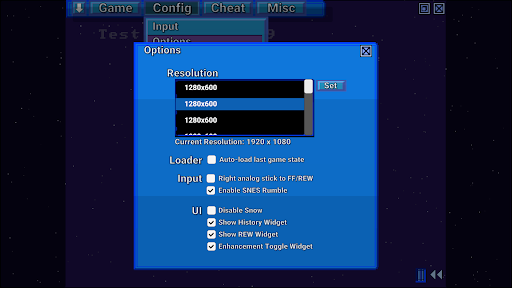
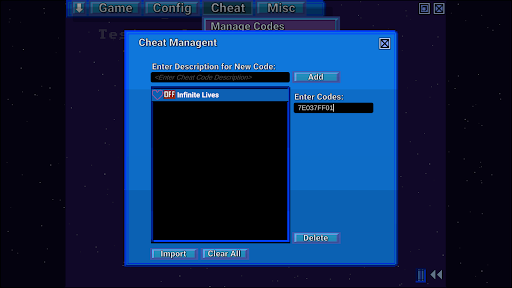
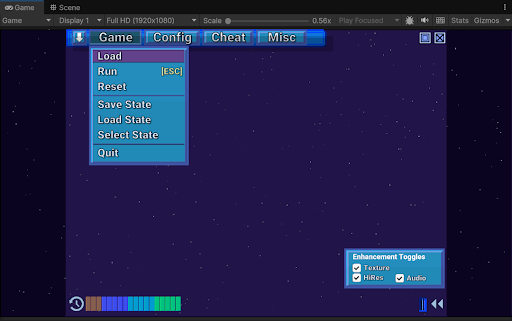
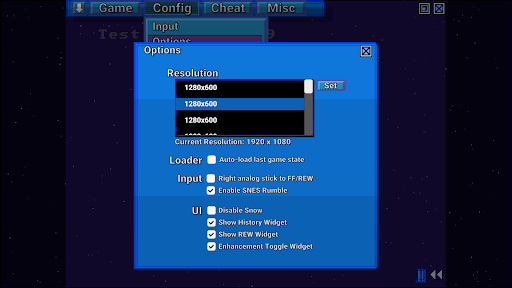
Welcome to SUPER ZSNES
The two original developers of ZSNES are finally back together! Introducing SUPER ZSNES! Re-written completely from scratch, this GPU-powered SNES emulator is here to bring you the following: some of what is familiar, some of what's new, and then some of what goes beyond. This emulator is early in development and will continue to be improved.
NOTE: ROMs currently can only be loaded from the internal app folder, so please copy them there. We are currently working on improving this.
Key Features
- Far more accurate CPU and Audio cores than the original ZSNES
- GPU-powered PPU core to allow for hi-res Mode 7 and special per-game enhancement features
- Classic UI with falling snow, modernized with higher definition and improved UX
- Fast forward, rewind, save states, auto save history, save bookmarks, cheat codes, quick load, and more
- No Vibe Coding. Classic development style.
- Super Enhancement Engine, where the ZSNES developers are enhancing the games one at a time
Super Enhancement Engine is currently implemented with support for 7 popular games. Support for more games will keep increasing as this emulator is in development:
High Resolution - Not just an auto upscalar, but an internal drawing program is used to make sure that the higher resolution details can be manually drawn to look nice and crisp.
Texture/Normal Map - Adds some nice details to the backgrounds to give them a higher resolution look.
Overclock - Select games often filled with slowdown are overclocked.
Wide Screen (where available) - We enable widescreen whenever the game is internally coded to support partial or full widescreen.
Uncompressed Audio Replacement - We curate and pick uncompressed audio samples to replace original highly compressed audio samples.
3D - Currently only supported on perspective-style Mode 7, replaces tiles with 3D height mapped data.
All enhancements can be individually disabled to suit your play style.
Note: Enhancement data contains no ROM or copyrighted data. You will need to provide the ROMs. Do not ask the developers for ROMs.
What's Coming
- Bug fixes
- Special chip emulation (DSP1, SuperFX, etc.)
- More optimization work
- More types of enhancements
- Netplay
- Other features
Notes
This is an early build, so there are still emulation bugs and special chips (DSP1, SuperFX, etc.) have yet to be implemented. A bunch of optimization work has yet to be done so performance may be a bit slow.
Show more

1. Download MEmu installer and finish the setup

2. Start MEmu then open Google Play on the desktop

3. Search SUPER ZSNES in Google Play
Install
4. Download and Install SUPER ZSNES
5. On install completion click the icon to start

6. Enjoy playing SUPER ZSNES on PC with MEmu
MEmu Play is the best Android emulator and 100 million people already enjoy its superb Android gaming experience. The MEmu virtualization technology empowers you to play thousands of Android games smoothly on your PC, even the most graphic-intensive ones.
Bigger screen with better graphics; Long duration, without limitation of battery or mobile data.
Full Keymapping support for precise control of keyboard and mouse or gamepad.
Multiple game accounts or tasks on single PC at one time with Multi-Instance manager.
Play SUPER ZSNES on PC by following steps: