GoreBox
Aggiornata
Versione corrente
15.13.20
Offerta da

Vista tutta la passione dimostrata nel giocare a GoreBox, le tue mani non dovrebbero essere limitate al minuscolo schermo di un telefono. Gioca come un professionista e ottieni il pieno controllo del gioco con tastiera e mouse. MEmu ti offre tutto ciò che ti aspetti. Scarica e gioca a GoreBox su PC. Gioca quanto vuoi, niente più limitazioni di batteria, dati mobili e chiamate inquietanti. Il nuovissimo MEmu 9 è la scelta migliore per giocare a GoreBox su PC. Realizzato sulla base della nostra esperienza, lo squisito sistema di mappatura dei tasti preimpostati rende GoreBox un vero e proprio gioco per PC. MEmu è un gestore multi-instanza che permette di giocare con 2 o più account sullo stesso dispositivo. E la cosa più importante, il nostro esclusivo motore di emulazione può liberare tutto il potenziale del tuo PC, rendendo tutto fluido.
Mostra altro
Scarica GoreBox su PC con MEmu Android Emulator. Divertiti giocando sul grande schermo. GoreBox is a chaotic, physics-driven sandbox game where creativity meets unrestrained destruction.
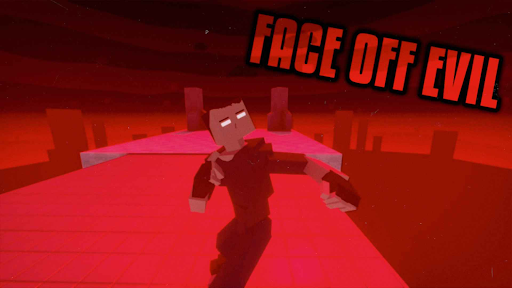
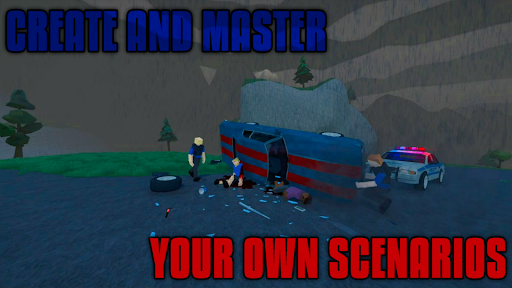
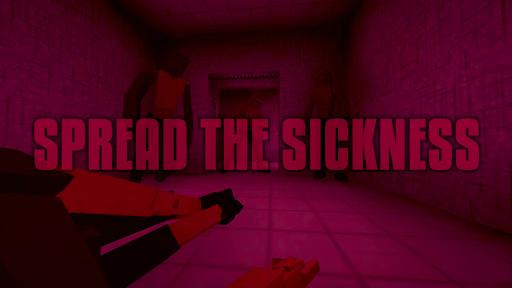
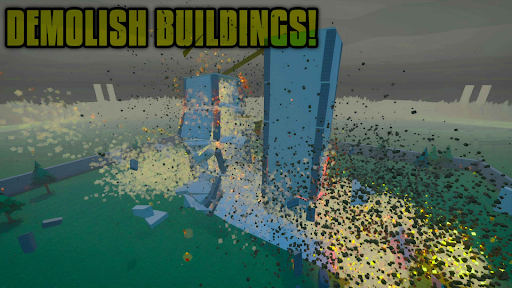
GoreBox is a chaotic, physics-driven sandbox game where creativity meets unrestrained destruction. Unleash your wildest ideas in an environment that puts ultimate power in your hands.
Step into a world where the Reality Crusher lets you spawn, manipulate, and obliterate anything you desire. Engage in brutal combat with an extensive arsenal of weapons and explosives, and witness the raw effects of realistic ragdoll physics and an intense gore system that brings dismemberment to life.
Want to shape your world? Use the built-in Map Editor to design unique environments, or explore countless community-created maps and mods through the in-game Workshop. Customize your character’s appearance with skins, armor, and accessories to make them truly your own.
Battle alongside friends or foes with cross-platform multiplayer, using the chat system and trading features to strategize and trade items. Master vehicle mechanics to race, drift, or wreak havoc with realistic physics. Spawn and interact with NPCs for role-playing or orchestrate complex, action-packed scenarios.
Push your creativity even further with unique mechanics like lifestyle items—smoke cigarettes, drink alcohol, or test out potent syringes with game-changing effects. Keep an eye on your character's health and status using the Body Inspector, but beware: the Uncoha Virus can turn you (or NPCs) into ravenous mutants, spreading a zombie-like infection across the world.
Engage in randomly generated missions for endless action, or test your mettle in intense boss fights. And if you’re ready for a new level of immersion, head to the in-game gym to work out and build your character’s strength.
With GoreBox, the only limit is your imagination. Craft, destroy, and dominate in a world where chaos reigns supreme. How will you shape the madness?
But remember, in GoreBox time won't be the only thing you're killing.
Mostra altro

1. Scarica il programma di installazione di MEmu e completa l'installazione

2. Avvia il Memu e apri il Google Play sulla homepage

3. Cerca GoreBox in Google Play
Install
4. Scarica e installa GoreBox
5. Al termine dell'installazione, fai clic sull'icona per avviar

6. Divertiti giocando a GoreBox su PC con MEmu
MEmu App Player è il miglior emulatore Android gratuito, utilizzato da 50 milioni di persone per ottenere un'esperienza di gioco Android superba. La tecnilogia di virtualizzazione MEmu ti permette di giocare a migliaia di giochi Android con semplicità sul tuo computer, anche i giochi con la grafica più esigente.
Schermo più grande con una grafica migliore; Lunga durata, senza limitazione di batteria o dati mobili.
Supporto completo per mappa di tastiera per un controllo preciso di tastiera e mouse o gamepad.
Multipli account di gioco o attività su un singolo PC contemporaneamente con il gestore di multi istanza.
Play GoreBox on PC by following steps: