AUTO-FIRE: Cyberpunk FPS
更新日
現在のバージョン
提供元

スマホ不要!プロ選手のようにキーボードとマウスで操作しよう。MEmuエミュはあなたにすべての期待を与える。電池が切れてしまうとか画面が小さいとかの問題を心配する必要がなくて、存分AUTO-FIRE: Cyberpunk FPSを楽しんでください。新しいMEmuエミュ7はPCでAUTO-FIRE: Cyberpunk FPSをプレイするのに最適!完璧なキーマッピングシステムにより、まるでパソコンゲームみたい。マルチインスタンスで複数のゲームやアプリを同時に実行!唯一無二な仮想化エンジンがパソコンの可能性を最大限になる。遊べるだけでなく、より楽しめる!
もっと見る
AUTO-FIRE: Cyberpunk FPSをPCでダウンロード!大画面でより楽しむ。電源が落ちてしまうとか通信料が足りないとかの問題を心配する必要がなく、PCの大画面でより快適にゲームを楽しましょう! Welcome to AUTO-FIRE, a thrilling futuristic cyberpunk FPS shooter where neon lights, high technology, and tactical warfare collide!
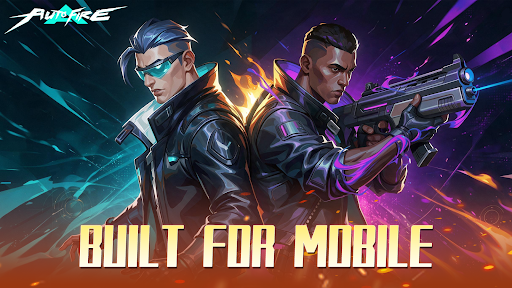
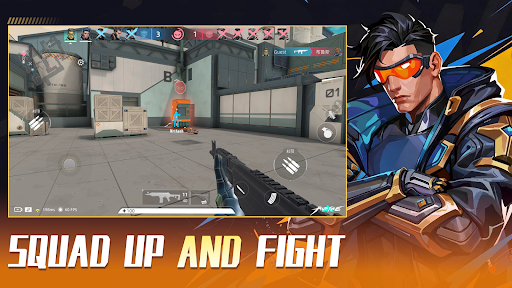
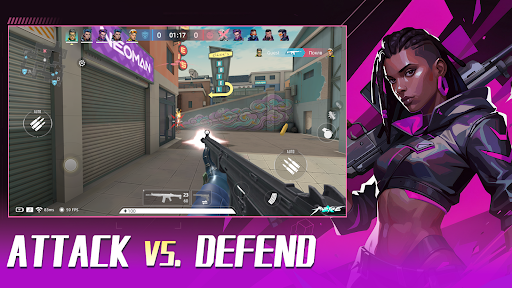
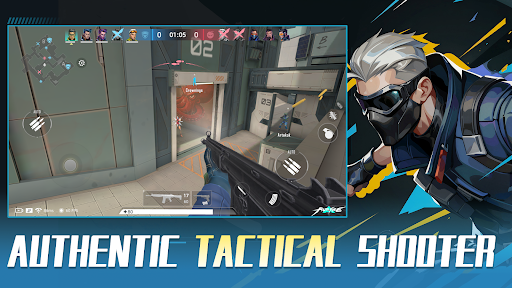
Welcome to AUTO-FIRE, a thrilling futuristic cyberpunk FPS shooter where neon lights, high technology, and tactical warfare collide! Step into this vibrant, chaotic metropolis and dominate the battlefield in intense 5v5 multiplayer battles.
We blend the tense, tactical feel of classic competitive FPS titles with an optimized, mobile-first Auto-Shooting system. Master your movement, positioning, and strategy without fighting complicated inputs!
【KEY FEATURES】
● Immersive Cyberpunk Aesthetic:
Explore a stunning 3D neon city. Every high-tech facility, dark alley, and futuristic street corner is crafted to deliver a pulse-pounding sci-fi FPS experience.
● Smart Auto-Fire Controls:
Ditch the clunky mobile inputs! Our innovative auto-aim and fire mechanics let you focus on positioning, tactical cover, and high-speed action. Easy to learn, thrilling to master.
● Tactical 5v5 Multiplayer PvP:
Team up with friends in competitive multiplayer modes. Fast-paced gunfights, strategic map control, and precise teamwork are your keys to victory in every 5v5 match.
● Extensive Sci-Fi Arsenal & Customization:
Unlock, collect, and upgrade a massive variety of futuristic weapons, snipers, and tactical gear. Build your custom loadout to fit your unique shooting playstyle.
● Dynamic Combat Maps:
Battle across diverse environments—from high-tech data centers to gritty neon streets. Every PvP arena offers fresh tactical angles and intense encounters.
【WHY PLAY AUTO-FIRE?】
- Smooth Tap-to-Move & Smart Auto-Fire mechanics
- Fast-paced 5v5 PvP action designed specifically for mobile
- Regular updates with new maps, weapons, and seasonal events
The future city needs a new tactical legend. Are you ready to rise through the ranks and dominate the neon grid?
Download AUTO-FIRE today and experience the next generation of mobile cyberpunk FPS action!
もっと見る

1. MEmuインストーラーをダウンロードしてセットアップを完了する

2. MEmuを起動し、デスクトップでのPlayストアを開く

3. PlayストアでAUTO-FIRE: Cyberpunk FPSを検索する
Install
4. AUTO-FIRE: Cyberpunk FPSをダウンロードしてインストールする
5. インストールが完了したら、アイコンをクリックしてスタート

6. MEmuを使用してPCでAUTO-FIRE: Cyberpunk FPSを楽しむ
MEmu App Playerは最高の無料で提供されるAndroidエミュレータで、5,000万人がすでに優れたAndroidゲーム体験を楽しんでいます。 MEmuの仮想化技術は、あなたのPCで何千ものAndroidゲームを快適にプレイすることを可能にします。
大画面でより精細;無限の待機、電池とドラフィックの極限を超え
キーボード・マウス・コントローラーを全力でサポート、より快適
マルチインスタンスで複数のゲームを同時に実行
Play AUTO-FIRE: Cyberpunk FPS on PC by following steps: