AUTO-FIRE: Cyberpunk FPS
Aktualisiert
Aktuelle Version
Angeboten von

Bei all Ihrer Leidenschaft für das Spielen von AUTO-FIRE: Cyberpunk FPS sollten Ihre Hände nicht auf einen winzigen Bildschirm Ihres Telefons beschränkt sein. Spielen Sie wie ein Profi und übernehmen Sie die volle Kontrolle über Ihr Spiel mit Tastatur und Maus. MEmu bietet Ihnen all die Dinge, die Sie erwarten. Laden Sie AUTO-FIRE: Cyberpunk FPS herunter und spielen Sie es auf dem PC. Spielen Sie so lange, wie Sie wollen, ohne Grenzwerte für Akku, mobile Daten und störende Anrufe. Das brandneue MEmu 9 ist die beste Wahl, um AUTO-FIRE: Cyberpunk FPS auf dem PC zu spielen. Das exquisite voreingestellte Tastaturbelegungssystem, das mit unserem Fachwissen vorbereitet wurde, macht AUTO-FIRE: Cyberpunk FPS zu einem echten PC-Spiel. Der MEmu Multi-Instanz-Manager ermöglicht das Spielen von 2 oder mehr Konten auf demselben Gerät. Und das Wichtigste: Unsere exklusive Emulations-Engine kann das volle Potenzial Ihres PCs freisetzen und für reibungslose Abläufe sorgen.
Mehr anzeigen
Laden Sie Play AUTO-FIRE: Cyberpunk FPS auf dem PC mit MEmu Android Emulator. Viel Spaß beim Spielen auf großmundieren. Welcome to AUTO-FIRE, a thrilling futuristic cyberpunk FPS shooter where neon lights, high technology, and tactical warfare collide!
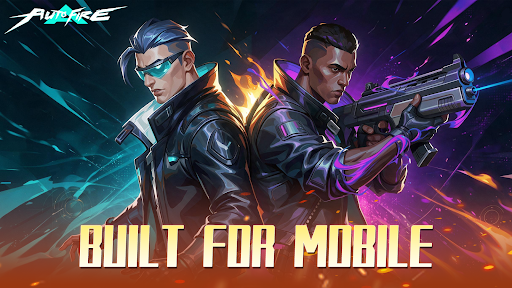
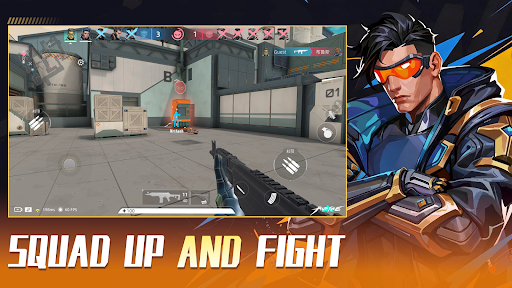
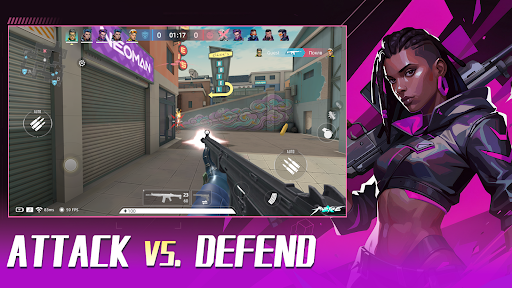
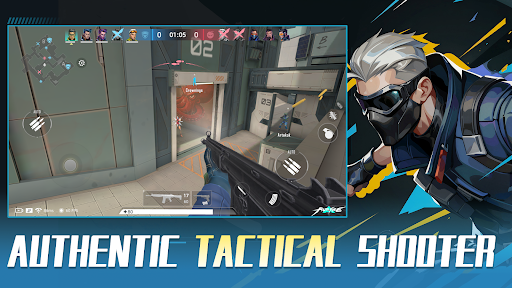
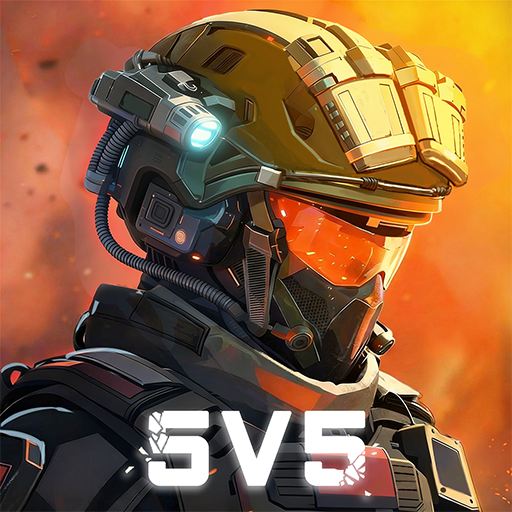
Welcome to AUTO-FIRE, a thrilling futuristic cyberpunk FPS shooter where neon lights, high technology, and tactical warfare collide! Step into this vibrant, chaotic metropolis and dominate the battlefield in intense 5v5 multiplayer battles.
We blend the tense, tactical feel of classic competitive FPS titles with an optimized, mobile-first Auto-Shooting system. Master your movement, positioning, and strategy without fighting complicated inputs!
【KEY FEATURES】
● Immersive Cyberpunk Aesthetic:
Explore a stunning 3D neon city. Every high-tech facility, dark alley, and futuristic street corner is crafted to deliver a pulse-pounding sci-fi FPS experience.
● Smart Auto-Fire Controls:
Ditch the clunky mobile inputs! Our innovative auto-aim and fire mechanics let you focus on positioning, tactical cover, and high-speed action. Easy to learn, thrilling to master.
● Tactical 5v5 Multiplayer PvP:
Team up with friends in competitive multiplayer modes. Fast-paced gunfights, strategic map control, and precise teamwork are your keys to victory in every 5v5 match.
● Extensive Sci-Fi Arsenal & Customization:
Unlock, collect, and upgrade a massive variety of futuristic weapons, snipers, and tactical gear. Build your custom loadout to fit your unique shooting playstyle.
● Dynamic Combat Maps:
Battle across diverse environments—from high-tech data centers to gritty neon streets. Every PvP arena offers fresh tactical angles and intense encounters.
【WHY PLAY AUTO-FIRE?】
- Smooth Tap-to-Move & Smart Auto-Fire mechanics
- Fast-paced 5v5 PvP action designed specifically for mobile
- Regular updates with new maps, weapons, and seasonal events
The future city needs a new tactical legend. Are you ready to rise through the ranks and dominate the neon grid?
Download AUTO-FIRE today and experience the next generation of mobile cyberpunk FPS action!
Mehr anzeigen

1. Laden das MEmu-Installationsprogramm herunter und beenden die Installation

2. MEmu starten und Google Play auf der Homepage öffnen

3. Suchen AUTO-FIRE: Cyberpunk FPS in Google Play
Install
4. Herunterladen und Installieren AUTO-FIRE: Cyberpunk FPS
5. Klicken nach Abschluss der Installation auf das Symbol, um es zu starten

6. Viel Spaß beim Spielen von AUTO-FIRE: Cyberpunk FPS auf dem PC mit MEmu
MEmu App Player ist der beste kostenlose Android-Emulator und 50 Millionen Menschen genießen bereits seine hervorragende Android-Gaming-Erfahrung. Mit der MEmu-Virtualisierungstechnologie können Sie Tausende von Android-Spielen problemlos auf Ihrem PC spielen, selbst bei grafikintensiven Spielen.
BGrößeres Bild mit besserer Grafik; Keine unterbrechungen, keine sorgen um Akku
Komplette Tastenbelegung unterstützt mit Maus und Tastatur oder Controller
Mit dem „Multi-Instance-Manager“ können Sie mehrere Spielkonten oder Spiele gleichzeitig auf einem PC ausführen.
Play AUTO-FIRE: Cyberpunk FPS on PC by following steps: