AUTO-FIRE: Cyberpunk FPS
Bijgewerkt
Huidige Versie
Aangeboden door

Met al je passie voor het spelen van AUTO-FIRE: Cyberpunk FPS, zouden je handen niet beperkt moeten zijn tot een klein scherm van je telefoon. Speel als een professional en krijg volledige controle over je spel met toetsenbord en muis. MEmu biedt je alles wat je verwacht. Download en speel AUTO-FIRE: Cyberpunk FPS op PC. Speel zo lang als je wilt, geen beperkingen meer van batterij, mobiele data en storende oproepen. De gloednieuwe MEmu 9 is de beste keuze om AUTO-FIRE: Cyberpunk FPS op PC te spelen. Voorbereid met onze expertise, maakt het uitmuntende vooraf ingestelde keymapping systeem van AUTO-FIRE: Cyberpunk FPS een echt PC-spel. MEmu multi-instance manager maakt het spelen van 2 of meer accounts op hetzelfde apparaat mogelijk. En het belangrijkste, onze exclusieve emulatie-engine kan het volledige potentieel van je PC benutten, waardoor alles soepel verloopt.
Meer tonen
Download AUTO-FIRE: Cyberpunk FPS op je pc met de MEmu Android-emulator. Geniet van spelen op een groot scherm. Welcome to AUTO-FIRE, a thrilling futuristic cyberpunk FPS shooter where neon lights, high technology, and tactical warfare collide!
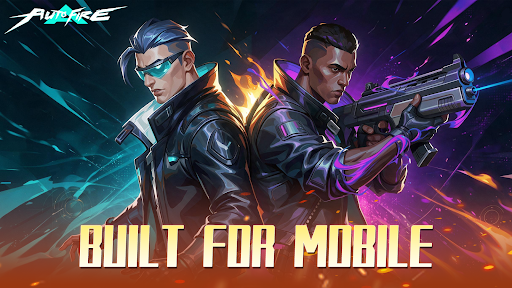
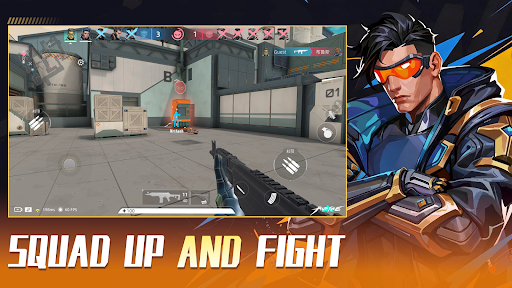
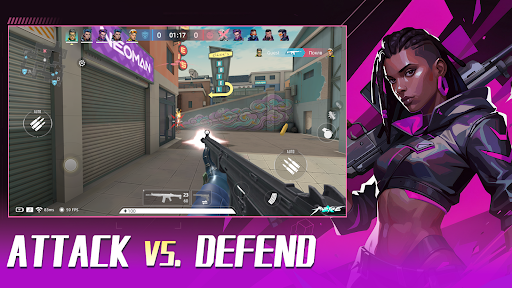
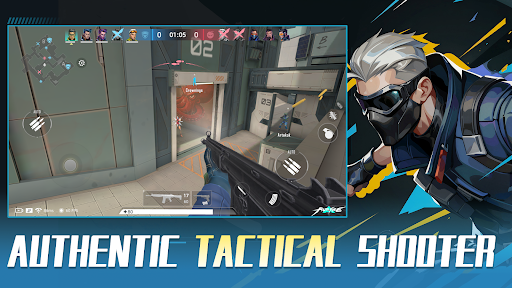
Welcome to AUTO-FIRE, a thrilling futuristic cyberpunk FPS shooter where neon lights, high technology, and tactical warfare collide! Step into this vibrant, chaotic metropolis and dominate the battlefield in intense 5v5 multiplayer battles.
We blend the tense, tactical feel of classic competitive FPS titles with an optimized, mobile-first Auto-Shooting system. Master your movement, positioning, and strategy without fighting complicated inputs!
【KEY FEATURES】
● Immersive Cyberpunk Aesthetic:
Explore a stunning 3D neon city. Every high-tech facility, dark alley, and futuristic street corner is crafted to deliver a pulse-pounding sci-fi FPS experience.
● Smart Auto-Fire Controls:
Ditch the clunky mobile inputs! Our innovative auto-aim and fire mechanics let you focus on positioning, tactical cover, and high-speed action. Easy to learn, thrilling to master.
● Tactical 5v5 Multiplayer PvP:
Team up with friends in competitive multiplayer modes. Fast-paced gunfights, strategic map control, and precise teamwork are your keys to victory in every 5v5 match.
● Extensive Sci-Fi Arsenal & Customization:
Unlock, collect, and upgrade a massive variety of futuristic weapons, snipers, and tactical gear. Build your custom loadout to fit your unique shooting playstyle.
● Dynamic Combat Maps:
Battle across diverse environments—from high-tech data centers to gritty neon streets. Every PvP arena offers fresh tactical angles and intense encounters.
【WHY PLAY AUTO-FIRE?】
- Smooth Tap-to-Move & Smart Auto-Fire mechanics
- Fast-paced 5v5 PvP action designed specifically for mobile
- Regular updates with new maps, weapons, and seasonal events
The future city needs a new tactical legend. Are you ready to rise through the ranks and dominate the neon grid?
Download AUTO-FIRE today and experience the next generation of mobile cyberpunk FPS action!
Meer tonen

1. Download de MEmu-installatie en voltooi de setup

2. Start MEmu en open vervolgens Google Play op het bureaublad

3. Zoek AUTO-FIRE: Cyberpunk FPS in Google Play
Install
4. Download en installeer AUTO-FIRE: Cyberpunk FPS
5. Klik op het icoon om te starten na het voltooien van de installatie

6. Geniet van het spelen van AUTO-FIRE: Cyberpunk FPS op PC met MEmu
MEmu Play is de beste Android Emulator en 100 miljoen mensen genieten al van de superieure Android-game-ervaring. De virtualisatietechnologie van MEmu stelt je in staat om duizenden Android-spellen soepel op je PC te spelen, zelfs de meest grafisch intensieve.
Groter scherm met betere graphics; Lange duur, zonder beperking van batterij of mobiele data.
Volledige Keymapping-ondersteuning voor nauwkeurige besturing van toetsenbord en muis of gamepad.
Meerdere game-accounts of taken op één PC tegelijk met Multi-Instance manager.
Speel AUTO-FIRE: Cyberpunk FPS op PC door de volgende stappen te volgen: