AUTO-FIRE: Cyberpunk FPS
अपडेट किया गया
वर्तमान वर्शन
संसाधन

अपने सेलफोन पर AUTO-FIRE: Cyberpunk FPS का उपयोग करते समय ओवरचार्ज के बारे में चिंता करना बंद करें, अपने आप को छोटी स्क्रीन से मुक्त करें और बहुत बड़े डिस्प्ले पर ऐप का उपयोग करने का आनंद लें। अब से, कीबोर्ड और माउस के साथ अपने ऐप का पूर्ण-स्क्रीन अनुभव प्राप्त करें। एमईएमयू आपको उन सभी आश्चर्यजनक सुविधाओं की पेशकश करता है जिनकी आपको उम्मीद थी: त्वरित इंस्टॉल और आसान सेटअप, सहज नियंत्रण, बैटरी की कोई सीमा नहीं, मोबाइल डेटा और परेशान कॉल। आपके कंप्यूटर पर AUTO-FIRE: Cyberpunk FPS का उपयोग करने का सबसे अच्छा विकल्प नया MEmu 9 है। हमारे अवशोषण के साथ कोडित, बहु-उदाहरण प्रबंधक एक ही समय में 2 या अधिक खाते खोलना संभव बनाता है। और सबसे महत्वपूर्ण, हमारा अनन्य उत्सर्जन इंजन आपके पीसी की पूरी क्षमता को जारी कर सकता है, सब कुछ सुचारू और सुखद बना सकता है।
और दिखाएं
डाउनलोड करें AUTO-FIRE: Cyberpunk FPS पीसी पर MEmu एंड्रॉयड एमुलेटर के साथ बड़े पर्दे पर खेलने का आनंद लें। Welcome to AUTO-FIRE, a thrilling futuristic cyberpunk FPS shooter where neon lights, high technology, and tactical warfare collide!
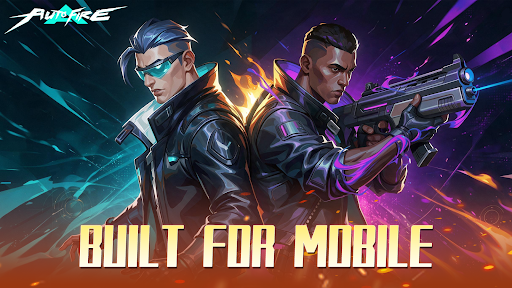
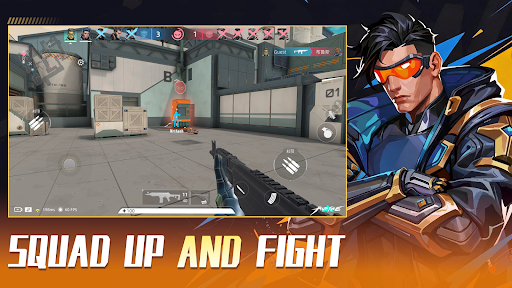
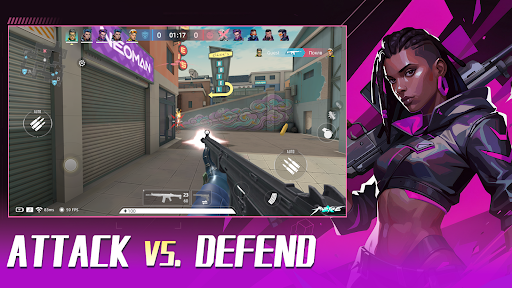
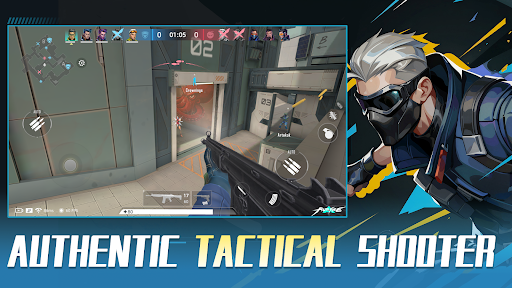
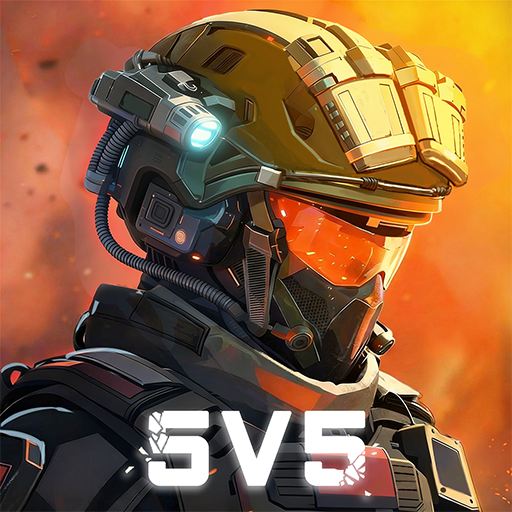
Welcome to AUTO-FIRE, a thrilling futuristic cyberpunk FPS shooter where neon lights, high technology, and tactical warfare collide! Step into this vibrant, chaotic metropolis and dominate the battlefield in intense 5v5 multiplayer battles.
We blend the tense, tactical feel of classic competitive FPS titles with an optimized, mobile-first Auto-Shooting system. Master your movement, positioning, and strategy without fighting complicated inputs!
【KEY FEATURES】
● Immersive Cyberpunk Aesthetic:
Explore a stunning 3D neon city. Every high-tech facility, dark alley, and futuristic street corner is crafted to deliver a pulse-pounding sci-fi FPS experience.
● Smart Auto-Fire Controls:
Ditch the clunky mobile inputs! Our innovative auto-aim and fire mechanics let you focus on positioning, tactical cover, and high-speed action. Easy to learn, thrilling to master.
● Tactical 5v5 Multiplayer PvP:
Team up with friends in competitive multiplayer modes. Fast-paced gunfights, strategic map control, and precise teamwork are your keys to victory in every 5v5 match.
● Extensive Sci-Fi Arsenal & Customization:
Unlock, collect, and upgrade a massive variety of futuristic weapons, snipers, and tactical gear. Build your custom loadout to fit your unique shooting playstyle.
● Dynamic Combat Maps:
Battle across diverse environments—from high-tech data centers to gritty neon streets. Every PvP arena offers fresh tactical angles and intense encounters.
【WHY PLAY AUTO-FIRE?】
- Smooth Tap-to-Move & Smart Auto-Fire mechanics
- Fast-paced 5v5 PvP action designed specifically for mobile
- Regular updates with new maps, weapons, and seasonal events
The future city needs a new tactical legend. Are you ready to rise through the ranks and dominate the neon grid?
Download AUTO-FIRE today and experience the next generation of mobile cyberpunk FPS action!
और दिखाएं

1. MEmu इंस्टॉलर को डाउनलोड करें और इंस्टॉलेशन को पूरा करें

2. MEmu शुरू करें फिर होमपेज पर Google Play खोलें

3. Google Play में AUTO-FIRE: Cyberpunk FPS खोजें
Install
4. AUTO-FIRE: Cyberpunk FPS डाउनलोड कर इंस्टॉल करें
5. इंस्टॉल पूरा होने पर आइकन दबाएं

6. MEmu से पीसी पर AUTO-FIRE: Cyberpunk FPS खेलने का आनंद लें
MEmu Play सबसे बेहतरीन मुफ़्त Android एमुलेटर है और 5 करोड़ लोग पहले ही इसके शानदार Android गेमिंग अनुभव का आनंद ले चुके हैं। MEmu 9 वर्चुअलाइज़ेशन तकनीक आपको अपने PC पर हज़ारों Android गेम, यहाँ तक कि सबसे ज़्यादा ग्राफ़िक्स वाले गेम भी, आसानी से खेलने की सुविधा देती है।
असीमित बैटरी या मोबाइल डेटा के साथ बेहतर ग्राफिक्स के साथ बड़ी स्क्रीन; लंबी अवधि।
कीबोर्ड और माउस या गेमपैड के उत्तम नियंत्रण के लिए संपूर्ण कीमैपिंग का समर्थन करता हैं।
एक ही पीसी पर मल्टी-इंस्टेंस मैनेजर के साथ एक समय में कई गेम खाते या कार्य कर सकते हैं।
Play AUTO-FIRE: Cyberpunk FPS on PC by following steps: