Dark Pals: The 1st Floor
更新日
現在のバージョン
提供元

スマホ不要!プロ選手のようにキーボードとマウスで操作しよう。MEmuエミュはあなたにすべての期待を与える。電池が切れてしまうとか画面が小さいとかの問題を心配する必要がなくて、存分Dark Pals: The 1st Floorを楽しんでください。新しいMEmuエミュ7はPCでDark Pals: The 1st Floorをプレイするのに最適!完璧なキーマッピングシステムにより、まるでパソコンゲームみたい。マルチインスタンスで複数のゲームやアプリを同時に実行!唯一無二な仮想化エンジンがパソコンの可能性を最大限になる。遊べるだけでなく、より楽しめる!
もっと見る
Dark Pals: The 1st FloorをPCでダウンロード!大画面でより楽しむ。電源が落ちてしまうとか通信料が足りないとかの問題を心配する必要がなく、PCの大画面でより快適にゲームを楽しましょう! Step into Dark Pals’ abandoned children’s mental health facility.
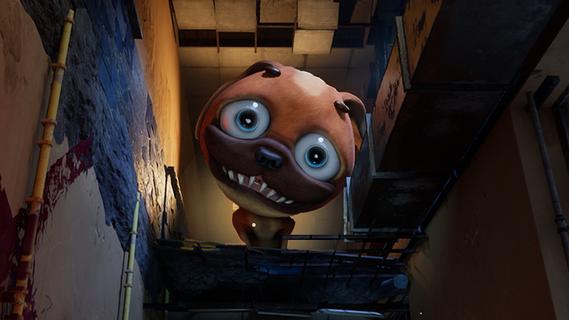
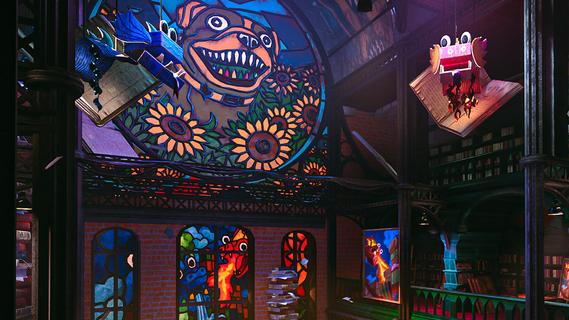
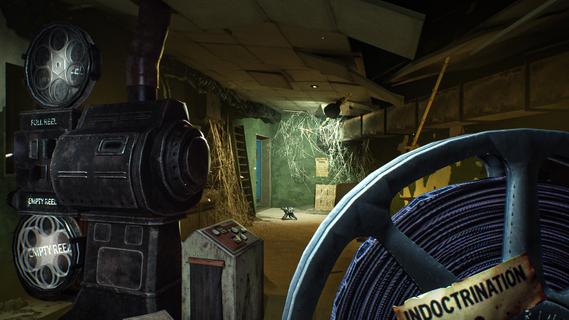
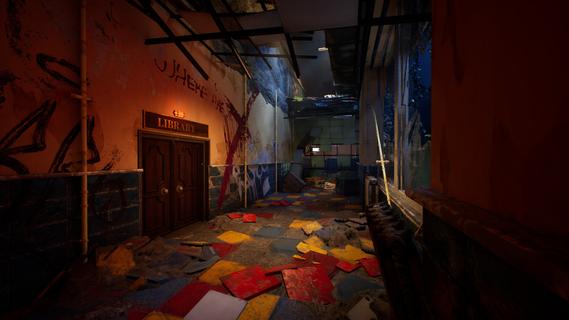
Step into Dark Pals’ abandoned children’s mental health facility. Once bright, cheerful, and welcoming, it now stands warped by time, neglect, and forgotten memories. Armed with your Ink Blaster, you’ll explore unsettling spaces, solve environmental and logic-based puzzles, and evade the facility’s disturbing mascots.But the more you explore, the clearer it becomes: this place knows you.Do you remember? The facility is home to a cast of colourful yet horrifying mascots, each hiding a darker purpose. From Chompy Chasey, a dog with a comically large head and deadly teeth, to other forgotten figures, such as Binky Drinky, lurking in the shadows of these forgotten halls. Progression isn’t just about escaping, it’s about perception. Using your toy paint gun, you’ll be solving puzzles that play with your expectations and sense of reality. Rooms may change their layout, you may have to put your morals and sense of self-preservation aside, and you need to keep your wits about you if you want to survive. What begins as a cheerful lobby slowly reveals something far more sinister. Catchy, irritating tunes echo through empty halls. Bright colours mask unsettling truths. Every puzzle and encounter draws you closer to the truth about who you really are, and why this place still haunts you.
もっと見る

1. MEmuインストーラーをダウンロードしてセットアップを完了する

2. MEmuを起動し、デスクトップでのPlayストアを開く

3. PlayストアでDark Pals: The 1st Floorを検索する
Install
4. Dark Pals: The 1st Floorをダウンロードしてインストールする
5. インストールが完了したら、アイコンをクリックしてスタート

6. MEmuを使用してPCでDark Pals: The 1st Floorを楽しむ
MEmu App Playerは最高の無料で提供されるAndroidエミュレータで、5,000万人がすでに優れたAndroidゲーム体験を楽しんでいます。 MEmuの仮想化技術は、あなたのPCで何千ものAndroidゲームを快適にプレイすることを可能にします。
大画面でより精細;無限の待機、電池とドラフィックの極限を超え
キーボード・マウス・コントローラーを全力でサポート、より快適
マルチインスタンスで複数のゲームを同時に実行
Play Dark Pals: The 1st Floor on PC by following steps: