Dark Pals: The 1st Floor
Aktualisiert
Aktuelle Version
Angeboten von

Bei all Ihrer Leidenschaft für das Spielen von Dark Pals: The 1st Floor sollten Ihre Hände nicht auf einen winzigen Bildschirm Ihres Telefons beschränkt sein. Spielen Sie wie ein Profi und übernehmen Sie die volle Kontrolle über Ihr Spiel mit Tastatur und Maus. MEmu bietet Ihnen all die Dinge, die Sie erwarten. Laden Sie Dark Pals: The 1st Floor herunter und spielen Sie es auf dem PC. Spielen Sie so lange, wie Sie wollen, ohne Grenzwerte für Akku, mobile Daten und störende Anrufe. Das brandneue MEmu 9 ist die beste Wahl, um Dark Pals: The 1st Floor auf dem PC zu spielen. Das exquisite voreingestellte Tastaturbelegungssystem, das mit unserem Fachwissen vorbereitet wurde, macht Dark Pals: The 1st Floor zu einem echten PC-Spiel. Der MEmu Multi-Instanz-Manager ermöglicht das Spielen von 2 oder mehr Konten auf demselben Gerät. Und das Wichtigste: Unsere exklusive Emulations-Engine kann das volle Potenzial Ihres PCs freisetzen und für reibungslose Abläufe sorgen.
Mehr anzeigen
Laden Sie Play Dark Pals: The 1st Floor auf dem PC mit MEmu Android Emulator. Viel Spaß beim Spielen auf großmundieren. Step into Dark Pals’ abandoned children’s mental health facility.
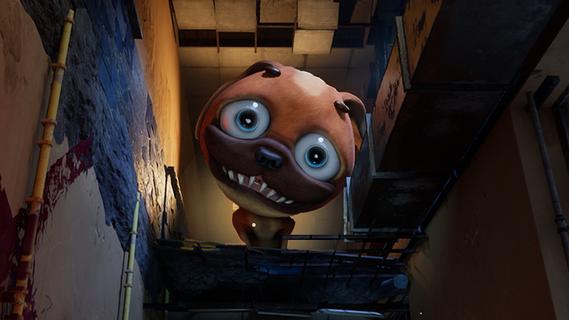
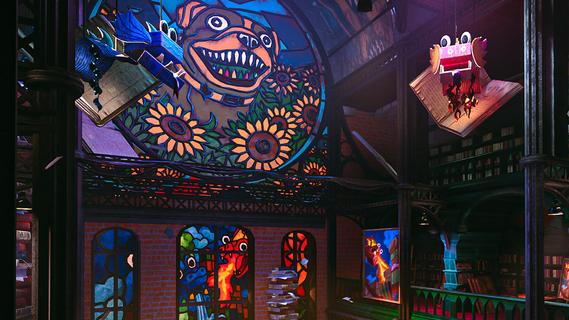
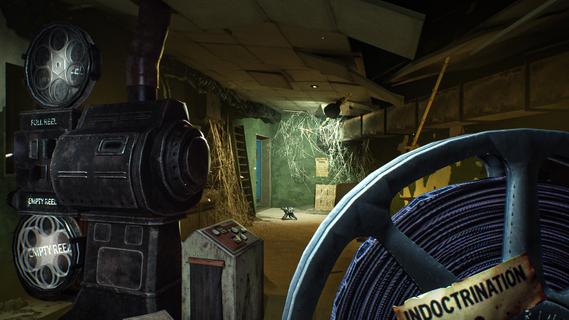
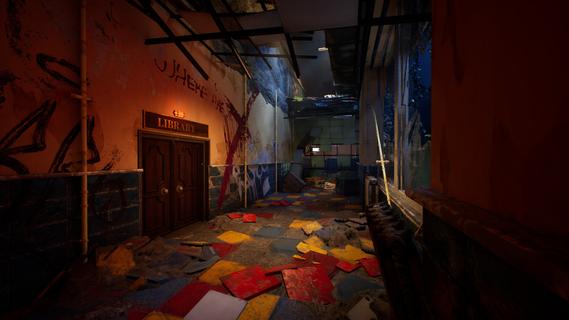
Step into Dark Pals’ abandoned children’s mental health facility. Once bright, cheerful, and welcoming, it now stands warped by time, neglect, and forgotten memories. Armed with your Ink Blaster, you’ll explore unsettling spaces, solve environmental and logic-based puzzles, and evade the facility’s disturbing mascots.But the more you explore, the clearer it becomes: this place knows you.Do you remember? The facility is home to a cast of colourful yet horrifying mascots, each hiding a darker purpose. From Chompy Chasey, a dog with a comically large head and deadly teeth, to other forgotten figures, such as Binky Drinky, lurking in the shadows of these forgotten halls. Progression isn’t just about escaping, it’s about perception. Using your toy paint gun, you’ll be solving puzzles that play with your expectations and sense of reality. Rooms may change their layout, you may have to put your morals and sense of self-preservation aside, and you need to keep your wits about you if you want to survive. What begins as a cheerful lobby slowly reveals something far more sinister. Catchy, irritating tunes echo through empty halls. Bright colours mask unsettling truths. Every puzzle and encounter draws you closer to the truth about who you really are, and why this place still haunts you.
Mehr anzeigen

1. Laden das MEmu-Installationsprogramm herunter und beenden die Installation

2. MEmu starten und Google Play auf der Homepage öffnen

3. Suchen Dark Pals: The 1st Floor in Google Play
Install
4. Herunterladen und Installieren Dark Pals: The 1st Floor
5. Klicken nach Abschluss der Installation auf das Symbol, um es zu starten

6. Viel Spaß beim Spielen von Dark Pals: The 1st Floor auf dem PC mit MEmu
MEmu App Player ist der beste kostenlose Android-Emulator und 50 Millionen Menschen genießen bereits seine hervorragende Android-Gaming-Erfahrung. Mit der MEmu-Virtualisierungstechnologie können Sie Tausende von Android-Spielen problemlos auf Ihrem PC spielen, selbst bei grafikintensiven Spielen.
BGrößeres Bild mit besserer Grafik; Keine unterbrechungen, keine sorgen um Akku
Komplette Tastenbelegung unterstützt mit Maus und Tastatur oder Controller
Mit dem „Multi-Instance-Manager“ können Sie mehrere Spielkonten oder Spiele gleichzeitig auf einem PC ausführen.
Play Dark Pals: The 1st Floor on PC by following steps: