Witchbrook
更新日
現在のバージョン
提供元

スマホ不要!プロ選手のようにキーボードとマウスで操作しよう。MEmuエミュはあなたにすべての期待を与える。電池が切れてしまうとか画面が小さいとかの問題を心配する必要がなくて、存分Witchbrookを楽しんでください。新しいMEmuエミュ7はPCでWitchbrookをプレイするのに最適!完璧なキーマッピングシステムにより、まるでパソコンゲームみたい。マルチインスタンスで複数のゲームやアプリを同時に実行!唯一無二な仮想化エンジンがパソコンの可能性を最大限になる。遊べるだけでなく、より楽しめる!
もっと見る
WitchbrookをPCでダウンロード!大画面でより楽しむ。電源が落ちてしまうとか通信料が足りないとかの問題を心配する必要がなく、PCの大画面でより快適にゲームを楽しましょう! Witchbrook is an enchanting life simulation game being developed by Chucklefish, the studio known for publishing beloved titles like Stardew Valley.
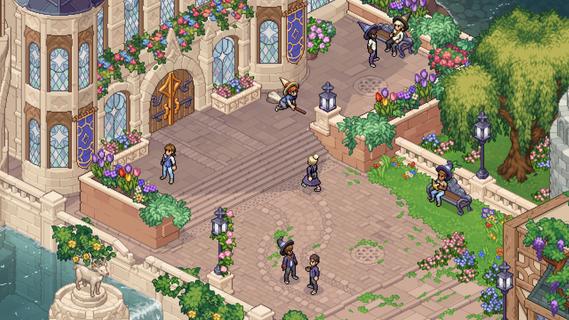

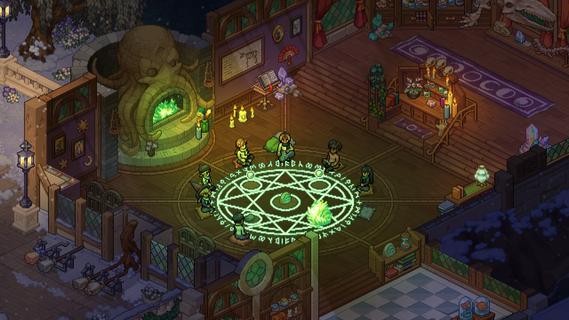
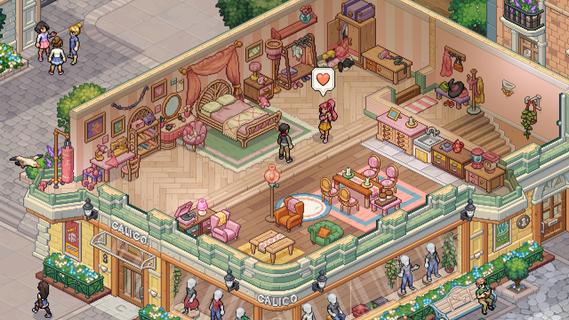
Witchbrook is an enchanting life simulation game being developed by Chucklefish, the studio known for publishing beloved titles like Stardew Valley. This charming pixel art adventure invites players to step into the shoes of a young witch-in-training at Witchbrook College in the picturesque seaside town of Mossport. The game combines magical education with social simulation, allowing players to craft their own unique journey through witch school. As a student, you'll attend various classes in subjects like potions, charms, and magical creatures, complete assignments, and gradually improve your magical abilities. The spell-casting system lets players combine magical elements to create different effects, with more powerful and complex spells becoming available as you progress. Beyond academics, Witchbrook offers a rich social experience. Players can form meaningful relationships with classmates, teachers, and townspeople, each with their own distinct personalities and storylines. The game features dialogue choices that affect relationships, potentially leading to romantic partnerships. Social events such as dances and festivals provide opportunities to strengthen these bonds. The sandbox elements of Witchbrook allow for extensive exploration of Mossport and its surroundings. Players can engage in a variety of activities including fishing, brewing potions, growing magical crops, foraging for strange mushrooms, and participating in broom races. The game world changes with the seasons, offering unique quests, ingredients, and magical phenomena throughout the year. Character customization plays a significant role, with players able to choose their witch's appearance and magical specialties. As you progress, you'll earn experience points and level up different magical disciplines like potion-making, spellcasting, or herbology, each with its own progression tree and unlockable abilities. The ultimate goal is to graduate from Witchbrook College and earn your witching permit by completing main quests from professors and passing certification exams. However, the journey is just as important as the destination, with the game emphasizing player choice and open-ended gameplay. While initially designed as a single-player experience, the developers have mentioned they're working on adding multiplayer functionality, potentially allowing up to four players to share in the magical adventure. With its cozy aesthetic, deep gameplay systems, and focus on both magical education and social relationships, Witchbrook promises to deliver a spellbinding experience for fans of life simulation games when it eventually releases.
もっと見る

1. MEmuインストーラーをダウンロードしてセットアップを完了する

2. MEmuを起動し、デスクトップでのPlayストアを開く

3. PlayストアでWitchbrookを検索する
Install
4. Witchbrookをダウンロードしてインストールする
5. インストールが完了したら、アイコンをクリックしてスタート

6. MEmuを使用してPCでWitchbrookを楽しむ
MEmu App Playerは最高の無料で提供されるAndroidエミュレータで、5,000万人がすでに優れたAndroidゲーム体験を楽しんでいます。 MEmuの仮想化技術は、あなたのPCで何千ものAndroidゲームを快適にプレイすることを可能にします。
大画面でより精細;無限の待機、電池とドラフィックの極限を超え
キーボード・マウス・コントローラーを全力でサポート、より快適
マルチインスタンスで複数のゲームを同時に実行
Play Witchbrook on PC by following steps: