Witchbrook
Updated
Current Version
Offered By

With your passion for Witchbrook, you shouldn’t have to limit yourself to the small screen of a phone. Play like a pro and take full control of the game using a keyboard and mouse. MEmu gives you everything you’re looking for. Download and play Witchbrook on PC. Play as long as you want — no more worries about battery life, mobile data, or unexpected calls. The all-new MEmu 9 is the best way to play Witchbrook on PC. With our expertly designed keymapping system, Witchbrook feels just like a real PC game. The MEmu multi-instance manager lets you run two or more accounts on the same device at the same time. Most importantly, our exclusive emulation engine unlocks your PC’s full potential, delivering smooth and seamless performance.
Show more
Download Witchbrook on PC with MEmu Android Emulator. Enjoy playing on big screen. Witchbrook is an enchanting life simulation game being developed by Chucklefish, the studio known for publishing beloved titles like Stardew Valley.
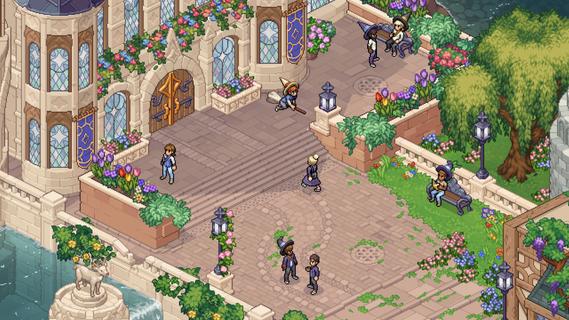

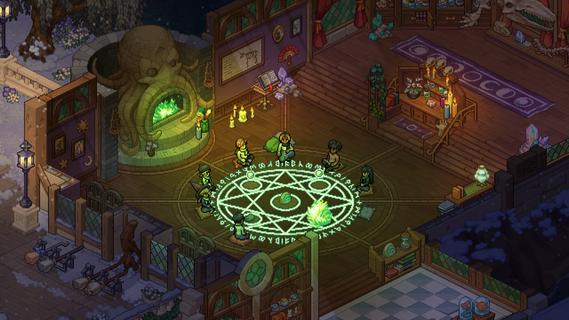
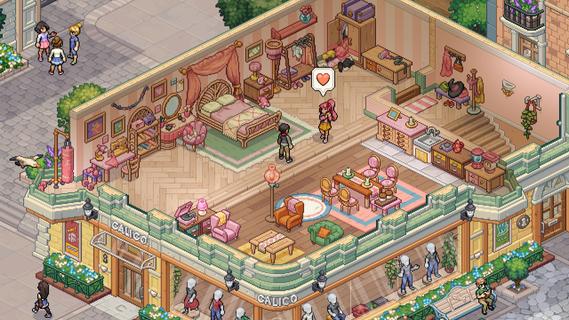
Witchbrook is an enchanting life simulation game being developed by Chucklefish, the studio known for publishing beloved titles like Stardew Valley. This charming pixel art adventure invites players to step into the shoes of a young witch-in-training at Witchbrook College in the picturesque seaside town of Mossport. The game combines magical education with social simulation, allowing players to craft their own unique journey through witch school. As a student, you'll attend various classes in subjects like potions, charms, and magical creatures, complete assignments, and gradually improve your magical abilities. The spell-casting system lets players combine magical elements to create different effects, with more powerful and complex spells becoming available as you progress. Beyond academics, Witchbrook offers a rich social experience. Players can form meaningful relationships with classmates, teachers, and townspeople, each with their own distinct personalities and storylines. The game features dialogue choices that affect relationships, potentially leading to romantic partnerships. Social events such as dances and festivals provide opportunities to strengthen these bonds. The sandbox elements of Witchbrook allow for extensive exploration of Mossport and its surroundings. Players can engage in a variety of activities including fishing, brewing potions, growing magical crops, foraging for strange mushrooms, and participating in broom races. The game world changes with the seasons, offering unique quests, ingredients, and magical phenomena throughout the year. Character customization plays a significant role, with players able to choose their witch's appearance and magical specialties. As you progress, you'll earn experience points and level up different magical disciplines like potion-making, spellcasting, or herbology, each with its own progression tree and unlockable abilities. The ultimate goal is to graduate from Witchbrook College and earn your witching permit by completing main quests from professors and passing certification exams. However, the journey is just as important as the destination, with the game emphasizing player choice and open-ended gameplay. While initially designed as a single-player experience, the developers have mentioned they're working on adding multiplayer functionality, potentially allowing up to four players to share in the magical adventure. With its cozy aesthetic, deep gameplay systems, and focus on both magical education and social relationships, Witchbrook promises to deliver a spellbinding experience for fans of life simulation games when it eventually releases.
Show more

1. Download MEmu installer and finish the setup

2. Start MEmu then open Google Play on the desktop

3. Search Witchbrook in Google Play
Install
4. Download and Install Witchbrook
5. On install completion click the icon to start

6. Enjoy playing Witchbrook on PC with MEmu
MEmu Play is the best Android emulator and 100 million people already enjoy its superb Android gaming experience. The MEmu virtualization technology empowers you to play thousands of Android games smoothly on your PC, even the most graphic-intensive ones.
Bigger screen with better graphics; Long duration, without limitation of battery or mobile data.
Full Keymapping support for precise control of keyboard and mouse or gamepad.
Multiple game accounts or tasks on single PC at one time with Multi-Instance manager.
Play Witchbrook on PC by following steps: