
Famelack
更新日
現在のバージョン
3.6
提供元

スマートフォンは不要!パソコンと同じようにキーボードとマウスで操作できます。MEmu Playは、あなたが待ち望んでいたすべての楽しみをお届けします。バッテリー残量や小さな画面を気にすることなく、Famelackをご利用ください。最新のMEmu 9は、FamelackをPCで体験するのに最適です!完璧なキーマッピングシステムにより、PCのようなスムーズな操作性を実現します。マルチインスタンス機能により、複数のアプリケーションを同時に実行できます。独自の仮想化エンジンがPCのパフォーマンスを最大限に引き出します。アプリを使用するだけでなく、高品質な体験を得ることができます。
もっと見る
MEmu Playを使えば、PCでFamelackを快適に楽しめます。何千ものAndroidアプリをデスクトップ版で利用できる、パワフルな無料Androidエミュレーターです。友達とつながり、より効率的に作品を磨き上げましょう! Famelack – Watch Live Sports, News and TV ShowsFamelack is the hub for watching live TV, sports, and news from all around the world in regional and foreign languages.
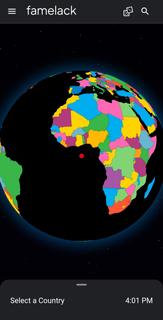
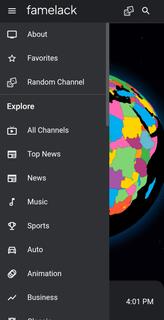
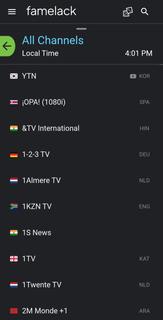
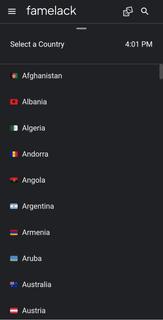
Famelack – Watch Live Sports, News and TV ShowsFamelack is the hub for watching live TV, sports, and news from all around the world in regional and foreign languages. It has a neatly organized library that contains the list of more than 1000 live TV channels in high quality, with minimal buffering or lag issues.With 130+ countries and HD TV channels, Famelack has one of the largest databases of streamable TV channels, and it draws attention to the eyes of millions of people. All you need is to install the Famelack, and you’re all set to choose your favourite TV channels from the thousands it has to offer to watch your beloved live sports or TV programs.There are various sections, such as Kids for those under 13, and adults can watch movies, sports, news, TV series, reality shows, and whatnot.Even though there are thousands of channels, it never feels complicated finding the desired one, as the app has a smart search functionality with filter options, allowing you to easily locate a TV channel simply by searching its name. A new favourite list option has been introduced in the Famelack to add the channels you watch the most, so that next time you can easily find them.Download Famelack APK for Android and enjoy 4K quality TV channels streaming across all genres with a feature-rich built-in media player!
もっと見る

1. MEmuインストーラーをダウンロードしてセットアップを完了する

2. MEmuを起動し、デスクトップでのPlayストアを開く

3. PlayストアでFamelackを検索する
Install
4. Famelackをダウンロードしてインストールする
5. インストールが完了したら、アイコンをクリックしてスタート

6. MEmuを使ってパソコンでFamelackを体験する
MEmu Playは現在、最高の無料Androidエミュレーターであり、5,000万人のユーザーが優れたAndroidアプリ体験を楽しんでいます。MEmuの仮想化テクノロジーにより、数千ものAndroidアプリをコンピューターでスムーズに実行できます。
大画面でより精細;無限の待機、電池とドラフィックの極限を超え
キーボード・マウス・コントローラーを全力でサポート、より快適
マルチインスタンスで複数のゲームを同時に実行
Use Famelack on PC by following steps: