FlashGet Kids:parental control
更新日
現在のバージョン
1.1.8.5
提供元

スマートフォンは不要!パソコンと同じようにキーボードとマウスで操作できます。MEmu Playは、あなたが待ち望んでいたすべての楽しみをお届けします。バッテリー残量や小さな画面を気にすることなく、FlashGet Kids:parental controlをご利用ください。最新のMEmu 9は、FlashGet Kids:parental controlをPCで体験するのに最適です!完璧なキーマッピングシステムにより、PCのようなスムーズな操作性を実現します。マルチインスタンス機能により、複数のアプリケーションを同時に実行できます。独自の仮想化エンジンがPCのパフォーマンスを最大限に引き出します。アプリを使用するだけでなく、高品質な体験を得ることができます。
もっと見る
FlashGet Kids:parental controlをPCでダウンロード!大画面でより楽しむ。電源が落ちてしまうとか通信料が足りないとかの問題を心配する必要がなく、PCの大画面でより快適にゲームを楽しましょう! FlashGet Kids: parental control is a comprehensive remote control software for parents.
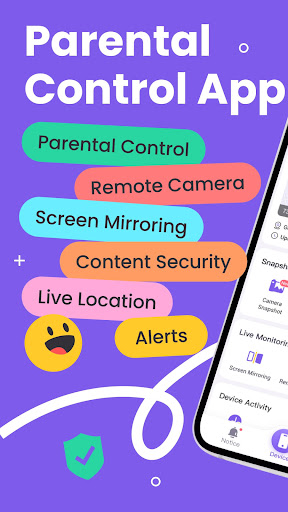
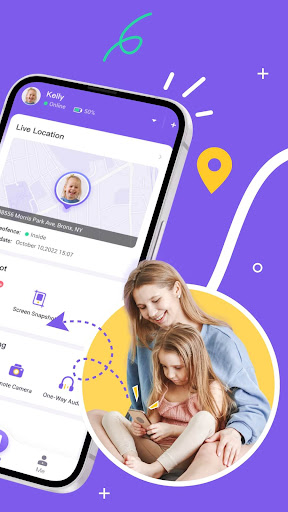
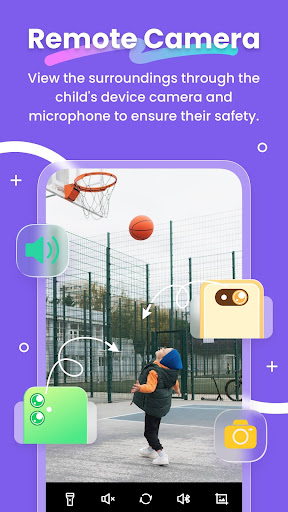
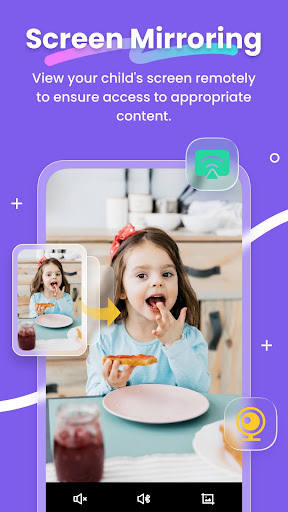
FlashGet Kids: parental control is a comprehensive remote control software for parents. With just one account, you can track your child's location and learn about their online activities through your phone. This helps ensure your child's safety and promotes good device usage habits.
What can FlashGet Kids do?
* Through intelligent content management, it helps parents understand their children's device usage, manage screen and app usage time, and create a safe online environment to keep children away from various dangers such as pornography, scams, bullying, and crime, and at the same time forms usage reports for parents to view in summary
* Through the Live Location function, it helps parents achieve real-time positioning of children's devices, and can set up geo-fences to receive message reminders when entering or leaving
* Through Remote Camera/One-Way Audio function, it helps parents identify and understand their children's surroundings in real time, and protect their safety.
*Sync app notification function can helps you to know more about your child's chat on social media, help your child to stay far away from cyberbullying and online fraud.
Product features:
1. Real-time understanding of your child's device usage
2. Alert reminders for location tracking and GEO-Fencing
3. Remotely view and manage your child's device usage
4. Discover and limit inappropriate content on children's devices
And more
Activating FlashGet Kids is simple:
1. Install FlashGet Kids on your phone
2. Connect to your child's device through an invitation link or code
3. Link your account to your child's device
Below is FlashGet Kids Privacy Policy and Terms
Privacy Policy: https://kids.flashget.com/privacy-policy/
Terms of Service: https://kids.flashget.com/terms-of-service/
Help and Support:
If you have any questions, please feel free to contact us via email: help@flashget.com
もっと見る

1. MEmuインストーラーをダウンロードしてセットアップを完了する

2. MEmuを起動し、デスクトップでのPlayストアを開く

3. PlayストアでFlashGet Kids:parental controlを検索する
Install
4. FlashGet Kids:parental controlをダウンロードしてインストールする
5. インストールが完了したら、アイコンをクリックしてスタート

6. MEmuを使ってパソコンでFlashGet Kids:parental controlを体験する
MEmu Playは現在、最高の無料Androidエミュレーターであり、5,000万人のユーザーが優れたAndroidアプリ体験を楽しんでいます。MEmuの仮想化テクノロジーにより、数千ものAndroidアプリをコンピューターでスムーズに実行できます。
大画面でより精細;無限の待機、電池とドラフィックの極限を超え
キーボード・マウス・コントローラーを全力でサポート、より快適
マルチインスタンスで複数のゲームを同時に実行
Use FlashGet Kids:parental control on PC by following steps: