Fotorama - AI Photo Generator
更新日
現在のバージョン
3.2.6
提供元

スマートフォンは不要!パソコンと同じようにキーボードとマウスで操作できます。MEmu Playは、あなたが待ち望んでいたすべての楽しみをお届けします。バッテリー残量や小さな画面を気にすることなく、Fotorama - AI Photo Generatorをご利用ください。最新のMEmu 9は、Fotorama - AI Photo GeneratorをPCで体験するのに最適です!完璧なキーマッピングシステムにより、PCのようなスムーズな操作性を実現します。マルチインスタンス機能により、複数のアプリケーションを同時に実行できます。独自の仮想化エンジンがPCのパフォーマンスを最大限に引き出します。アプリを使用するだけでなく、高品質な体験を得ることができます。
もっと見る
Fotorama - AI Photo GeneratorをPCでダウンロード!大画面でより楽しむ。電源が落ちてしまうとか通信料が足りないとかの問題を心配する必要がなく、PCの大画面でより快適にゲームを楽しましょう! Welcome to Fotorama, your ultimate destination for limitless photographic creativity!
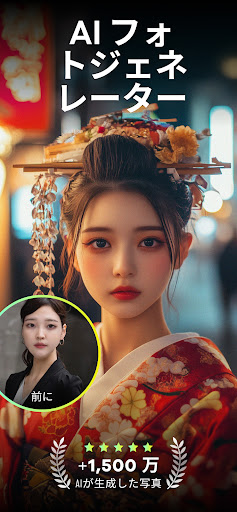
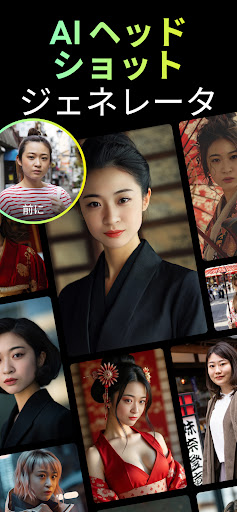
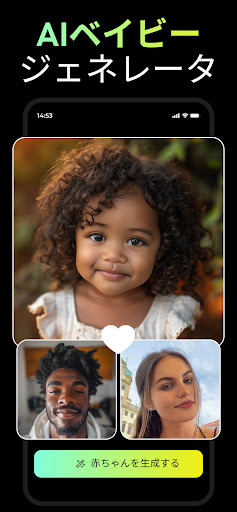
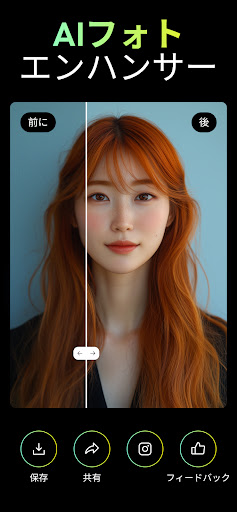
Welcome to Fotorama, your ultimate destination for limitless photographic creativity! This app takes your everyday snapshots and transforms them into professionally crafted visuals. With Fotorama - AI Headshot Generator, experience the ease of creating stunning AI headshots, professional portraits, and capturing the essence of every season directly from your smartphone. It's not just an app; it's your personal AI-powered photo studio that turns the ordinary into the extraordinary with a simple tap.
Key Features:
-AI Headshot Excellence: Effortlessly produce studio-quality AI headshots, perfect for professional profiles, business needs, or social media.
-Thematic Photo Transformations: Dive into a vast array of themed transformations that breathe new life into every photo. A new theme awaits you every day!
-Seasonal & Conceptual Magic: Explore various seasonal and conceptual themes, adding a unique touch to your photos and celebrating each moment in a visually stunning way.
-AI-Crafted Headshots & Portraits: Get personalized, studio-quality headshots and portraits ideal for professional or social media use.
-Easy Social Sharing: Conveniently share your AI photo creations across different platforms, showcasing your unique style and Fotorama's AI wizardry.
-Privacy-Centric: Rest assured, knowing that Fotorama employs advanced security measures to protect your data.
Trendy Fotorama - AI Headshot Generator Styles:
- AI Business Portraits
- Professional Headshots
- LinkedIn Headshots
- AI Headshots
- AI Portrait Photos
- Trend AI Filters
- AI Baby Photos
- Realistic AI Photos
- Old Money Style
- AI Urban Street Art
- Wedding Photos
- Aesthetic Photos
- Holiday Photos
- Cinematic Photos
- Summer & Winter Vibes
- AI Vintage Film Photos
-Trend AI Filters
Fotorama - AI Headshot Generator is where your imagination meets the pinnacle of AI photo technology. Each interaction opens a door to a world where AI headshots and AI photo transformations redefine the boundaries of digital photography. Try Fotorama - AI Headshot Generator today and unleash the full potential of AI in your photography journey.
Privacy: https://appnation.co/privacy
Terms: https://appnation.co/terms
もっと見る

1. MEmuインストーラーをダウンロードしてセットアップを完了する

2. MEmuを起動し、デスクトップでのPlayストアを開く

3. PlayストアでFotorama - AI Photo Generatorを検索する
Install
4. Fotorama - AI Photo Generatorをダウンロードしてインストールする
5. インストールが完了したら、アイコンをクリックしてスタート

6. MEmuを使ってパソコンでFotorama - AI Photo Generatorを体験する
MEmu Playは現在、最高の無料Androidエミュレーターであり、5,000万人のユーザーが優れたAndroidアプリ体験を楽しんでいます。MEmuの仮想化テクノロジーにより、数千ものAndroidアプリをコンピューターでスムーズに実行できます。
大画面でより精細;無限の待機、電池とドラフィックの極限を超え
キーボード・マウス・コントローラーを全力でサポート、より快適
マルチインスタンスで複数のゲームを同時に実行
Use Fotorama - AI Photo Generator on PC by following steps: