nExt Camera - USB PC版

nExt Camera - USBをPCでダウンロード

nExt Camera - USB PC版

nExt Camera - USB

  • 更新日

  • 現在のバージョン

  • 提供元

    nExt Camera - USB PC版

nExt Camera - USB PC版紹介

スマートフォンは不要!パソコンと同じようにキーボードとマウスで操作できます。MEmu Playは、あなたが待ち望んでいたすべての楽しみをお届けします。バッテリー残量や小さな画面を気にすることなく、nExt Camera - USBをご利用ください。最新のMEmu 9は、nExt Camera - USBをPCで体験するのに最適です!完璧なキーマッピングシステムにより、PCのようなスムーズな操作性を実現します。マルチインスタンス機能により、複数のアプリケーションを同時に実行できます。独自の仮想化エンジンがPCのパフォーマンスを最大限に引き出します。アプリを使用するだけでなく、高品質な体験を得ることができます。

もっと見る

nExt Camera - USB PC版の画像と動画

nExt Camera - USBをPCでダウンロード!大画面でより楽しむ。電源が落ちてしまうとか通信料が足りないとかの問題を心配する必要がなく、PCの大画面でより快適にゲームを楽しましょう! nExt Camera is an application that displays a live video feed from any UVC OTG compatible USB camera device.
アプリ情報

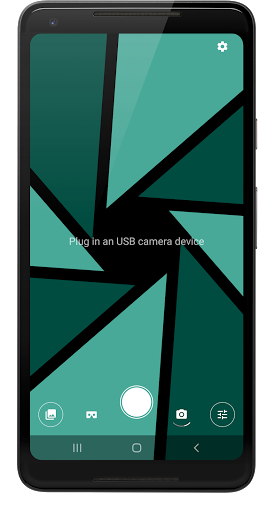
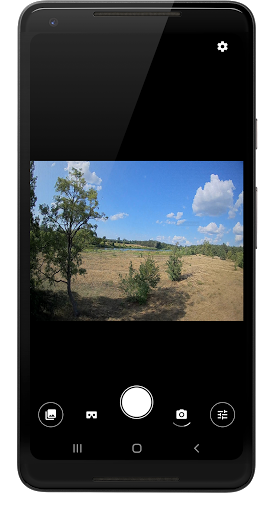
nExt Camera is an application that displays a live video feed from any UVC OTG compatible USB camera device. (no root required)
It let's you preview, take photos and record videos from external sources like endoscopes, microscopes, Webcams, Dash cameras, FPV Receivers, UVC analog video grabbers, HDMI capture cards, etc.

The app was built with top performance and quality in mind. It delivers video feed with almost no delay, which is great for FPV and gaming.

As of now, the app is still under development and the list of supported devices is expanding. So, if you encounter any issues, please report them to us in order to improve the application in future updates.

Requirements:


1. An OTG compatible android device.
2. USB camera with UVC support.
3. OTG cable. (some cameras may require additional power, so a USB Hub may be required)

Features:


External Camera Preview
Displays video feed from connected external USB camera.

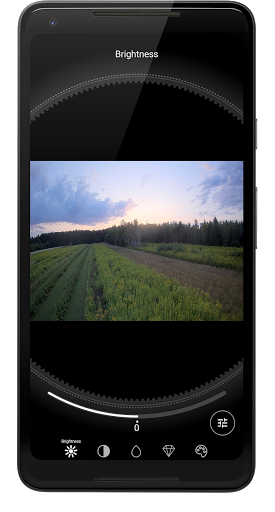
Tuning camera image parameters
Easily tune your camera image on the fly. (More tuning controls coming soon)

VR Support
Switch to Google Cardboard / Daydream and use your android device for FPV.

Video and Audio Recording
Record video and audio from USB camera. Configure video encoder to improve video quality or get smaller file size. Choose audio source, that will be used in the recording.

Background Recording
Start recording and leave the app without worrying, that the recording will be stopped. The app will continue recording even when it's in background. Only the notification will be visible to inform you about ongoing video recording.

Picture-In-Picture Mode
Keep video preview in a neat little window while switching to other apps.

Audio Loopback
Let's you hear live audio feed from your USB device, if available. The latest version adds a visual audio meter, to help in volume levels adjustment.

1D/3D LUT support
Apply one of built-in LUT (Lookup Table) color filters or import and use a custom one. Please note, only a CUBE file format is supported when importing a new LUT to the App. (The LUT title is derived from a TITLE parameter that is found in a CUBE file. For more details see Cube LUT Specification.)

PRO Photography tools
Long-press to display a Waveform scope to analyze displayed image in real time, or show a helper grid to follow the rule of thirds.

Live Video Streaming
Stream from your USB device to any device using a modern SRT protocol. nExt Camera will automatically adjust video bitrate based on your network condition to deliver smooth and uninterrupted experience to your audience.

もっと見る

nExt Camera - USBをPCでダウンロードする方法

  • nExt Camera - USB PC版

    1. MEmuインストーラーをダウンロードしてセットアップを完了する

  • nExt Camera - USB PC版

    2. MEmuを起動し、デスクトップでのPlayストアを開く

  • nExt Camera - USB PC版

    3. PlayストアでnExt Camera - USBを検索する

  • nExt Camera - USB PC版 Install

    4. nExt Camera - USBをダウンロードしてインストールする

  • nExt Camera - USB PC版

    5. インストールが完了したら、アイコンをクリックしてスタート

  • nExt Camera - USB PC版
    nExt Camera - USB PC版 nExt Camera - USB PC版

    6. MEmuを使ってパソコンでnExt Camera - USBを体験する

MEmu Play を使用して nExt Camera - USB を体験する理由は何ですか?

MEmu Playは現在、最高の無料Androidエミュレーターであり、5,000万人のユーザーが優れたAndroidアプリ体験を楽しんでいます。MEmuの仮想化テクノロジーにより、数千ものAndroidアプリをコンピューターでスムーズに実行できます。

  • 大画面でより精細;無限の待機、電池とドラフィックの極限を超え

  • キーボード・マウス・コントローラーを全力でサポート、より快適

  • マルチインスタンスで複数のゲームを同時に実行

体験を始める準備はできましたか?

ホットな話題

nExt Camera - USB - FAQs

  • nExt Camera - USBをPCで使用するには?

    Use nExt Camera - USB on PC by following steps:

    • Download MEmu, then install and launch it
    • Login to Google Play Store, install the app
    • Enjoy using the app on PC with MEmu
  • PCでnExt Camera - USBを実行するための最小システム要件とは?
    • Intel or AMD Processor
    • Microsoft Windows 7 and above
    • 2GB of memory
    • 5GB of free disk space
    • Hardware Virtualization Technology

人気のアプリ