WalkWork
更新日
現在のバージョン
1.17.0
提供元

スマートフォンは不要!パソコンと同じようにキーボードとマウスで操作できます。MEmu Playは、あなたが待ち望んでいたすべての楽しみをお届けします。バッテリー残量や小さな画面を気にすることなく、WalkWorkをご利用ください。最新のMEmu 9は、WalkWorkをPCで体験するのに最適です!完璧なキーマッピングシステムにより、PCのようなスムーズな操作性を実現します。マルチインスタンス機能により、複数のアプリケーションを同時に実行できます。独自の仮想化エンジンがPCのパフォーマンスを最大限に引き出します。アプリを使用するだけでなく、高品質な体験を得ることができます。
もっと見る
WalkWorkをPCでダウンロード!大画面でより楽しむ。電源が落ちてしまうとか通信料が足りないとかの問題を心配する必要がなく、PCの大画面でより快適にゲームを楽しましょう! What is WalkWork?
What is WalkWork?
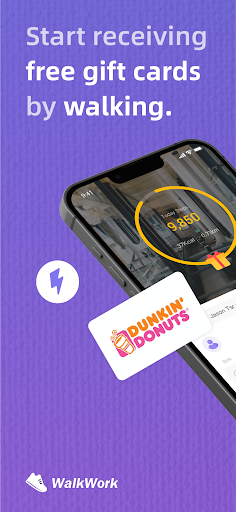
WalkWork is a step counter application where the more you walk, the more rewards you earn. You can exchange the rewarded energy for the rewards of your choice.
This step counter is completely free, and the activity tracker motivates you to walk. WalkWork converts your steps into 'StepEnergy' in the form of virtual energy to promote a healthier lifestyle. Everyone can use this energy to redeem various attractive rewards, such as popular gift cards.
The WalkWork app is entirely free, allowing you to obtain energy simply by walking or running. Our app's mission is to promote your health.
How to Use WalkWork?
Download the WalkWork app for free from the app store and launch it. After completing the setup process, start walking. Whenever you walk for a certain duration, you can claim unlocked energy blocks within the app.
Where Can You Collect Energy?
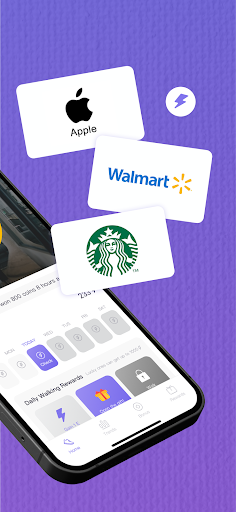
Home page treasure chests, newbie sign-ins, and daily stage rewards offer substantial rewards. Exchange the earned energy for gift cards (Amazon, Walmart, Sephora, eBay, Uber, etc.) and not only receive lucrative rewards but also improve your health.
How to Get StepEnergy?
Walking: Earn up to 100 energy units per day! When you reach 10,000 steps, all rewards will be unlocked and available for claiming!
Sign-In: Newbies can log in daily within the first seven days and receive energy. You can claim it at any time of the day!
Packs: Stage rewards are triggered when you reach a certain number of steps daily.
Lottery: The lucky wheel offers a chance to win up to 10,000 energy units.
The best part? All features are completely free!
Other Content
Big Wheel: Enjoy various free games in WalkWork. We regularly update new content.
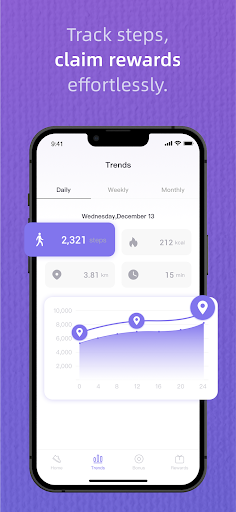
Trend: Review your exercise history and trends for daily, seven-day, and thirty-day periods! WalkWork compiles your steps, calorie burn, exercise time, and walking distance, allowing you to track your progress.
Attention
·WalkWork aims to track or encourage a healthy work-life, which may help people with certain chronic diseases or conditions live better.
·WalkWork is not intended for diagnosing acute or chronic diseases or other conditions, nor for their treatment or prevention. Before starting any new lifestyle or fitness program, you should seek advice from a physician.
·WalkWork is currently available for use worldwide. When using it, please enable the relevant permissions on your device to avoid your device being flagged as high-risk by the risk control system, which could impede your ability to redeem rewards. Please avoid using VPNs or other proxies or emulators, otherwise your account may be restricted.
·Use of devices not meeting specifications and standards may be limited.
·Gift card information in WalkWork is provided solely for redemption information and user obligations and does not imply any affiliation with our company in any way.
Compatible with iOS 14.0 or later versions.
· Support Team: Support@focusonsharing
· Website: https://www.focusonsharing.com/
もっと見る

1. MEmuインストーラーをダウンロードしてセットアップを完了する

2. MEmuを起動し、デスクトップでのPlayストアを開く

3. PlayストアでWalkWorkを検索する
Install
4. WalkWorkをダウンロードしてインストールする
5. インストールが完了したら、アイコンをクリックしてスタート

6. MEmuを使ってパソコンでWalkWorkを体験する
MEmu Playは現在、最高の無料Androidエミュレーターであり、5,000万人のユーザーが優れたAndroidアプリ体験を楽しんでいます。MEmuの仮想化テクノロジーにより、数千ものAndroidアプリをコンピューターでスムーズに実行できます。
大画面でより精細;無限の待機、電池とドラフィックの極限を超え
キーボード・マウス・コントローラーを全力でサポート、より快適
マルチインスタンスで複数のゲームを同時に実行
Use WalkWork on PC by following steps: