WalkWork
อัปเดตเมื่อ
เวอร์ชันปัจจุบัน
1.17.0
ให้บริการโดย

เมื่อใช้ WalkWork บนโทรศัพท์ของคุณไม่ต้องกังวลกับการชาร์จไฟมากเกินไปปลดปล่อยตัวคุณเองจากหน้าจอขนาดเล็กและสนุกกับการใช้แอพนี้บนหน้าจอขนาดใหญ่ จากนี้ไปรับประสบการณ์เต็มหน้าจอของแอปพลิเคชันของคุณด้วยคีย์บอร์ดและเมาส์ MEmu มีคุณสมบัติที่น่าแปลกใจที่คุณคาดหวัง: การติดตั้งที่รวดเร็วและการตั้งค่าที่ง่ายควบคุมได้ง่ายไม่ จำกัด แบตเตอรี่ข้อมูลมือถือและการโทรที่รบกวน MEmu 9 ใหม่ล่าสุดเป็นตัวเลือกที่ดีที่สุดสำหรับการใช้ Meitu – โปรแกรมแก้ไขภาพแนวธรรมชาติ บนคอมพิวเตอร์ของคุณ ด้วยรหัสการดูดซึมของเราผู้จัดการหลายอินสแตนซ์ทำให้สามารถเปิดบัญชี 2 บัญชีขึ้นไปในเวลาเดียวกันได้ และที่สำคัญที่สุดเอ็นจิ้นจำลองพิเศษของเราสามารถปลดปล่อยศักยภาพของPCของคุณและทำให้ทุกอย่างราบรื่นและสนุกสนาน
แสดงเพิ่มเติม
ดาวน์โหลด WalkWork บน PC ด้วย MEmu Android Emulator สนุกกับการเล่นบนหน้าจอขนาดใหญ่ What is WalkWork?
What is WalkWork?
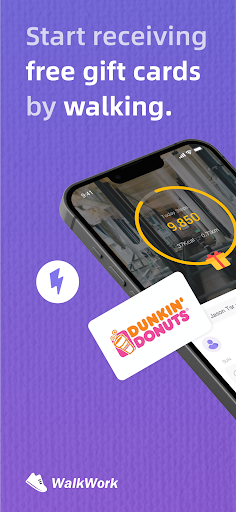
WalkWork is a step counter application where the more you walk, the more rewards you earn. You can exchange the rewarded energy for the rewards of your choice.
This step counter is completely free, and the activity tracker motivates you to walk. WalkWork converts your steps into 'StepEnergy' in the form of virtual energy to promote a healthier lifestyle. Everyone can use this energy to redeem various attractive rewards, such as popular gift cards.
The WalkWork app is entirely free, allowing you to obtain energy simply by walking or running. Our app's mission is to promote your health.
How to Use WalkWork?
Download the WalkWork app for free from the app store and launch it. After completing the setup process, start walking. Whenever you walk for a certain duration, you can claim unlocked energy blocks within the app.
Where Can You Collect Energy?
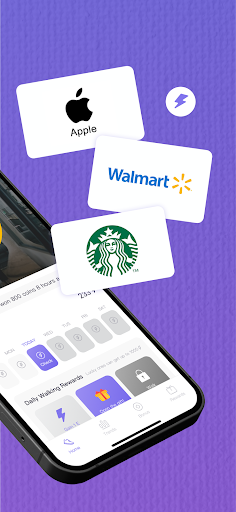
Home page treasure chests, newbie sign-ins, and daily stage rewards offer substantial rewards. Exchange the earned energy for gift cards (Amazon, Walmart, Sephora, eBay, Uber, etc.) and not only receive lucrative rewards but also improve your health.
How to Get StepEnergy?
Walking: Earn up to 100 energy units per day! When you reach 10,000 steps, all rewards will be unlocked and available for claiming!
Sign-In: Newbies can log in daily within the first seven days and receive energy. You can claim it at any time of the day!
Packs: Stage rewards are triggered when you reach a certain number of steps daily.
Lottery: The lucky wheel offers a chance to win up to 10,000 energy units.
The best part? All features are completely free!
Other Content
Big Wheel: Enjoy various free games in WalkWork. We regularly update new content.
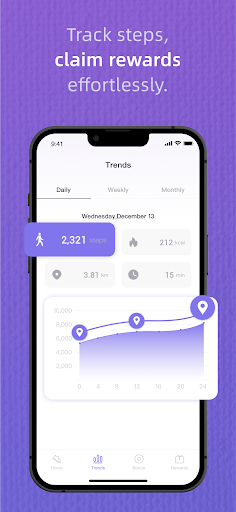
Trend: Review your exercise history and trends for daily, seven-day, and thirty-day periods! WalkWork compiles your steps, calorie burn, exercise time, and walking distance, allowing you to track your progress.
Attention
·WalkWork aims to track or encourage a healthy work-life, which may help people with certain chronic diseases or conditions live better.
·WalkWork is not intended for diagnosing acute or chronic diseases or other conditions, nor for their treatment or prevention. Before starting any new lifestyle or fitness program, you should seek advice from a physician.
·WalkWork is currently available for use worldwide. When using it, please enable the relevant permissions on your device to avoid your device being flagged as high-risk by the risk control system, which could impede your ability to redeem rewards. Please avoid using VPNs or other proxies or emulators, otherwise your account may be restricted.
·Use of devices not meeting specifications and standards may be limited.
·Gift card information in WalkWork is provided solely for redemption information and user obligations and does not imply any affiliation with our company in any way.
Compatible with iOS 14.0 or later versions.
· Support Team: Support@focusonsharing
· Website: https://www.focusonsharing.com/
แสดงเพิ่มเติม

1. ดาวน์โหลดตัวติดตั้ง MEmu และสิ้นสุดการติดตั้ง

2. เริ่ม MEmu จากนั้นเปิด Google Play บนหน้าแรก

3. ค้นหา WalkWork ใน Google Play
Install
4. ดาวน์โหลดและติดตั้ง WalkWork
5. เมื่อติดตั้งเสร็จให้คลิกที่ไอคอนเพื่อเริ่มใช้งาน

6. ใช้ MEmu เพื่อสัมผัสประสบการณ์ WalkWork บนคอมพิวเตอร์ของคุณ
MEmu Play คือโปรแกรมจำลอง Android ที่ดีที่สุด มีผู้ใช้มากกว่า 50 ล้านคน มอบประสบการณ์การใช้งานแอป Android ขั้นสุดยอดให้กับคุณ เทคโนโลยีจำลองเสมือนของ MEmu ช่วยให้คุณรันแอป Android หลายพันแอปบนคอมพิวเตอร์ได้อย่างราบรื่น แม้แอปที่กินทรัพยากรเครื่องสูงที่สุด
จอใหญ่และกราฟฟิกสวยกว่า; เล่นได้นาน, ไม่ต้องใช้แบตเตอรี่โทรศัพท์หรือเน็ตโทรศัพท์.
ระบบปรับแต่งปุ่มคีย์บอร์ดและเม้าส์ตามที่คุณเลือก
เล่นมากกว่าหนึ่งเกมบน PC ในเวลาเดียวกันด้วยระบบหลายจอหรือ Multi-Instance manager.
Use WalkWork on PC by following steps: