All Document Reader and Viewer
Dikemas kini
Versi Semasa
Ditawarkan Oleh

Berhentilah bimbang dengan bayaran berlebihan semasa menggunakan All Document Reader and Viewer di telefon bimbit anda, bebaskan diri anda dari layar kecil dan nikmati penggunaan aplikasi pada paparan yang jauh lebih besar. Mulai sekarang, dapatkan pengalaman skrin penuh aplikasi anda dengan papan kekunci dan tetikus. MEmu Play semua ciri mengejutkan yang anda harapkan: pemasangan cepat dan penyediaan mudah, kawalan intuitif, tidak ada batasan bateri, data mudah alih, dan panggilan yang mengganggu. MEmu 9 yang baru adalah pilihan terbaik untuk menggunakan All Document Reader and Viewer di komputer anda. Dikodkan dengan penyerapan kami, pengurus multi-instance menjadikan pembukaan 2 atau lebih akaun pada masa yang sama mungkin. Dan yang paling penting, mesin emulasi eksklusif kami dapat melepaskan potensi penuh PC anda, menjadikan semuanya lancar dan menyeronokkan.
Tunjukkan Lagi
Download All Document Reader and Viewer on PC with MEmu Android Emulator. Enjoy playing on big screen. All Document Reader and Viewer app is an all-in-one tool for viewing and managing various document types, including PDFs, Word, XLSX, PowerPoint, and more.
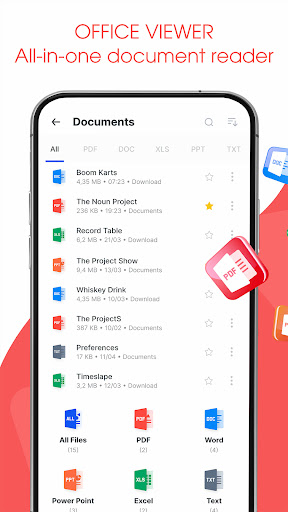
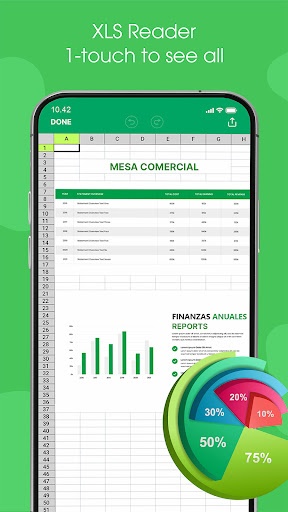
All Document Reader and Viewer app is an all-in-one tool for viewing and managing various document types, including PDFs, Word, XLSX, PowerPoint, and more. With its user-friendly interface, document scanner app allows you to easily open, view, and file manager your documents. The file reader is ideal for students, professionals, and anyone needing a versatile PDF, Docx, Powerpoint, XLSX reader.
Key features of Alldocs reader
✅ Read and View - All Files Support
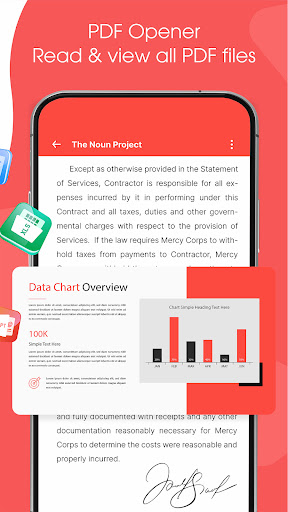
⚡PDF Reader: View and read PDF files with ease.
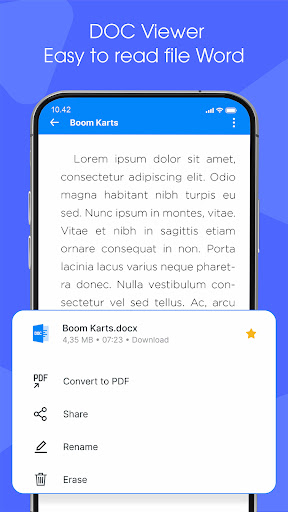
⚡Word Viewer: Open and read Word documents (.doc, .docx).
⚡XLSX Viewer: Access and view XLSX spreadsheets (.xls, .xlsx).
⚡PowerPoint Viewer: PPT Reader, open and view PowerPoint presentations (.ppt, .pptx).
⚡Text File Viewer: Read plain text files (.txt).
✅ File Management
⚡File Browser: A built-in file manager to locate and manage your documents.
⚡Quick Search: Search functionality to quickly find specific documents.
⚡Favorites: Mark important documents for easy access.
✅ Scan & Convert to PDF/Word
⚡The Scan to Convert to PDF feature offers a quick and efficient way to digitize physical documents directly from your smartphone. With just a few taps, you can scan documents, and convert them into high-quality PDFs. Whether you need to scan a single page or multiple pages, the app's batch scanning feature streamlines the process, making it perfect for business, school, or personal use.
⚡The Scan to Convert to Word feature allows users to easily transform physical documents into editable Word files. the app accurately converts it into a Word format (.doc or .docx).
Major Benefit of AllDoc App
The All Document Reader and Viewer app offers a range of benefits that make it an essential tool for users who frequently work with different types of documents. Here are the key advantages:
Tunjukkan Lagi

1. Muat turun pemasang MEmu dan selesaikan persediaan

2. Mulakan MEnu kemudian buka Google Play di desktop

3. Cari All Document Reader and Viewer di Google Play
Install
4. Muat turun dan Pasang All Document Reader and Viewer
5. Apabila selesai pemasangan, menekan ikon itu untuk memulakan

6. Gunakan MENu untuk mengalami All Document Reader and Viewer pada komputer anda
MEmu Play ialah emulator Android terbaik, dengan lebih 100 juta pengguna mengalami pengalaman aplikasi Android yang unggul. Teknologi virtualisasi MEmu membolehkan anda menjalankan beribu-ribu aplikasi Android dengan lancar pada komputer anda, walaupun yang paling mencabar.
Skrin lebih besar dengan grafik yang lebih baik; Tempoh yang panjang, tanpa had bateri atau data mudah alih.
Sokongan Keymapping penuh untuk kawalan tepat papan kekunci dan tetikus atau gamepad.
Pelbagai akaun permainan atau tugas pada satu PC sekaligus dengan pengurus pelbagai contoh.
Use All Document Reader and Viewer on PC by following steps: