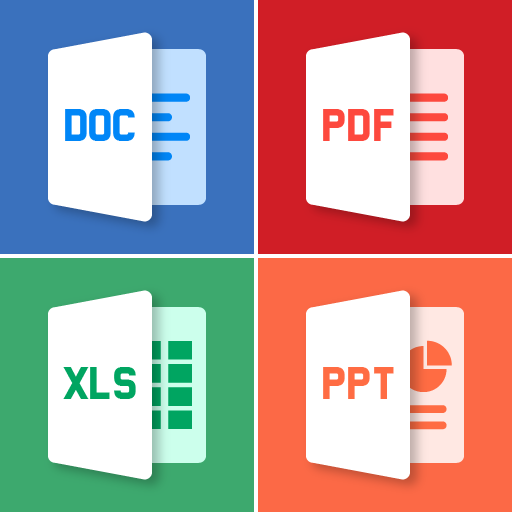
All Document Reader and Viewer
更新日
現在のバージョン
2
提供元

スマートフォンは不要!パソコンと同じようにキーボードとマウスで操作できます。MEmu Playは、あなたが待ち望んでいたすべての楽しみをお届けします。バッテリー残量や小さな画面を気にすることなく、All Document Reader and Viewerをご利用ください。最新のMEmu 9は、All Document Reader and ViewerをPCで体験するのに最適です!完璧なキーマッピングシステムにより、PCのようなスムーズな操作性を実現します。マルチインスタンス機能により、複数のアプリケーションを同時に実行できます。独自の仮想化エンジンがPCのパフォーマンスを最大限に引き出します。アプリを使用するだけでなく、高品質な体験を得ることができます。
もっと見る
All Document Reader and ViewerをPCでダウンロード!大画面でより楽しむ。電源が落ちてしまうとか通信料が足りないとかの問題を心配する必要がなく、PCの大画面でより快適にゲームを楽しましょう! All Document Reader and Viewer app is an all-in-one tool for viewing and managing various document types, including PDFs, Word, XLSX, PowerPoint, and more.
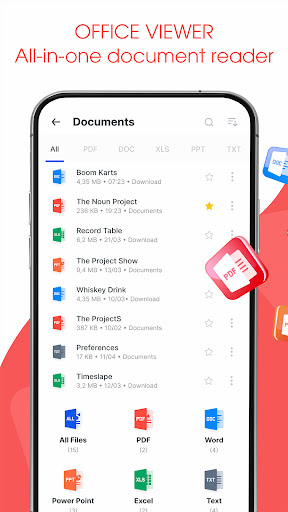
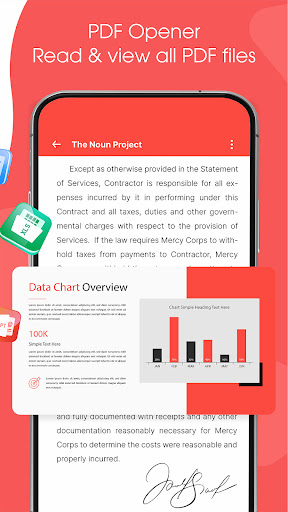
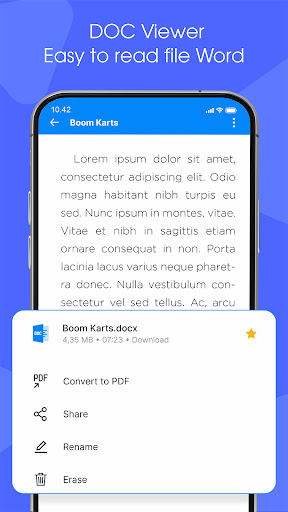
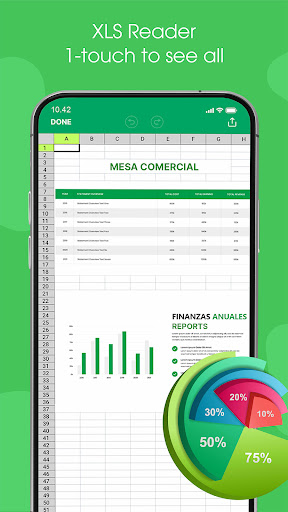
All Document Reader and Viewer app is an all-in-one tool for viewing and managing various document types, including PDFs, Word, XLSX, PowerPoint, and more. With its user-friendly interface, document scanner app allows you to easily open, view, and file manager your documents. The file reader is ideal for students, professionals, and anyone needing a versatile PDF, Docx, Powerpoint, XLSX reader.
Key features of Alldocs reader
✅ Read and View - All Files Support
⚡PDF Reader: View and read PDF files with ease.
⚡Word Viewer: Open and read Word documents (.doc, .docx).
⚡XLSX Viewer: Access and view XLSX spreadsheets (.xls, .xlsx).
⚡PowerPoint Viewer: PPT Reader, open and view PowerPoint presentations (.ppt, .pptx).
⚡Text File Viewer: Read plain text files (.txt).
✅ File Management
⚡File Browser: A built-in file manager to locate and manage your documents.
⚡Quick Search: Search functionality to quickly find specific documents.
⚡Favorites: Mark important documents for easy access.
✅ Scan & Convert to PDF/Word
⚡The Scan to Convert to PDF feature offers a quick and efficient way to digitize physical documents directly from your smartphone. With just a few taps, you can scan documents, and convert them into high-quality PDFs. Whether you need to scan a single page or multiple pages, the app's batch scanning feature streamlines the process, making it perfect for business, school, or personal use.
⚡The Scan to Convert to Word feature allows users to easily transform physical documents into editable Word files. the app accurately converts it into a Word format (.doc or .docx).
Major Benefit of AllDoc App
The All Document Reader and Viewer app offers a range of benefits that make it an essential tool for users who frequently work with different types of documents. Here are the key advantages:
もっと見る

1. MEmuインストーラーをダウンロードしてセットアップを完了する

2. MEmuを起動し、デスクトップでのPlayストアを開く

3. PlayストアでAll Document Reader and Viewerを検索する
Install
4. All Document Reader and Viewerをダウンロードしてインストールする
5. インストールが完了したら、アイコンをクリックしてスタート

6. MEmuを使ってパソコンでAll Document Reader and Viewerを体験する
MEmu Playは現在、最高の無料Androidエミュレーターであり、5,000万人のユーザーが優れたAndroidアプリ体験を楽しんでいます。MEmuの仮想化テクノロジーにより、数千ものAndroidアプリをコンピューターでスムーズに実行できます。
大画面でより精細;無限の待機、電池とドラフィックの極限を超え
キーボード・マウス・コントローラーを全力でサポート、より快適
マルチインスタンスで複数のゲームを同時に実行
Use All Document Reader and Viewer on PC by following steps: