All Document Reader and Viewer
अपडेट किया गया
वर्तमान वर्शन
1
संसाधन

All Document Reader and Viewer पर अपनी मोबाइल डेटा सीमा पार करने को अलविदा कहें और छोटी स्क्रीन की सीमाओं से मुक्त होकर बड़े डिस्प्ले के लाभों का अनुभव करें। अब, आप अपने कीबोर्ड और माउस का उपयोग करके फुल-स्क्रीन मोड में टॉपर्स क्लैन की शक्ति का अनुभव कर सकते हैं। MEmu Play में वे सभी बेहतरीन सुविधाएँ हैं जिनकी आप अपेक्षा करते हैं: त्वरित इंस्टॉलेशन और आसान सेटअप, सहज नियंत्रण, बैटरी की आवश्यकता नहीं, और कोई डेटा या कॉल समय सीमा नहीं। नया MEmu 9 आपके कंप्यूटर पर All Document Reader and Viewer का उपयोग करने के लिए सबसे अच्छा विकल्प है। हमारा मालिकाना मल्टी-इंस्टेंस मैनेजर एक साथ दो या अधिक खातों को चलाने का समर्थन करता है। इससे भी महत्वपूर्ण बात यह है कि हमारा अनूठा इम्यूलेशन इंजन आपके कंप्यूटर के प्रदर्शन का पूरा उपयोग करता है, जिससे एक सहज और निर्बाध अनुभव मिलता है।
और दिखाएं
डाउनलोड करें All Document Reader and Viewer पीसी पर MEmu एंड्रॉयड एमुलेटर के साथ बड़े पर्दे पर खेलने का आनंद लें। All Document Reader and Viewer app is an all-in-one tool for viewing and managing various document types, including PDFs, Word, XLSX, PowerPoint, and more.
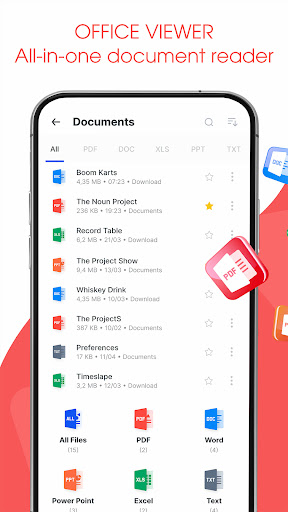
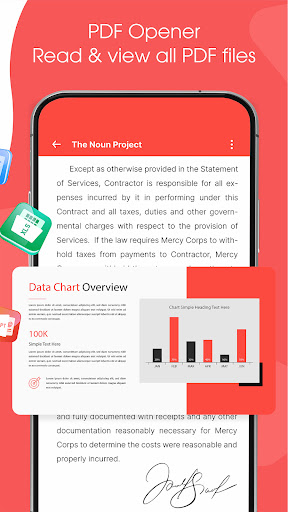
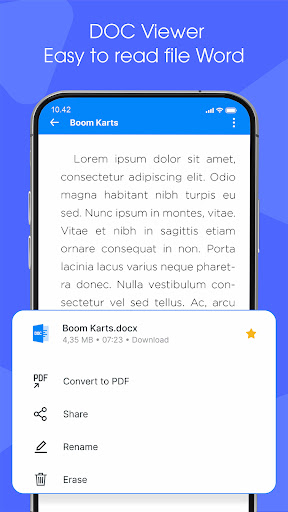
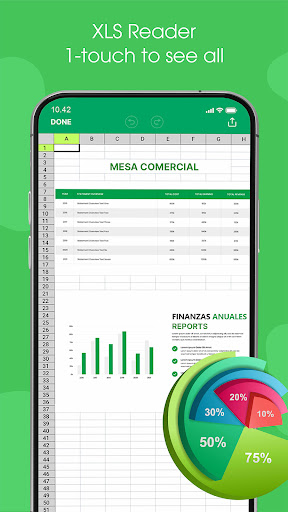
All Document Reader and Viewer app is an all-in-one tool for viewing and managing various document types, including PDFs, Word, XLSX, PowerPoint, and more. With its user-friendly interface, document scanner app allows you to easily open, view, and file manager your documents. The file reader is ideal for students, professionals, and anyone needing a versatile PDF, Docx, Powerpoint, XLSX reader.
Key features of Alldocs reader
✅ Read and View - All Files Support
⚡PDF Reader: View and read PDF files with ease.
⚡Word Viewer: Open and read Word documents (.doc, .docx).
⚡XLSX Viewer: Access and view XLSX spreadsheets (.xls, .xlsx).
⚡PowerPoint Viewer: PPT Reader, open and view PowerPoint presentations (.ppt, .pptx).
⚡Text File Viewer: Read plain text files (.txt).
✅ File Management
⚡File Browser: A built-in file manager to locate and manage your documents.
⚡Quick Search: Search functionality to quickly find specific documents.
⚡Favorites: Mark important documents for easy access.
✅ Scan & Convert to PDF/Word
⚡The Scan to Convert to PDF feature offers a quick and efficient way to digitize physical documents directly from your smartphone. With just a few taps, you can scan documents, and convert them into high-quality PDFs. Whether you need to scan a single page or multiple pages, the app's batch scanning feature streamlines the process, making it perfect for business, school, or personal use.
⚡The Scan to Convert to Word feature allows users to easily transform physical documents into editable Word files. the app accurately converts it into a Word format (.doc or .docx).
Major Benefit of AllDoc App
The All Document Reader and Viewer app offers a range of benefits that make it an essential tool for users who frequently work with different types of documents. Here are the key advantages:
और दिखाएं

1. MEmu इंस्टॉलर को डाउनलोड करें और इंस्टॉलेशन को पूरा करें

2. MEmu शुरू करें फिर होमपेज पर Google Play खोलें

3. Google Play में All Document Reader and Viewer खोजें
Install
4. All Document Reader and Viewer डाउनलोड कर इंस्टॉल करें
5. इंस्टॉल पूरा होने पर आइकन दबाएं

6. MEmu का उपयोग करके अपने कंप्यूटर पर All Document Reader and Viewer का अनुभव करें
MEmu Play सबसे बेहतरीन मुफ़्त Android एमुलेटर है और 5 करोड़ लोग पहले ही इसके शानदार Android ऐप अनुभव का आनंद ले चुके हैं। MEmu 9 वर्चुअलाइज़ेशन तकनीक आपको अपने PC पर हज़ारों Android ऐप्स, यहाँ तक कि सबसे ज़्यादा ग्राफ़िक्स वाले ऐप्स भी, आसानी से चलाने की सुविधा देती है।
असीमित बैटरी या मोबाइल डेटा के साथ बेहतर ग्राफिक्स के साथ बड़ी स्क्रीन; लंबी अवधि।
कीबोर्ड और माउस या गेमपैड के उत्तम नियंत्रण के लिए संपूर्ण कीमैपिंग का समर्थन करता हैं।
एक ही पीसी पर मल्टी-इंस्टेंस मैनेजर के साथ एक समय में कई गेम खाते या कार्य कर सकते हैं।
Use All Document Reader and Viewer on PC by following steps: