Gnomia - Your virtual garden
Bijgewerkt
Huidige Versie
1.176
Aangeboden door

Met al je passie voor het spelen van Gnomia - Your virtual garden, zouden je handen niet beperkt moeten zijn tot een klein scherm van je telefoon. Speel als een professional en krijg volledige controle over je spel met toetsenbord en muis. MEmu biedt je alles wat je verwacht. Download en speel Gnomia - Your virtual garden op PC. Speel zo lang als je wilt, geen beperkingen meer van batterij, mobiele data en storende oproepen. De gloednieuwe MEmu 9 is de beste keuze om Gnomia - Your virtual garden op PC te spelen. Voorbereid met onze expertise, maakt het uitmuntende vooraf ingestelde keymapping systeem van Gnomia - Your virtual garden een echt PC-spel. MEmu multi-instance manager maakt het spelen van 2 of meer accounts op hetzelfde apparaat mogelijk. En het belangrijkste, onze exclusieve emulatie-engine kan het volledige potentieel van je PC benutten, waardoor alles soepel verloopt.
Meer tonen
Download Gnomia - Your virtual garden op je pc met de MEmu Android-emulator. Geniet van spelen op een groot scherm. Gnomia is a cozy gardening game where your real-world walks help your garden grow.
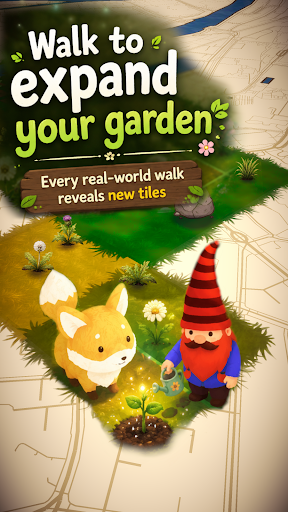
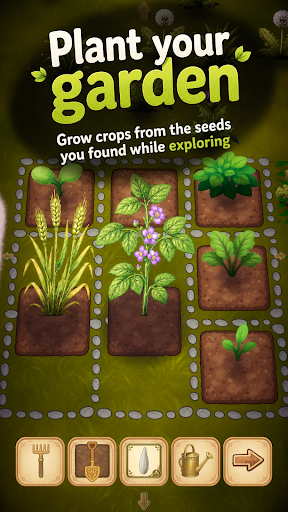
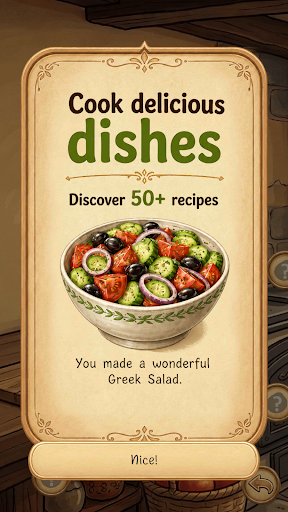
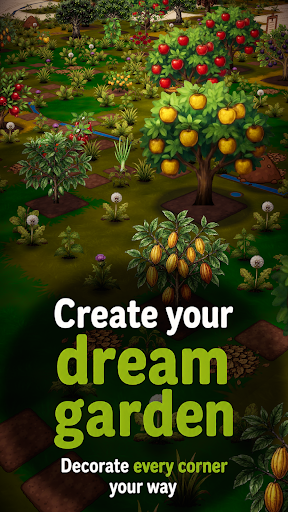
Gnomia is a cozy gardening game where your real-world walks help your garden grow. Explore new places, plant crops, cook with your harvests, decorate your space, and join community events with other players. Every walk brings something new back to your garden.
It's completely free, no ads and you can play offline.
Find cute companions and convince them to join you for special bonuses on your walks. You can even integrate with Strava and track your walks/runs this way.
Gnomia combines location-based movement with cozy garden management, cooking, collecting, decoration, community play, and discovery. Your real movement helps you visit tiles, uncover new places, gather resources, complete requests, and bring your garden to life.
Build your home garden from the ground up. Clear weeds, till soil, plant seeds, water crops, harvest produce, and improve your tools as you play. Every seed and harvest can carry its own quality giving you reasons to keep growing, experimenting, and collecting better crops. Discover fruits, vegetables, herbs, mushrooms, flowers, rare plants, and unusual seed variants as your garden expands.
Your real-world adventures matter. Start a GPS session, walk through your neighborhood, and watch your route contribute to your progress. Track distance, time, pace, and visited tiles, then review your adventure afterward with route recaps and session history. Bring companions along on your walks to help with tile visits, resources, watering, soil, weeds, and other garden tasks.
Cooking turns your harvests into something more. Craft dishes from the produce you grow. Unlock recipes, experiment with ingredients, fill kitchen jobs, and use cooked dishes for requests, festivals, progression, and collection goals.
There is more beneath the surface. Unlock cave entrances through requests and explore procedurally generated underground worlds filled with walls, obstacles, cave flora, resources, and deeper challenges. Use cave actions carefully, clear paths with tools like the pickaxe and axe, and push farther into mysterious underground spaces.
Grow beyond simple farming with structures and science machines. Build and upgrade helpful structures that affect nearby tiles, such as watering surrounding plants, improving adjacent soil, or granting extra actions.
Join the community side of Gnomia through communities, rankings, friends, and weekly festivals. Create or join a community, contribute to shared festival boards, complete festival requests, claim rewards, and help your club level up over time. Work together by turning in seeds, produce, resources, and dishes, then compare progress through leaderboards and rankings.
Meet companions and build relationships through requests and adventures. Companions can join your journey, gain affection, support your active sessions, and provide useful effects while you explore. Complete mystery objectives to earn experience, resources, tools, decorations, cooking stations, cave actions, hints, and more.
Make the world your own. Customize your gnome character with different hats, body parts, beards, hair, details, and moustaches. Decorate your garden with unlockable decorations and build your garden.
Gnomia is full of discoveries. Use the catalog to track seeds, produce, dishes, and growth stages. Unlock hints that point toward recipes, secrets, and hidden progression paths without giving everything away at once. Chase achievements, improve your best seeds, collect rare items, upgrade tools, complete daily rewards, visit markets, and keep uncovering new systems as your garden grows.
Whether you want a relaxing garden to check each day, a reason to go for a walk, a collection game with deep progression, or a community challenge to share with friends, Gnomia gives every step a purpose.
Plant, walk, cook, explore, decorate, and discover the hidden life growing all around you.
Meer tonen

1. Download de MEmu-installatie en voltooi de setup

2. Start MEmu en open vervolgens Google Play op het bureaublad

3. Zoek Gnomia - Your virtual garden in Google Play
Install
4. Download en installeer Gnomia - Your virtual garden
5. Klik op het icoon om te starten na het voltooien van de installatie

6. Geniet van het spelen van Gnomia - Your virtual garden op PC met MEmu
MEmu Play is de beste Android Emulator en 100 miljoen mensen genieten al van de superieure Android-game-ervaring. De virtualisatietechnologie van MEmu stelt je in staat om duizenden Android-spellen soepel op je PC te spelen, zelfs de meest grafisch intensieve.
Groter scherm met betere graphics; Lange duur, zonder beperking van batterij of mobiele data.
Volledige Keymapping-ondersteuning voor nauwkeurige besturing van toetsenbord en muis of gamepad.
Meerdere game-accounts of taken op één PC tegelijk met Multi-Instance manager.
Speel Gnomia - Your virtual garden op PC door de volgende stappen te volgen: