Gnomia - Your virtual garden
Mise à jour
Version actuelle
1.176
Proposée par

Avec toute la passion que vous avez à jouer Gnomia - Your virtual garden, vos mains ne sont pas sensées se limiter à l’infime écran de votre téléphone. Jouez comme un pro et ayez le contrôle total de votre jeu à l’aide du clavier et de la souris. MEmu satisfait toutes vos attentes. Téléchargez et jouez Gnomia - Your virtual garden sur PC. Jouez aussi longtemps que vous souhaitez sans aucune limitation de batterie, de données mobiles et d’appels embêtants. La toute nouvelle version de MEmu 9 est la meilleure option de jouer Gnomia - Your virtual garden sur PC. Réalisé par nos experts, l’e magnifique système d’affectation de touches prédéfini fait de Gnomia - Your virtual garden un jeu réaliste sur PC. Le gestionnaire multi-instances de MEmu permet 2 ou plusieurs comptes de jeu sur le même appareil. Et le plus important, le moteur d’émulation exclusif peut libérer le plein potentiel de votre PC, ce qui facilite tout.
Afficher plus
Téléchargez Gnomia - Your virtual garden avec le simulateur d’Android MEmu sur votre PC. Profitez de jouer sur un grand écran. Gnomia is a cozy gardening game where your real-world walks help your garden grow.
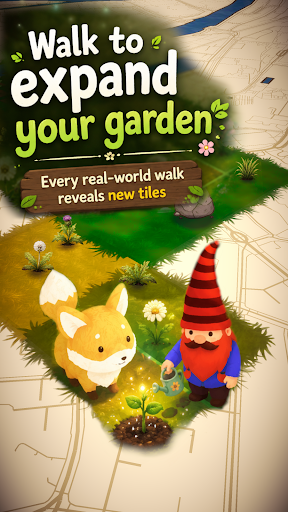
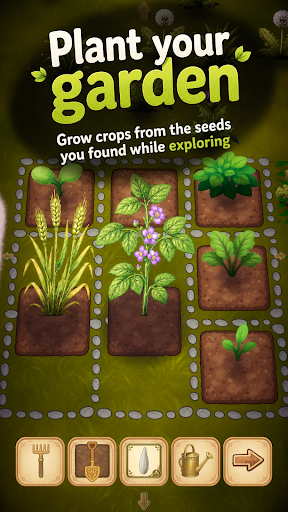
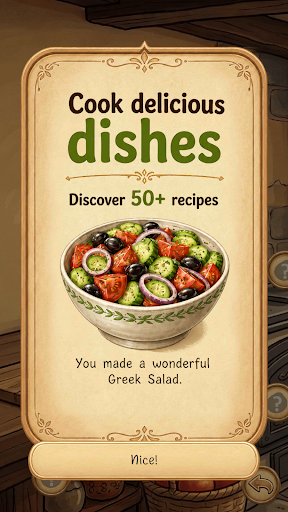
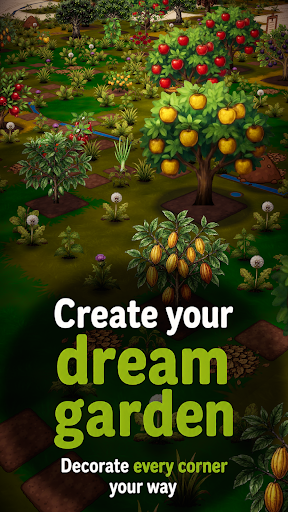
Gnomia is a cozy gardening game where your real-world walks help your garden grow. Explore new places, plant crops, cook with your harvests, decorate your space, and join community events with other players. Every walk brings something new back to your garden.
It's completely free, no ads and you can play offline.
Find cute companions and convince them to join you for special bonuses on your walks. You can even integrate with Strava and track your walks/runs this way.
Gnomia combines location-based movement with cozy garden management, cooking, collecting, decoration, community play, and discovery. Your real movement helps you visit tiles, uncover new places, gather resources, complete requests, and bring your garden to life.
Build your home garden from the ground up. Clear weeds, till soil, plant seeds, water crops, harvest produce, and improve your tools as you play. Every seed and harvest can carry its own quality giving you reasons to keep growing, experimenting, and collecting better crops. Discover fruits, vegetables, herbs, mushrooms, flowers, rare plants, and unusual seed variants as your garden expands.
Your real-world adventures matter. Start a GPS session, walk through your neighborhood, and watch your route contribute to your progress. Track distance, time, pace, and visited tiles, then review your adventure afterward with route recaps and session history. Bring companions along on your walks to help with tile visits, resources, watering, soil, weeds, and other garden tasks.
Cooking turns your harvests into something more. Craft dishes from the produce you grow. Unlock recipes, experiment with ingredients, fill kitchen jobs, and use cooked dishes for requests, festivals, progression, and collection goals.
There is more beneath the surface. Unlock cave entrances through requests and explore procedurally generated underground worlds filled with walls, obstacles, cave flora, resources, and deeper challenges. Use cave actions carefully, clear paths with tools like the pickaxe and axe, and push farther into mysterious underground spaces.
Grow beyond simple farming with structures and science machines. Build and upgrade helpful structures that affect nearby tiles, such as watering surrounding plants, improving adjacent soil, or granting extra actions.
Join the community side of Gnomia through communities, rankings, friends, and weekly festivals. Create or join a community, contribute to shared festival boards, complete festival requests, claim rewards, and help your club level up over time. Work together by turning in seeds, produce, resources, and dishes, then compare progress through leaderboards and rankings.
Meet companions and build relationships through requests and adventures. Companions can join your journey, gain affection, support your active sessions, and provide useful effects while you explore. Complete mystery objectives to earn experience, resources, tools, decorations, cooking stations, cave actions, hints, and more.
Make the world your own. Customize your gnome character with different hats, body parts, beards, hair, details, and moustaches. Decorate your garden with unlockable decorations and build your garden.
Gnomia is full of discoveries. Use the catalog to track seeds, produce, dishes, and growth stages. Unlock hints that point toward recipes, secrets, and hidden progression paths without giving everything away at once. Chase achievements, improve your best seeds, collect rare items, upgrade tools, complete daily rewards, visit markets, and keep uncovering new systems as your garden grows.
Whether you want a relaxing garden to check each day, a reason to go for a walk, a collection game with deep progression, or a community challenge to share with friends, Gnomia gives every step a purpose.
Plant, walk, cook, explore, decorate, and discover the hidden life growing all around you.
Afficher plus

1. Téléchargez l'installateur MEmu et terminez l'installation

2. Démarrez MEmu puis ouvrez Google Play sur la page d'accueil

3. Recherchez Gnomia - Your virtual garden dans Google Play
Install
4. Téléchargez et installez Gnomia - Your virtual garden
5. Une fois l'installation terminée, cliquez sur l'icône pour démarrer

6. Profitez de jouer Gnomia - Your virtual garden sur PC avec MEmu
Le lecteur d'application MEmu est le meilleur émulateur Android gratuit, et 50 millions de personnes profitent déjà de sa fantastique expérience de jeu Android. La technologie de virtualisation MEmu vous donne la possibilité de jouer à des milliers de jeux Android sur votre PC sans aucune difficulté, même aux plus gourmands.
L’écran plus grand avec de meilleurs graphismes; Une longue durée, sans limitation de batterie ou de données mobiles.
Soutien du Keymapping pour un contrôle précis du clavier et de la souris ou de la manette de jeu
Plusieurs comptes de jeu ou tâches sur un seul PC en même temps avec le gestionnaire de multi-instance.
Play Gnomia - Your virtual garden on PC by following steps: