Hold on! Lord!
Bijgewerkt
Huidige Versie
Aangeboden door

Met al je passie voor het spelen van Hold on! Lord!, zouden je handen niet beperkt moeten zijn tot een klein scherm van je telefoon. Speel als een professional en krijg volledige controle over je spel met toetsenbord en muis. MEmu biedt je alles wat je verwacht. Download en speel Hold on! Lord! op PC. Speel zo lang als je wilt, geen beperkingen meer van batterij, mobiele data en storende oproepen. De gloednieuwe MEmu 9 is de beste keuze om Hold on! Lord! op PC te spelen. Voorbereid met onze expertise, maakt het uitmuntende vooraf ingestelde keymapping systeem van Hold on! Lord! een echt PC-spel. MEmu multi-instance manager maakt het spelen van 2 of meer accounts op hetzelfde apparaat mogelijk. En het belangrijkste, onze exclusieve emulatie-engine kan het volledige potentieel van je PC benutten, waardoor alles soepel verloopt.
Meer tonen
Download Hold on! Lord! op je pc met de MEmu Android-emulator. Geniet van spelen op een groot scherm. Defend Your Domain.
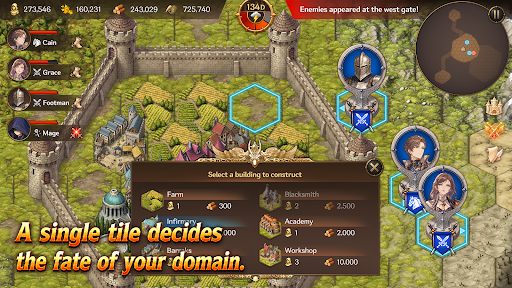
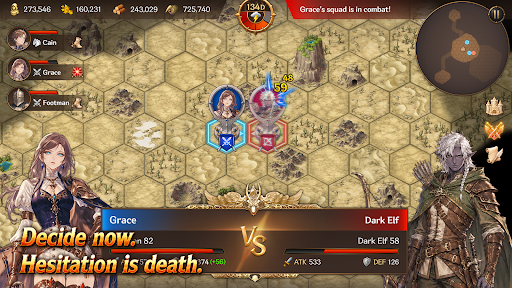
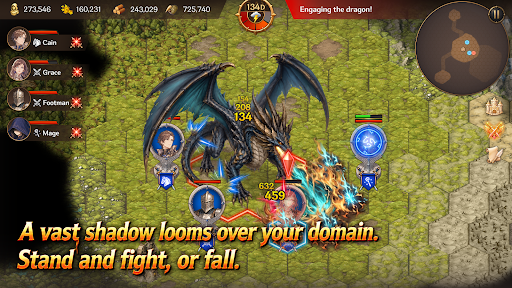
Defend Your Domain
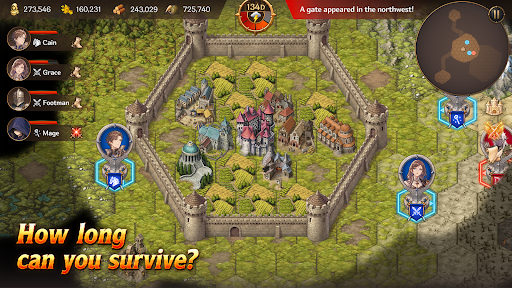
Hold on, My Lord! is a mobile survival strategy game that combines territory management, real-time strategy, and defense gameplay. Become a fallen lord, rebuild your domain, and survive against the monsters pouring out from mysterious Gates.
Strategy Defense
Endless waves of monsters emerge from mysterious Gates beyond your walls.
Organize squads with infantry, archers, cavalry, and mages, then defend your walls and gates against the enemy advance.
Defense alone will not be enough to survive. Sometimes, you must march beyond the walls, destroy the Gates, and eliminate the source of the threat.
Territory Management
Build structures such as farms, barracks, workshops, infirmaries, and walls on limited tiles.
Produce food and materials, assign citizens, and manage your domain efficiently.
Citizens are more than just numbers. They become workers, soldiers, and healers — the most vital resource responsible for the survival of your domain.
Heroes and Squads
Summon Heroes with unique abilities and assign them to your squads.
Your combat strategy changes depending on each Hero’s abilities and the composition of your units.
How you use powerful Heroes and squads can turn the tide of battle.
Gates and Artifacts
Gates are more than simple monster portals.
They are the central mystery connecting ruins, field bosses, and powerful Artifacts.
Explore ruins to obtain mighty Artifacts capable of turning the battle in your favor.
But the moment you claim an Artifact, an even greater danger may begin to hunt you down.
Field Bosses
Fail to stop the omens, and a massive field boss will appear.
Each boss has unique appearance conditions and powerful skills that can completely change the battlefield.
Defeat bosses and claim powerful rewards.
Key Features
A mobile strategy game combining territory management, RTS, and defense
Strategic building and resource management using limited tiles
Survival-focused management of citizens, soldiers, and healers
Real-time battles with infantry, archers, cavalry, and mages
Diverse strategies through Hero summoning and squad formation
Deep content connected through Gates, ruins, Artifacts, and field bosses
Replayable gameplay with Story Mode and Endless Mode
Your Choices Decide the Fate
Will you reinforce your walls or march beyond them?
Will you produce more food or train more soldiers?
Will you destroy the Gates or prepare for an even greater threat?
Now, defend the final domain of a fallen lord.
Meer tonen

1. Download de MEmu-installatie en voltooi de setup

2. Start MEmu en open vervolgens Google Play op het bureaublad

3. Zoek Hold on! Lord! in Google Play
Install
4. Download en installeer Hold on! Lord!
5. Klik op het icoon om te starten na het voltooien van de installatie

6. Geniet van het spelen van Hold on! Lord! op PC met MEmu
MEmu Play is de beste Android Emulator en 100 miljoen mensen genieten al van de superieure Android-game-ervaring. De virtualisatietechnologie van MEmu stelt je in staat om duizenden Android-spellen soepel op je PC te spelen, zelfs de meest grafisch intensieve.
Groter scherm met betere graphics; Lange duur, zonder beperking van batterij of mobiele data.
Volledige Keymapping-ondersteuning voor nauwkeurige besturing van toetsenbord en muis of gamepad.
Meerdere game-accounts of taken op één PC tegelijk met Multi-Instance manager.
Speel Hold on! Lord! op PC door de volgende stappen te volgen: