Hold on! Lord!
Оновлено
Поточна версія
Постачальник

Перестаньте турбуватися про надмірні витрати, використовуючи ххх на своєму мобільному телефоні, звільніться від крихітного екрану і насолоджуйтеся використанням програми на набагато більшому дисплеї. Відтепер отримуйте повний екран свого додатка за допомогою клавіатури та миші. MEmu пропонує вам усі дивовижні функції, які ви очікували: швидка установка та просте налаштування, інтуїтивно зрозумілі елементи керування, більше обмежень від акумулятора, мобільних даних та тривожних дзвінків. Новий MEmu 9 - найкращий вибір використання Hold on! Lord! на вашому комп’ютері. За допомогою нашого поглинання менеджер із кількома примірниками одночасно дозволяє відкрити 2 або більше рахунків. І найголовніше, наш ексклюзивний емуляційний двигун може вивільнити весь потенціал вашого ПК, зробити все гладким і приємним.
Show more
Насолоджуйтесь чудовим досвідом Hold on! Lord! гри на ПК за допомогою програми MEMU App Player. Це потужний безкоштовний емулятор Android, який дозволяє вам грати в тисячі ігор Android. Defend Your Domain.
Defend Your Domain
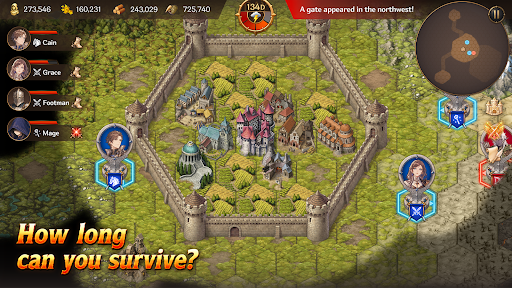
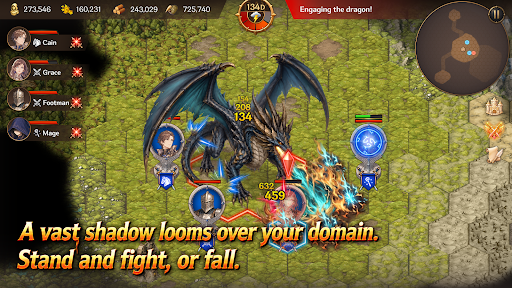
Hold on, My Lord! is a mobile survival strategy game that combines territory management, real-time strategy, and defense gameplay. Become a fallen lord, rebuild your domain, and survive against the monsters pouring out from mysterious Gates.
Strategy Defense
Endless waves of monsters emerge from mysterious Gates beyond your walls.
Organize squads with infantry, archers, cavalry, and mages, then defend your walls and gates against the enemy advance.
Defense alone will not be enough to survive. Sometimes, you must march beyond the walls, destroy the Gates, and eliminate the source of the threat.
Territory Management
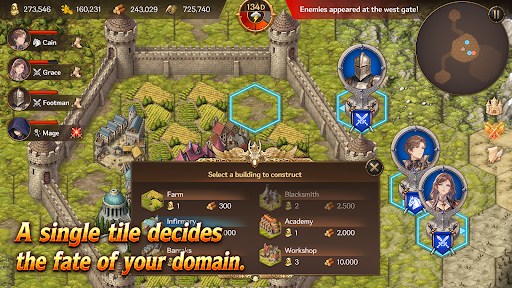
Build structures such as farms, barracks, workshops, infirmaries, and walls on limited tiles.
Produce food and materials, assign citizens, and manage your domain efficiently.
Citizens are more than just numbers. They become workers, soldiers, and healers — the most vital resource responsible for the survival of your domain.
Heroes and Squads
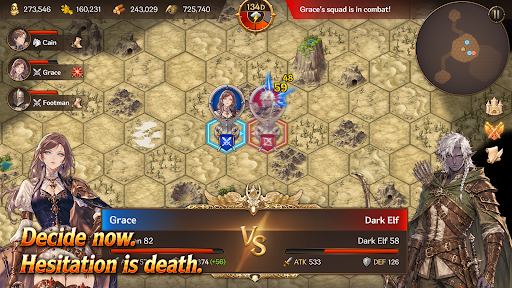
Summon Heroes with unique abilities and assign them to your squads.
Your combat strategy changes depending on each Hero’s abilities and the composition of your units.
How you use powerful Heroes and squads can turn the tide of battle.
Gates and Artifacts
Gates are more than simple monster portals.
They are the central mystery connecting ruins, field bosses, and powerful Artifacts.
Explore ruins to obtain mighty Artifacts capable of turning the battle in your favor.
But the moment you claim an Artifact, an even greater danger may begin to hunt you down.
Field Bosses
Fail to stop the omens, and a massive field boss will appear.
Each boss has unique appearance conditions and powerful skills that can completely change the battlefield.
Defeat bosses and claim powerful rewards.
Key Features
A mobile strategy game combining territory management, RTS, and defense
Strategic building and resource management using limited tiles
Survival-focused management of citizens, soldiers, and healers
Real-time battles with infantry, archers, cavalry, and mages
Diverse strategies through Hero summoning and squad formation
Deep content connected through Gates, ruins, Artifacts, and field bosses
Replayable gameplay with Story Mode and Endless Mode
Your Choices Decide the Fate
Will you reinforce your walls or march beyond them?
Will you produce more food or train more soldiers?
Will you destroy the Gates or prepare for an even greater threat?
Now, defend the final domain of a fallen lord.
Show more

1. Download MEmu installer and finish the setup

2. Start MEmu then open Google Play on the desktop

3. Search Hold on! Lord! in Google Play
Install
4. Download and Install Hold on! Lord!
5. On install completion click the icon to start

6. Enjoy playing Hold on! Lord! on PC with MEmu
MEmu App Player є кращим безкоштовним емулятором Android, і 50 мільйонів людей вже користуються його чудовим ігровим досвідом Android. Технологія віртуалізації MEmu дає вам змогу відтворювати тисячі ігор Android на вашому комп'ютері, навіть найбільш насичених графікою.
Bigger screen with better graphics; Long duration, without limitation of battery or mobile data.
Full Keymapping support for precise control of keyboard and mouse or gamepad.
Multiple game accounts or tasks on single PC at one time with Multi-Instance manager.
Play Hold on! Lord! on PC by following steps: