Sengoku Bushido
Bijgewerkt
Huidige Versie
Aangeboden door

Met al je passie voor het spelen van Sengoku Bushido, zouden je handen niet beperkt moeten zijn tot een klein scherm van je telefoon. Speel als een professional en krijg volledige controle over je spel met toetsenbord en muis. MEmu biedt je alles wat je verwacht. Download en speel Sengoku Bushido op PC. Speel zo lang als je wilt, geen beperkingen meer van batterij, mobiele data en storende oproepen. De gloednieuwe MEmu 9 is de beste keuze om Sengoku Bushido op PC te spelen. Voorbereid met onze expertise, maakt het uitmuntende vooraf ingestelde keymapping systeem van Sengoku Bushido een echt PC-spel. MEmu multi-instance manager maakt het spelen van 2 of meer accounts op hetzelfde apparaat mogelijk. En het belangrijkste, onze exclusieve emulatie-engine kan het volledige potentieel van je PC benutten, waardoor alles soepel verloopt.
Meer tonen
Download Sengoku Bushido op je pc met de MEmu Android-emulator. Geniet van spelen op een groot scherm. The Sengoku Era Rises Once More.
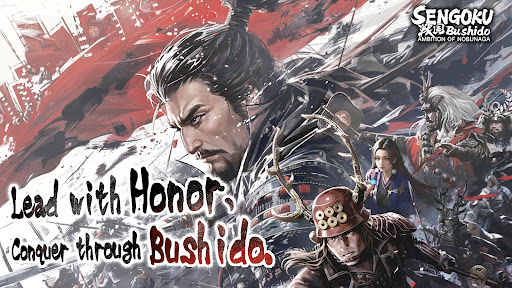
The Sengoku Era Rises Once More
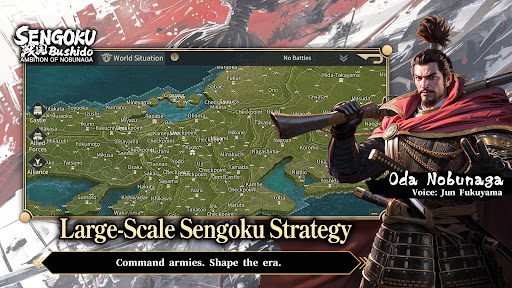
A Large-Scale Historical Strategy SLG
War returns to Japan in an age of ambition, alliances, and shifting frontlines.
Step into the Sengoku era, command powerful Generals, and shape the course of history through strategy rather than force alone.
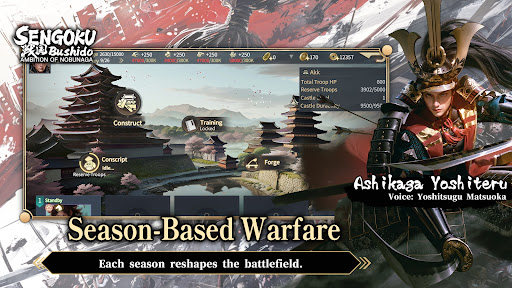
■ Season-Based Warfare
This title features a season-based strategy system, returning players to the Sengoku era with each new campaign.
Fight alongside alliance members to pursue shared seasonal objectives.
Rankings are determined by territory control and season goal progression.
At the start of every new season, territories are reset and new content is introduced.
Players may realign their chosen faction each season, while balance adjustments ensure that every campaign begins on an even battlefield—where planning, coordination, and timing matter more than legacy power.
■ Free March Across the Battlefield
March freely across the map of Japan using a real-time free march system, enabling rapid tactical responses and dynamic engagements.
Siege battles demand constant awareness of enemy alliance counterattacks.
Multiple march routes prevent concentrated pressure from high-strength forces.
Victory depends on coordination, role distribution, and alliance-level strategy.
The battlefield is never static—frontlines shift as decisions unfold in real time.
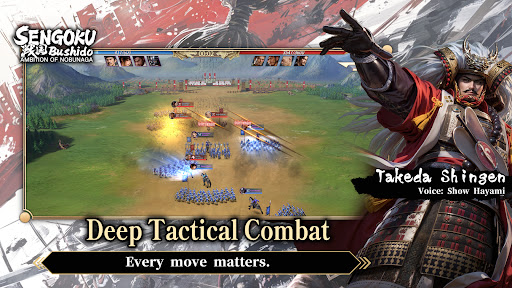
■ Deep Tactical Combat
Victory is decided before the battle begins.
Combine Generals, troop types, siege weapons, and combat techniques to create your own tactical approach.
Battles take place on a 3×3 tactical grid, with up to four units deployable per engagement.
Pre-battle formations and unit composition have a decisive impact on outcomes.
Troop types counter one another, while synergy between Generals and their skills can turn the tide of battle.
Adapt your strategy to the objective at hand:
Catapults to break castle defenses
Ballistae to strike rear formations
War Drums to bolster allied forces
Shield Wagons to withstand cavalry charges
Every move matters.
■ Premium Visual Presentation
Experience the Sengoku era through a refined, grounded visual style.
Generals are rendered in high-detail character models, from armor and attire to weapon craftsmanship.
A weighty, realistic art direction brings the era to life, creating an immersive sense of scale and presence on the battlefield.
■ Generals Brought to Life by a Star-Studded Cast
Over 200 playable Generals appear throughout the game.
Each is fully portrayed through an all-star Japanese voice cast, delivering performances that capture the ambition, resolve, and humanity of the Sengoku era.
Meer tonen

1. Download de MEmu-installatie en voltooi de setup

2. Start MEmu en open vervolgens Google Play op het bureaublad

3. Zoek Sengoku Bushido in Google Play
Install
4. Download en installeer Sengoku Bushido
5. Klik op het icoon om te starten na het voltooien van de installatie

6. Geniet van het spelen van Sengoku Bushido op PC met MEmu
MEmu Play is de beste Android Emulator en 100 miljoen mensen genieten al van de superieure Android-game-ervaring. De virtualisatietechnologie van MEmu stelt je in staat om duizenden Android-spellen soepel op je PC te spelen, zelfs de meest grafisch intensieve.
Groter scherm met betere graphics; Lange duur, zonder beperking van batterij of mobiele data.
Volledige Keymapping-ondersteuning voor nauwkeurige besturing van toetsenbord en muis of gamepad.
Meerdere game-accounts of taken op één PC tegelijk met Multi-Instance manager.
Speel Sengoku Bushido op PC door de volgende stappen te volgen: