Sengoku Bushido
Aktualisiert
Aktuelle Version
Angeboten von

Bei all Ihrer Leidenschaft für das Spielen von Sengoku Bushido sollten Ihre Hände nicht auf einen winzigen Bildschirm Ihres Telefons beschränkt sein. Spielen Sie wie ein Profi und übernehmen Sie die volle Kontrolle über Ihr Spiel mit Tastatur und Maus. MEmu bietet Ihnen all die Dinge, die Sie erwarten. Laden Sie Sengoku Bushido herunter und spielen Sie es auf dem PC. Spielen Sie so lange, wie Sie wollen, ohne Grenzwerte für Akku, mobile Daten und störende Anrufe. Das brandneue MEmu 9 ist die beste Wahl, um Sengoku Bushido auf dem PC zu spielen. Das exquisite voreingestellte Tastaturbelegungssystem, das mit unserem Fachwissen vorbereitet wurde, macht Sengoku Bushido zu einem echten PC-Spiel. Der MEmu Multi-Instanz-Manager ermöglicht das Spielen von 2 oder mehr Konten auf demselben Gerät. Und das Wichtigste: Unsere exklusive Emulations-Engine kann das volle Potenzial Ihres PCs freisetzen und für reibungslose Abläufe sorgen.
Mehr anzeigen
Laden Sie Play Sengoku Bushido auf dem PC mit MEmu Android Emulator. Viel Spaß beim Spielen auf großmundieren. The Sengoku Era Rises Once More.
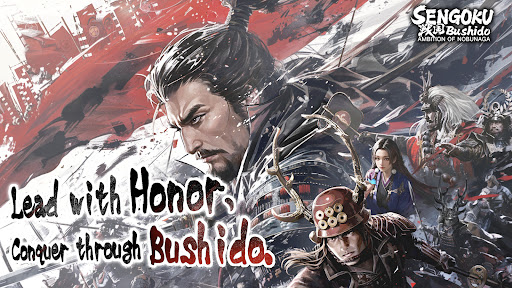
The Sengoku Era Rises Once More
A Large-Scale Historical Strategy SLG
War returns to Japan in an age of ambition, alliances, and shifting frontlines.
Step into the Sengoku era, command powerful Generals, and shape the course of history through strategy rather than force alone.
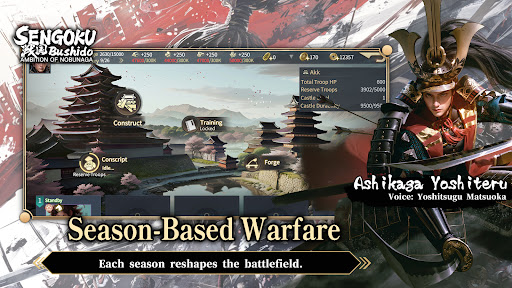
■ Season-Based Warfare
This title features a season-based strategy system, returning players to the Sengoku era with each new campaign.
Fight alongside alliance members to pursue shared seasonal objectives.
Rankings are determined by territory control and season goal progression.
At the start of every new season, territories are reset and new content is introduced.
Players may realign their chosen faction each season, while balance adjustments ensure that every campaign begins on an even battlefield—where planning, coordination, and timing matter more than legacy power.
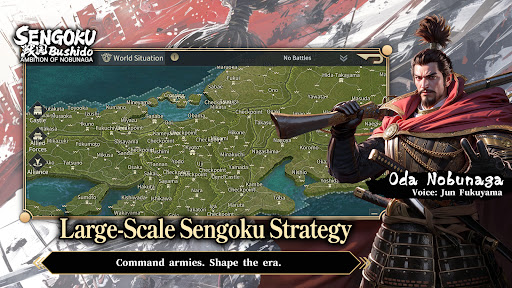
■ Free March Across the Battlefield
March freely across the map of Japan using a real-time free march system, enabling rapid tactical responses and dynamic engagements.
Siege battles demand constant awareness of enemy alliance counterattacks.
Multiple march routes prevent concentrated pressure from high-strength forces.
Victory depends on coordination, role distribution, and alliance-level strategy.
The battlefield is never static—frontlines shift as decisions unfold in real time.
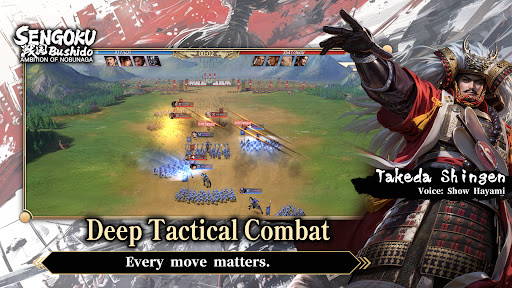
■ Deep Tactical Combat
Victory is decided before the battle begins.
Combine Generals, troop types, siege weapons, and combat techniques to create your own tactical approach.
Battles take place on a 3×3 tactical grid, with up to four units deployable per engagement.
Pre-battle formations and unit composition have a decisive impact on outcomes.
Troop types counter one another, while synergy between Generals and their skills can turn the tide of battle.
Adapt your strategy to the objective at hand:
Catapults to break castle defenses
Ballistae to strike rear formations
War Drums to bolster allied forces
Shield Wagons to withstand cavalry charges
Every move matters.
■ Premium Visual Presentation
Experience the Sengoku era through a refined, grounded visual style.
Generals are rendered in high-detail character models, from armor and attire to weapon craftsmanship.
A weighty, realistic art direction brings the era to life, creating an immersive sense of scale and presence on the battlefield.
■ Generals Brought to Life by a Star-Studded Cast
Over 200 playable Generals appear throughout the game.
Each is fully portrayed through an all-star Japanese voice cast, delivering performances that capture the ambition, resolve, and humanity of the Sengoku era.
Mehr anzeigen

1. Laden das MEmu-Installationsprogramm herunter und beenden die Installation

2. MEmu starten und Google Play auf der Homepage öffnen

3. Suchen Sengoku Bushido in Google Play
Install
4. Herunterladen und Installieren Sengoku Bushido
5. Klicken nach Abschluss der Installation auf das Symbol, um es zu starten

6. Viel Spaß beim Spielen von Sengoku Bushido auf dem PC mit MEmu
MEmu App Player ist der beste kostenlose Android-Emulator und 50 Millionen Menschen genießen bereits seine hervorragende Android-Gaming-Erfahrung. Mit der MEmu-Virtualisierungstechnologie können Sie Tausende von Android-Spielen problemlos auf Ihrem PC spielen, selbst bei grafikintensiven Spielen.
BGrößeres Bild mit besserer Grafik; Keine unterbrechungen, keine sorgen um Akku
Komplette Tastenbelegung unterstützt mit Maus und Tastatur oder Controller
Mit dem „Multi-Instance-Manager“ können Sie mehrere Spielkonten oder Spiele gleichzeitig auf einem PC ausführen.
Play Sengoku Bushido on PC by following steps: