Sengoku Bushido
อัปเดตเมื่อ
เวอร์ชันปัจจุบัน
ให้บริการโดย

เวลาคุณเล่น Sengoku Bushido, คุณอาจรู้สึกว่ามือคุณอาจบังจอแล้วทำให้ไม่ได้เล่นแบบเต็มที่. เล่นแบบไร้ขีดจำกัดด้วยเม้าส์และคีย์บอร์ด. MEmu มีตัวเลือกหลายอย่างให้คุณใช้งานเกมที่คุณเล่นแบบที่คุณต้องการ. ดาวน์โหลดและเล่น Sengoku Bushido บน PC. เล่นนานแค่ไหนก็ได้, ไม่ต้องชาร์จแบตเตอรี่, หรือเจอคนโทรเข้ามาระหว่างเล่น. MEmu 9 เป็นตัวเลือกสำหรับการเล่น Sengoku Bushido บน PC. ทางทีมงานเราได้ปรับแต่งเกม, ปรับให้เล่นเกมบางเกมได้เหมือนเล่น Sengoku Bushido เป็นเกม PC เช่นเล็งด้วยเม้าส์หรือใช้คีย์บอร์ด. ระบบของเรายังทำให้คุณสามารถเปิดเล่นได้มากกว่า 2 เกมพร้อมๆกันในคอมของคุณ. และที่สำคัญที่สุด, ระบบโปรแกรมของเราสามารถทำให้คุณใช้ระบบของ PC ทำให้เกมลื่นเหมือนกับใช้โทรศัพท์รุ่นล่าสุด. เราไม่ได้ดูแลเรื่องการเล่นเกม, แต่เราดูแลถึงความสนุกสนานที่คุณได้จากการเล่นด้วย.
แสดงเพิ่มเติม
ดาวน์โหลด Sengoku Bushido บน PC ด้วย MEmu Android Emulator สนุกกับการเล่นบนหน้าจอขนาดใหญ่ The Sengoku Era Rises Once More.
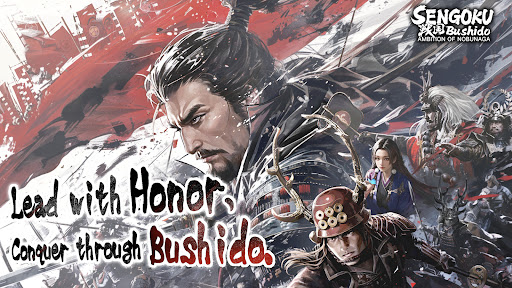
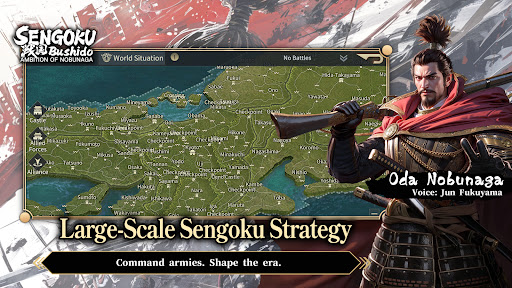
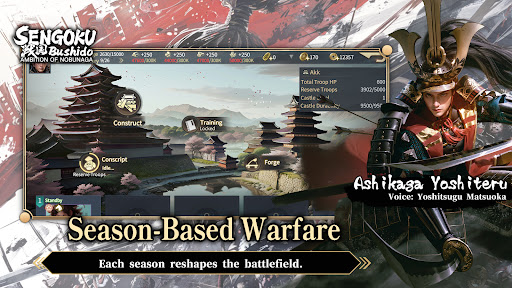
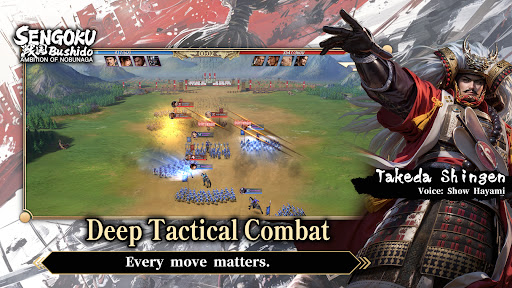
The Sengoku Era Rises Once More
A Large-Scale Historical Strategy SLG
War returns to Japan in an age of ambition, alliances, and shifting frontlines.
Step into the Sengoku era, command powerful Generals, and shape the course of history through strategy rather than force alone.
■ Season-Based Warfare
This title features a season-based strategy system, returning players to the Sengoku era with each new campaign.
Fight alongside alliance members to pursue shared seasonal objectives.
Rankings are determined by territory control and season goal progression.
At the start of every new season, territories are reset and new content is introduced.
Players may realign their chosen faction each season, while balance adjustments ensure that every campaign begins on an even battlefield—where planning, coordination, and timing matter more than legacy power.
■ Free March Across the Battlefield
March freely across the map of Japan using a real-time free march system, enabling rapid tactical responses and dynamic engagements.
Siege battles demand constant awareness of enemy alliance counterattacks.
Multiple march routes prevent concentrated pressure from high-strength forces.
Victory depends on coordination, role distribution, and alliance-level strategy.
The battlefield is never static—frontlines shift as decisions unfold in real time.
■ Deep Tactical Combat
Victory is decided before the battle begins.
Combine Generals, troop types, siege weapons, and combat techniques to create your own tactical approach.
Battles take place on a 3×3 tactical grid, with up to four units deployable per engagement.
Pre-battle formations and unit composition have a decisive impact on outcomes.
Troop types counter one another, while synergy between Generals and their skills can turn the tide of battle.
Adapt your strategy to the objective at hand:
Catapults to break castle defenses
Ballistae to strike rear formations
War Drums to bolster allied forces
Shield Wagons to withstand cavalry charges
Every move matters.
■ Premium Visual Presentation
Experience the Sengoku era through a refined, grounded visual style.
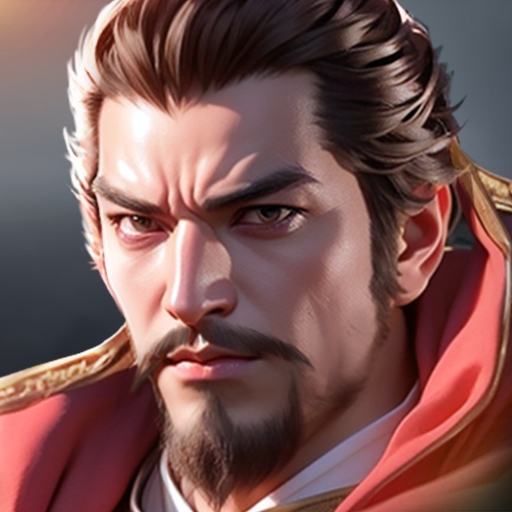
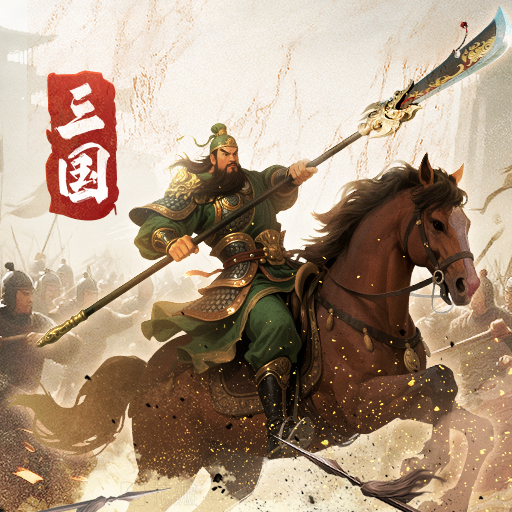
Generals are rendered in high-detail character models, from armor and attire to weapon craftsmanship.
A weighty, realistic art direction brings the era to life, creating an immersive sense of scale and presence on the battlefield.
■ Generals Brought to Life by a Star-Studded Cast
Over 200 playable Generals appear throughout the game.
Each is fully portrayed through an all-star Japanese voice cast, delivering performances that capture the ambition, resolve, and humanity of the Sengoku era.
แสดงเพิ่มเติม

1. ดาวน์โหลดตัวติดตั้ง MEmu และสิ้นสุดการติดตั้ง

2. เริ่ม MEmu จากนั้นเปิด Google Play บนหน้าแรก

3. ค้นหา Sengoku Bushido ใน Google Play
Install
4. ดาวน์โหลดและติดตั้ง Sengoku Bushido
5. เมื่อติดตั้งเสร็จให้คลิกที่ไอคอนเพื่อเริ่มใช้งาน

6. สนุกกับการเล่น Sengoku Bushido บนพีซีด้วย MEmu
MEmu App Player เป็นอีมูเลเตอร์ Android ที่ดีที่สุดและผู้คนกว่า 50 ล้านคนเพลิดเพลินไปกับประสบการณ์การเล่นเกม Android ที่ยอดเยี่ยม เทคโนโลยีการจำลองเสมือนของ MEmu ช่วยให้คุณเล่นเกม Android หลายพันเกมได้อย่างราบรื่นบนพีซีของคุณแม้แต่เกมที่ต้องใช้กราฟิกมากที่สุด
จอใหญ่และกราฟฟิกสวยกว่า; เล่นได้นาน, ไม่ต้องใช้แบตเตอรี่โทรศัพท์หรือเน็ตโทรศัพท์.
ระบบปรับแต่งปุ่มคีย์บอร์ดและเม้าส์ตามที่คุณเลือก
เล่นมากกว่าหนึ่งเกมบน PC ในเวลาเดียวกันด้วยระบบหลายจอหรือ Multi-Instance manager.
Play Sengoku Bushido on PC by following steps: